3736
Setting Up Your Camera
6
Select one of the following exposure modes:
a. Programmed auto (P or Ps)
b. Shutter-priority auto (S)
c. Aperture-priority auto (A)
d. Manual exposure mode (M)
7
Select a metering system:
a. Matrix metering system
b. Center-Weighted metering system
c. Spot metering system
8
Perform other settings:
a. For programmed auto, set lens to minimum aperture
(highest f-number).
b. For shutter-priority auto, set lens to minimum aper-
ture (highest f-number), then set desired shutter
speed*.
c. For aperture-priority auto, set desired aperture.
d. For manual exposure mode, set desired shutter
speed* and aperture.
* Camera automatically shifts to the fastest synchronization speed if you choose
a speed that is not within the synchronization range.
TTL Auto Flash Mode: For F90-Series/N90 Users
Chapter
3
Confirming Settings
9
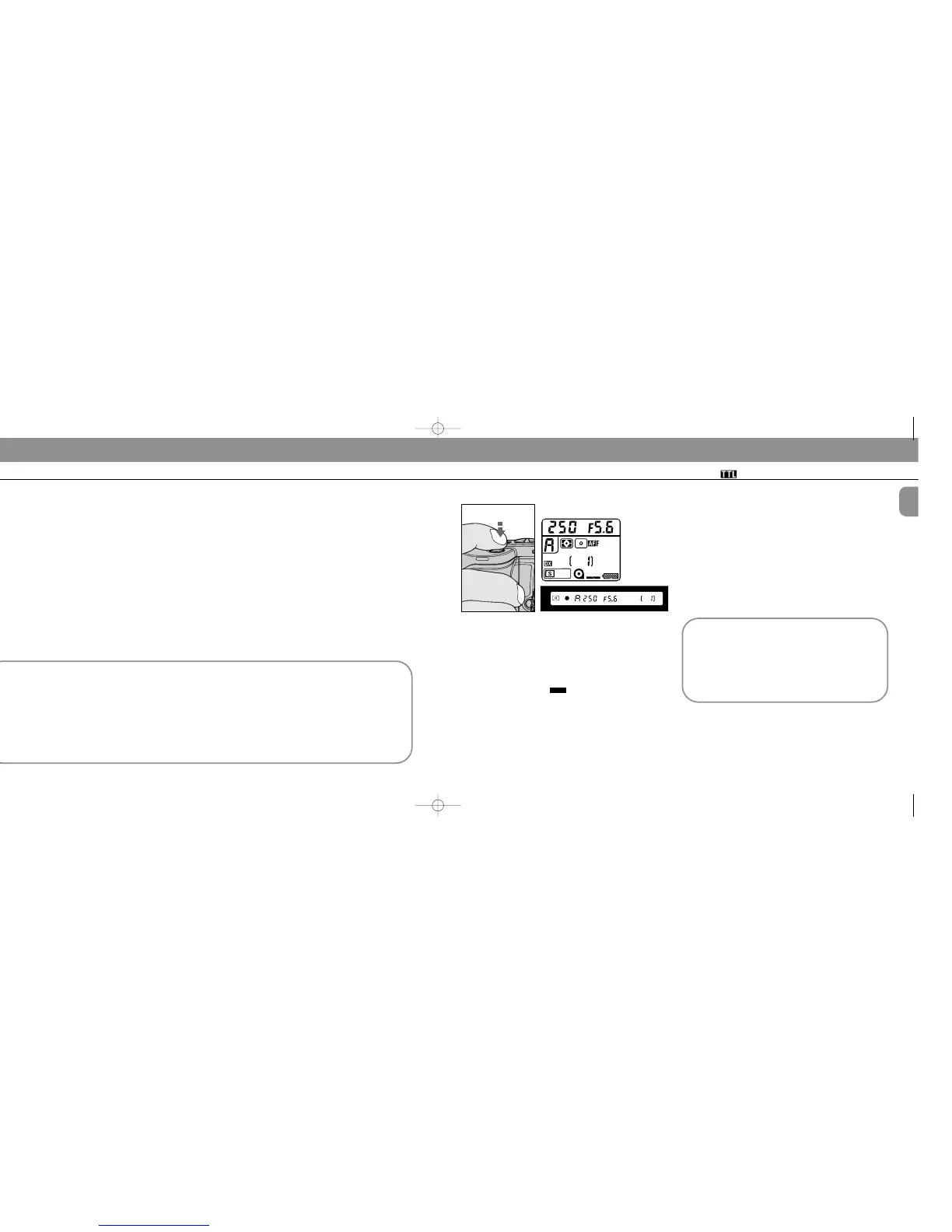
Look into camera viewfinder, compose and lightly
press the shutter release button.
Use AE-L (Auto Exposure Lock) on the camera to capture
exact exposure information for your picture composition
(except when in manual exposure mode).
Confirm controlled aperture and shutter speed. These also
appear in the camera’s LCD panel.
The aperture in use (shown in the viewfinder) and shooting
distance indicator bars appear in the SB-25’s LCD
panel.
Selecting an exposure-metering system on the F90-
Series/N90 camera
Either 3D Multi-Sensor Balanced or Multi-Sensor
Balanced Fill-Flash will operate regardless of exposure
meter system chosen, when the camera is used with a D-
type Nikkor, an AF Nikkor (except for F3AF) or an AI-P
lens.
Choose a meter to measure background exposure that
most effectively meets the photo requirements you wish
to achieve.
Quick reference on the relationship between usable
apertures and flash shooting distance
Use the table on page 142 in this instruction manual.
Over-/Underexposure warning (background
exposure)
For overexposure alert, HI or a “+ (positive)” value
appears in the F90-Series/N90 viewfinder and LCD
panel.
For underexposure, electronic analog displays (in
viewfinder and LCD panel) show Lo or a “– (negative)”
value.
SB-25_En 03.1.14 8:18 PM Page 36














 To Next Page