5150
Setting Up SB-25
1
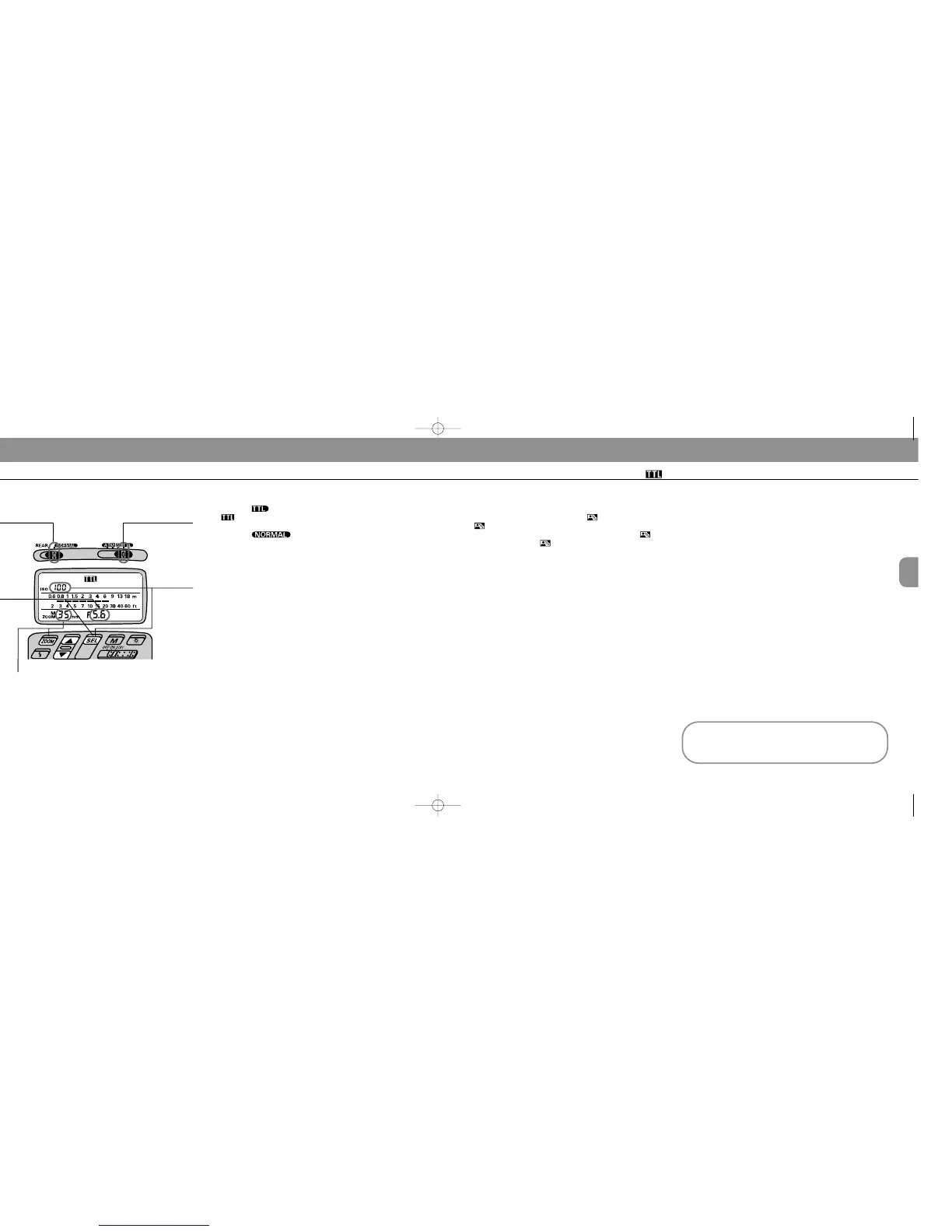
Choose position (flash mode selector). Confirm
in the LCD panel.
2
Choose position* (flash sync mode selec-
tor).
* For SLOW SYNC FLASH or REAR-CURTAIN SYNC FLASH, perform the set-
tings on the camera; setting priorities are determined by the camera and flash
sync mode selections on the SB-25 will be ignored.
3
Set ISO speed of the film in use. Usable film speeds
are ISO 25 to ISO 1000.
For instruction, see “Setting ISO Film Speed (Manual
Adjustment),” pages 27 to 28.
4
Set the built-in zoom head position.
For instruction, see “Setting Zoom-Head Position (Manual
Adjustment),” pages 29 to 30.
Setting Up Your Camera
5
To perform Matrix Balanced, Center-Weighted or
Spot Fill-Flash, use the MODE/ button, and confirm
the mark in the LCD panel.
To perform Standard TTL Flash, use the MODE/ but-
ton, and confirm the mark disappears from the LCD
panel.
6
Select one of the following exposure modes:
a. Programmed auto (either P
M or P)
b. Shutter-priority auto (S)
c. Aperture-priority auto (A)
d. Manual exposure mode (M)
7
Select a metering system:
a. Matrix metering system to perform Matrix Balanced
Fill-Flash.
b. Center-Weighted metering system to perform
Center-Weighted Fill-Flash.
c. With the F-601/N6006, Spot metering system to per-
form Spot Fill Flash.
d. Any metering system can be chosen to perform
Standard TTL Flash.
8
Perform other settings:
a. For programmed auto, set lens to minimum aperture
(highest f-number).
b. For shutter-priority auto, set lens to minimum aper-
ture (highest f-number), then set desired shutter
speed*.
c. For aperture-priority auto, set desired aperture.
d. For manual exposure mode, set desired shutter
speed* and aperture.
* Camera automatically shifts to the fastest synchronization speed if you choose
a speed that is not within the synchronization range.
TTL Auto Flash Mode: For F-601/N6006 and F-601
M/N6000 Users
Chapter
3
Quick reference on the relationship between
usable apertures and flash shooting distance
Use table on page 142 in this instruction manual.
1 Flash mode selec-
tor at TTL Auto
2 Flash sync mode selector at
NORMAL
3 ISO speed
of film in
use
4 Zoom-head position
10 Aperture
value
SB-25_En 03.1.14 8:18 PM Page 50














 To Next Page