8786
Manual Flash Mode
Chapter
3
5
For aperture-priority auto, set desired aperture on the
camera.
For manual exposure mode, set desired aperture and shut-
ter speed* on the camera.
* Camera automatically shifts to the fastest synchronization speed if you choose
a speed that is not within the synchronization range.
Fine light-output adjustment: F90-Series/N90 with
AF Nikkor lens (including the latest D-Type) or
Nikkor lens having a built-in CPU
Additionally, you can manip-
ulate light output in finer
increments of ±1/3, as long
as light output is set
between and .
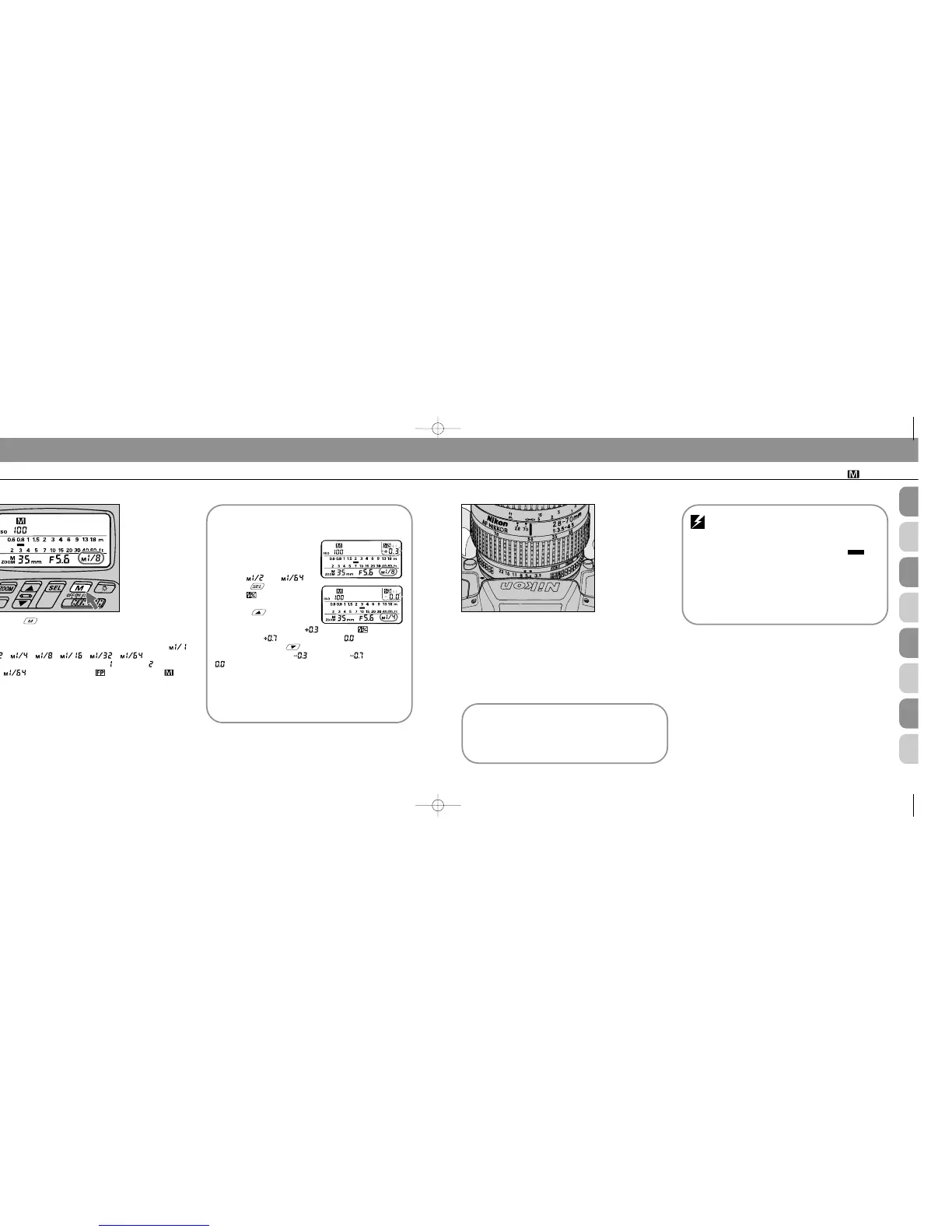
Press button and
confirm appears in the
SB-25’s LCD panel. By
pressing button, you
can increase the light
amount by +1/3 (blinking below the mark), by
+2/3 (blinking ), or by +1 (blinking ).
To decrease, use in the same manner; blinking
numbers change from (by -1/3) to (by -2/3) to
(by -1).
4
Press button to choose desired light output.
You can choose an amount ranging from full power (1/1) to
one sixty-fourth (1/64). LCD indications change as: - -
- - - - - -.
With the F90-Series/N90, indication , and then will appear
after . At the same time, appears next to . This
applies exclusively to FP High-Speed Sync Flash and is dis-
cussed in the following pages (see pages 98 to 103).
Using guide number
Guide number is helpful to calculate exact flash shoot-
ing distance in manual flash operation. For details, see
“Guide Number — To Calculate a Proper Aperture,”
page 118, and “Specification,” page 139.
Automatic aperture adjustment: F90-Series/
N90, F4-Series, F-801/N8008, or F-801s/
N8008s used with an AF Nikkor lens (including lat-
est D-Type) or Nikkor lens having a built-in CPU
The aperture in use and an indicator bar are
automatically indicated in the SB-25’s LCD panel. With
other lenses, you must operate manually and follow
steps 6, 7 and 8.
To skip steps 6, 7 and 8, check that subject is
standing at the location suggested by the LCD’s mea-
surement scale. If not, change aperture by turning the
lens’ aperture ring to adjust the bar.
SB-25_En 03.1.14 8:18 PM Page 86














 To Next Page