EasyManua.ls Logo

Niles ZR-4630 - User Manual

Niles ZR-4630
82 pages
Print Icon
To Next Page IconTo Next Page
Loading...
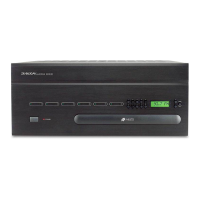
INSTALLATION & OPERATION GUIDE
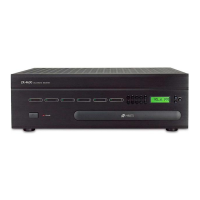
Four-Source, Six-Zone, 30W Per Channel
AM/FM Receiver
ZR-4630
ZR-4630
MultiZone Receiver
B LENDING T ECHNOLOGY AND A RCHITECTURE

Table of Contents

Questions and Answers

  • K
    Kathleen MorrowAug 6, 2025
    Why is there no IR control of the source components on my Niles ZR-4630 Receiver?
    • L
      Leslie AcostaAug 6, 2025
      The sensors might be experiencing interference. When using the Niles IRR-4D+ Wall Mount or the Niles TIR-1+ Tabletop IR Sensors, the status LED should illuminate green when the zone is on, be off when the zone is off, and turn red when receiving a command. When using the Niles MS-1 or MS-2 IR Sensors, the status LED should be off when the zone is on and illuminate green only when receiving an IR command. A constantly red LED (or green when using MS-1 or MS-2) indicates interference. Identify and eliminate the source of interference, or reposition the sensor away from it. Common sources of interference include dimmer switches, fan motor switches, televisions (especially plasma televisions), and sunlight.
  • M
    Megan PearsonAug 10, 2025
    How to fix a Niles ZR-4630 Receiver with no lights?
    • J
      Justin HartAug 10, 2025
      First, check the AC power cord to ensure it's securely plugged into the receiver's power-cord socket. Next, verify that the AC power outlet is providing power, ensuring the ZR-4630 is connected to an unswitched AC outlet. If the issue persists after checking both the cord and the outlet, contact Niles for service.
  • J
    Joshua ParkerAug 14, 2025
    What to do if my Niles ZR-4630 Receiver LCD Display shows error E7?
    • S
      Sandra GallegosAug 14, 2025
      Error E7 indicates that one or more of the front-panel control or programming buttons is stuck. Inspect each button by pressing and releasing them to resolve the issue.
  • H
    Holly AvilaAug 19, 2025
    What does it mean if my Niles ZR-4630 Receiver LCD Display shows error E1, E2, E3, E4, E5, or E6?
    • M
      mcdonaldlindaAug 19, 2025
      Errors E1 through E6 indicate an internal problem requiring service for your ZR-4630.
  • Z
    Zachary GonzalezAug 23, 2025
    Why do some IR commands work and some don't on my Niles ZR-4630?
    • W
      Wendy JacksonAug 23, 2025
      It's possible that some IR commands were not correctly captured. To prevent this, use the IR test feature to test all IR commands as you capture them.
  • T
    Tina JonesAug 27, 2025
    What does error E8 on the Niles Receiver LCD Display mean?
    • J
      jameswebbAug 27, 2025
      Error E8 signifies that one or more ZR-4630s in an expanded system are not properly set to the correct Master/Slave mode.
  • H
    Hannah BeckerSep 1, 2025
    How to troubleshoot a Niles ZR-4630 Receiver keypad with no lights?
    • A
      Ashley HarrisSep 1, 2025
      Test the keypad cable using an appropriate cable tester.

Summary

Features and Benefits

Multi-zone;Multi-source

Describes the receiver's ability to provide music to six listening zones simultaneously.

12-Channel 30 W Amplifier for Six Zones of Stereo Sound

Highlights the integrated 30W stereo amplifiers for each of the six zones.

Parts Guide (ZR-4630)

Sync Inputs

Describes RCA Sync Inputs for source component power ON/OFF detection.

Keypad Inputs

Details the six RJ-45 jacks for connecting IntelliPad Ci® Master Keypad Modules.

12 V Control Output

Explains the 3.5mm jack providing a 12V DC trigger signal for automation.

System Configurations

CONFIGURATION 1 - SIX ZONES

Depicts the simplest setup providing sound to six listening zones.

Source-Component Automation

Details methods for controlling the power ON/OFF of source components.

CONFIGURATION 2 - ADDING ZONES USING MULTIPLE ZR-4630 S

Covers combining ZR-4630 units for systems requiring more than six zones.

Source Power Synchronization

CHOOSING A SYNCHRONIZATION METHOD

Explains the two ways to detect component ON/OFF status: Video or Voltage Sync.

Operational Overview

Installation

CONNECTIONS

Details various connection procedures for the ZR-4630 system.

Programming Overview

Program Editing Steps

SOURCE-POWER EDITING

Steps for editing the power ON/OFF commands for source components.

IR COMMAND EDITING

Steps for editing individual IR commands for source component control.

Troubleshooting

TROUBLESHOOTING THE ZR-4630

Addresses issues related to the receiver's power and display.

Niles ZR-4630 Specifications

General IconGeneral
TypeMulti-zone Receiver
Channels6
Zones4
Frequency Response20Hz - 20kHz
Input Impedance47k ohms
Input Sensitivity200mV
Weight24 lbs
Power Output30W per channel
Impedance8 ohms
ControlRS-232, IR

Related product manuals