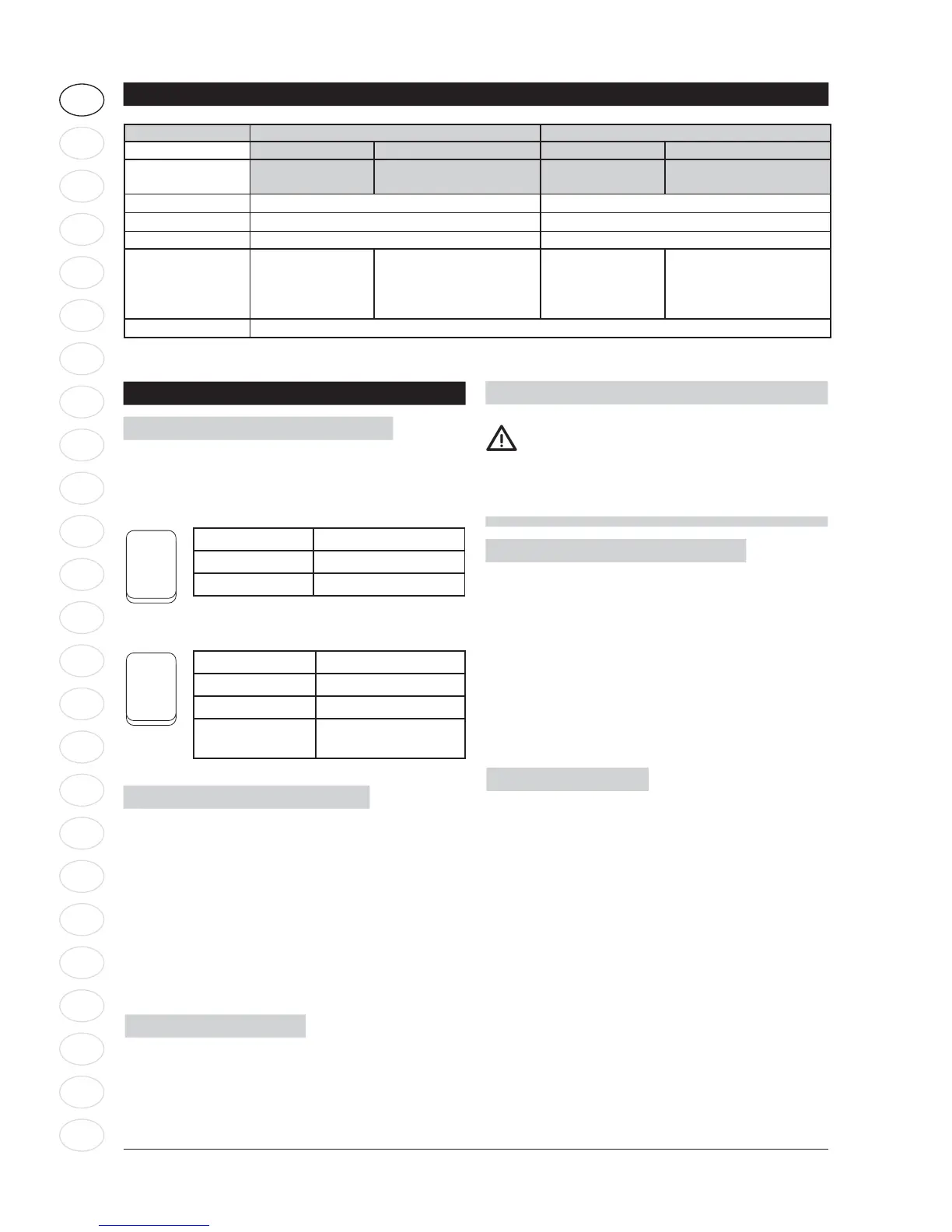
Operation instructions
Switching on the vacuum cleaner
On/Off - position “A” (ref. page 7)
Switch “0-I”
Switch position Function
I On
0 Off
Switch “I-0-II”, auto function
Switch position Function
I On
0 Off
II
Powertool
Auto on/Off
Filter Clean (ref. illu. 3, page 4)
When the suction performance drops:
1. Connect the power supply.
2. Turn the speed regulation to “max” (ref. page 7)
(depending on model).
3. Close the suction hose opening with the palm of
your hand.
4. Make a hard/fast push to the Filter clean button
(ref. pos. “B” page 7). Repeat pushing 3 times.
The resulting stream of air cleans the fi lter.
Cable rewind function
1. Disconnect the power supply. Always clean cable
before rewind using a wet/damp cloth.
2. Rewind the cable using the cable rewind button
(ref. pos. “C” page 7).
I
0
I
0
II
Technical specifi cations
Model Multi 20 Multi 30
CR T (CR / Inox) CR T (CR / INOX)
INOX T VSC
(CR / INOX)
INOX T VSC
(CR / INOX)
Voltage (V)
220 - 240 220 - 240
P
IEC (W) 1150 (ZA 1200) 1150 (ZA 1200)
Pmax (W) 1400 1400
Power socket
max (W)
NA EU, AU/NZ: 2000
GB: 1800
CH: 1100
CN: 1050
NA EU, AU/NZ: 2000
GB: 1800
CH: 1100
CN: 1050
IP X4
WARNING
When activating the automatic cord rewind,
care must be taken as the plug at the end of
the cord can swing during the last part of the
rewinding. It is recommended that you hold on
to the plug while rewinding.
Filter change (ref. illu. 4, page 4)
1. Disconnect the power supply.
2. Turn the fi lter disc counter-clockwise. Carefully re-
move the fi lter and check it for damages. Replace
the fi lter if necessary and dispose the fi lter accord-
ing to legal regulations. Using wet and dry fi lter,
clean the fi lter by compressed air (keep proper
distance in order not to damage the fi lter with the
air stream) or rinse in water. Dry fi lter before use.
3. Carefully clean the fi lter sealing areas, mount the
fi lter and tighten the fi lter clockwise.
Changing fi lter bag
1. Disconnect the power supply.
2. Carefully remove the fi lter bag from the container
and close the small slider in the top of the fi lter
bag. Dispose the fi lter bag in accordance with
legal regulations.
3. Insert the new fi lter bag in the container and press
it gently on the inlet fi tting using both hands. Nil-
fi sk always recommends the use of a fi lter bag for
fi ne dust.







 To Next Page