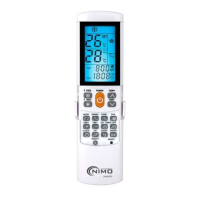
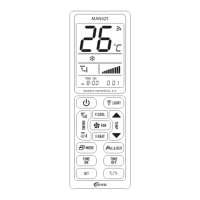
Users manual for MAN2004
General Description:
The 4 in 1 universal remote control is a new model of preprogrammed universal
remote control for European market which has an extensive code library, powerful
function and stable quality .It features as:
a. Totally 4 device keys: TV, DVD, VCR, SAT
b. 4 Operation Modes: Set-up Mode, Manual Search Mode, Auto Search and
Display Mode.
c. Back-up memory to keep the set up data no- volatilization.
d. LED flash to indicate when transmission.
e. Set-up indicating LED
f. Device Lock Function
g. Menu Function
Code Set Up:
A. Set Up by brand code:
According to the attached Device Brand Code List, find out the code of the device
brand and device code that you want to control. For example, you can find codes for
SONY TV: 010, 011, 028, and 030… Then follow the steps as below:
1. Press and hold the [SET] key. Then press the device key that you want to
control, such as [TV],[DVD].
2. The LED will be on at moment. Then release the pressed both keys.
3. Enter in the 3-digit Device Code (for example: code 010 under SONY TV).
4. If the entered Device Code is correct, the LED will be off automatically, then
gone to step e. If it is incorrect, the LED will blink twice and keep being at
set up mode, then return to step c.
5. Try if keys on remote control work or not.
If none key works or some key work but most keys work improperly, please
try other codes in the same brand (for example: code 028,030 ...under
SONY TV), repeat step a-e till you find one code which work good enough.



 To Next Page