EasyManua.ls Logo

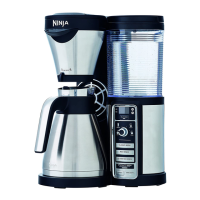
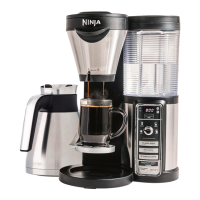
Ninja COFFEE BAR CF080Q - User Manual

Ninja COFFEE BAR CF080Q
24 pages
Print Icon
To Next Page IconTo Next Page
Loading...
CF080Q
COFFEE BAR
www.ninjacoffeebar.com
1-877-646-5288
®
OWNER’S GUIDE

Questions and Answers

  • T
    Tonya SheaAug 19, 2025
    Why won't my Ninja COFFEE BAR CF080Q brew start?
    • J
      Jonathan LeeAug 20, 2025
      If your Ninja Coffee Maker brew won't start, first check that the brewer is plugged in and that the water reservoir has water. Also, if the drip stop is in the open position, make sure the brew basket is pushed all the way into the brewer. If you hear 5 beeps, ensure the drip stop is in the open position.
  • M
    Melissa MyersAug 21, 2025
    How to fix weak coffee from my Ninja COFFEE BAR CF080Q Coffee Maker?
    • T
      Teresa MercadoAug 22, 2025
      If your Ninja Coffee Maker is producing weak coffee, try adding more coffee grounds to the brew basket for the next brew cycle. If the coffee is still weak, try using the Rich Brew setting for a stronger, more concentrated cup.
  • D
    David StephensAug 23, 2025
    Why are there grounds in my Ninja COFFEE BAR CF080Q coffee?
    • L
      Lindsay DavisAug 23, 2025
      If you find grounds in your coffee from the Ninja Coffee Maker, ensure the brew basket didn't overflow. Also, avoid using too many grounds or finely ground coffee; using medium ground coffee in the recommended measurements is best.
  • J
    Jacob FisherAug 26, 2025
    How to make Ninja COFFEE BAR CF080Q coffee hotter?
    • M
      mariaboyerAug 26, 2025
      To ensure your Ninja Coffee Maker brews hot coffee, preheat your mug or carafe by rinsing it with hot tap water. If you add cream or milk, preheat them in the microwave for 30 seconds before brewing.
  • M
    Manuel SpenceAug 28, 2025
    Why is my Ninja Coffee Bar™ leaking?
    • J
      Joshua Jackson DVMAug 28, 2025
      If your Ninja Coffee Bar™ is leaking from the brew basket, make sure all parts are securely fit in the brewer. If the leak is from the bottom of the brewer, call customer service at 1-877-646-5288.
  • S
    sarah99Aug 30, 2025
    What to do if Ninja Coffee Bar™ beeps and doesn't complete brew?
    • V
      Virginia MorrisAug 30, 2025
      If your Ninja Coffee Bar™ beeped and didn't complete the brew, make sure the water reservoir is locked in place and filled with enough water. Also, if the CLEAN indicator is lit, run a clean cycle with descaling solution or a white vinegar mixture. If the Drip Stop indicator is illuminated, ensure the brew basket is fully inserted and open the Drip Stop when the vessel is placed under it.
  • M
    Mr. Mark SmithSep 1, 2025
    Why is my Ninja COFFEE BAR CF080Q brew basket dripping after brewing?
    • A
      Alexander WilliamsSep 1, 2025
      If the brew basket of your Ninja Coffee Maker is dripping after brewing, check that the Drip Stop toggle is not set to the closed, no drip position. If it is not, run a clean cycle or wash the brew basket thoroughly with warm, soapy water.
  • T
    Tara SimpsonSep 3, 2025
    How to make Ninja Coffee Maker coffee less strong?
    • S
      Sandy GreenSep 3, 2025
      If your Ninja Coffee Maker brews coffee that is too strong, try using a more coarse grind. If it's still too strong, try using less coffee grounds.
  • M
    Mary StewartSep 5, 2025
    Why is my Ninja COFFEE BAR CF080Q brew cycle too slow?
    • W
      walkerjacobSep 6, 2025
      If your Ninja Coffee Maker's brew cycle is taking longer than normal, run the clean cycle with a descaling solution.
  • R
    Roberto CunninghamSep 7, 2025
    Why is the paper filter falling over in my Ninja COFFEE BAR CF080Q?
    • D
      Douglas TaylorSep 8, 2025
      To prevent the paper filter from falling over in your Ninja Coffee Maker, use a #4 cone filter. Ensure the filter is firmly pressed into the brew basket, and wet the corners for best results. If the problem persists, try using a permanent filter.

Summary

Important Safety Information

Safety Signal Words

Defines signal words like WARNING, CAUTION, and NOTICE used in the manual.

General Safety Precautions

Provides essential safety guidelines for operating the appliance.

Additional Safety Precautions

Operating Notice and Carafe Safety

Details common issues like clogging and precautions for the glass carafe.

Maintenance and Cord Statement

Instructions for cleaning, care, and power cord information.

FCC Compliance Statement

Getting To Know Your Ninja Coffee Bar

Component Identification

Lists and labels each part of the Ninja Coffee Bar system.

Control Panel Overview

Clock and Button Functions

Details the digital clock and its hour/minute setting buttons.

Multi-Serve Dial and Brew Type Selection

Explains the dial for sizes and different coffee brewing options.

Key Features of the Ninja Coffee Bar

Thermal Flavor Extraction Technology

Explains the technology for optimal flavor extraction and temperature.

Multi-Serve and Auto-iQ Technology

Describes brewing into various cup sizes and automatic water usage.

Before First Use Preparation

Initial Cleaning and Safety Checks

Details removing packaging, washing parts, and running initial cycles.

Setting Clock and Delay Brew

Setting the Clock Time

Instructions for setting the current time on the digital display.

Programming the Delay Brew

Guide for programming the automatic brew start time.

Appliance Assembly

Water Reservoir Assembly

Details on how to remove, fill, and reattach the water reservoir.

Brew Basket Installation

Steps for removing and correctly inserting the brew basket.

Initial Cleaning Cycle

Preparing for Use

Filling the Water Reservoir

Guide on how to properly fill the water reservoir.

Understanding Brew Volumes

Information about approximate brew volumes for different sizes and types.

Preparing for Use - Continued

Hotter Coffee Tips and Brew Basket Filling

Explains cup type influence and how to add coffee grounds.

Coffee Ground Measurements

Provides recommended amounts of coffee grounds for different brew sizes.

Drip Stop Operation

Using Drip Stop Mid-Brew

How to use Drip Stop for pouring a cup mid-brew.

Using Drip Stop After Brew

How to use Drip Stop after the brew cycle is complete.

Warming Plate and Stay Warm Button

Brewing Coffee

Classic and Rich Brew Instructions

Details on how to brew Classic and Rich coffee.

Over Ice Brew Instructions

Safety Warning for Glassware

Warning against using glass vessels for Over Ice Brew.

Over Ice Brew Volume Chart

Table showing brew volumes for Over Ice brewing.

Specialty Brew Instructions

Care and Maintenance

Routine Cleaning After Brew

Steps for cleaning the coffee maker after each use.

Carafe Cleaning Methods

Methods for cleaning the glass carafe.

How to Clean and Descale

Descaling Process

Steps for performing a clean cycle using descaling solution or vinegar.

Troubleshooting Common Issues

Coffee Quality Problems

Addresses sediment, grounds in coffee, and weak/strong coffee.

Brew Basket and Filter Issues

Tips for stopping dripping, filter problems, and brew basket overflow.

Brew Start and Speed Issues

Solutions for brew not starting or being too slow.

Troubleshooting Continued

Overflow and Leaking Issues

Explains reasons for overflow and leaking, and how to address them.

Reservoir Water and Leaking

Explains why water might remain in the reservoir and leak troubleshooting.

Beeping and Pre-warming Issues

Addresses beeping indicator and hotter second cup.

Carafe Benefits and Replacement Parts

Carafe Design Benefits

Benefits of the carafe design and lid for brewing and pouring.

Ordering Replacement Parts

Information on how to order replacement parts for the appliance.

One Year Limited Warranty

Product Registration Guide

One Year Limited Warranty Details

Product Registration Process

Online and Social Media Presence

Company Contact Information

Ninja COFFEE BAR CF080Q Specifications

General IconGeneral
Model NumberCF080Q
Water Reservoir Capacity50 oz
MaterialPlastic, Stainless Steel
Special FeaturesProgrammable
ColorBlack
Brewing OptionsClassic, Rich, Over Ice

Related product manuals