EasyManua.ls Logo

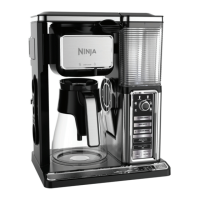
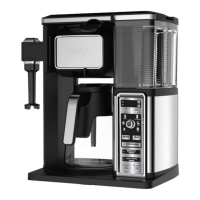
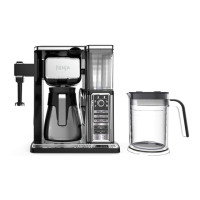
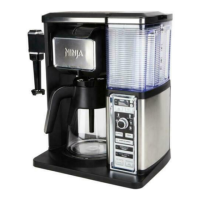
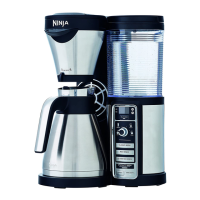
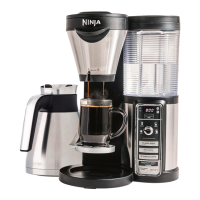
Ninja COFFEE BAR CF091 SERIES - User Manual

Ninja COFFEE BAR CF091 SERIES
13 pages
Print Icon
To Next Page IconTo Next Page
Loading...
ninjacoffeebar.com
1-877-646-5288
CF091 series
OWNER’S GUIDE

Other manuals for Ninja COFFEE BAR CF091 SERIES

Questions and Answers

  • T
    Travis MaddenAug 20, 2025
    Why are there grounds in my Ninja COFFEE BAR CF091 Coffee Maker coffee?
    • L
      leevincentAug 20, 2025
      If you find grounds in your coffee from the Ninja Coffee Maker, make sure the brew basket isn't overflowing. For the best results, use medium ground coffee and the recommended measurements.
  • R
    Russell HutchinsonAug 21, 2025
    How to make Ninja COFFEE BAR CF091 coffee hotter?
    • D
      dominguezjasmineAug 22, 2025
      To ensure your coffee from the Ninja Coffee Maker stays hotter for a longer time, preheat your mug or carafe by rinsing it with hot tap water before brewing.
  • J
    Jared NguyenAug 25, 2025
    What to do if Ninja COFFEE BAR CF091 Coffee Maker brew basket dripping after brew?
    • A
      Amy EvansAug 25, 2025
      If the brew basket of your Ninja Coffee Maker continues to drip after brewing, check that the Drip Stop toggle is set to the closed, no-drip position. If it is and dripping continues, run a Clean Cycle or wash the brew basket thoroughly with warm, soapy water.
  • D
    David BrownAug 26, 2025
    How to fix weak coffee from my Ninja COFFEE BAR CF091 Coffee Maker?
    • E
      Eric PhillipsAug 26, 2025
      If your Ninja Coffee Maker produces weak coffee, try adding more coffee grounds to the brew basket for the next cycle. If it's still weak, select the Rich Brew setting for a stronger, more concentrated cup.
  • D
    Dana DavisAug 27, 2025
    How to make Ninja COFFEE BAR CF091 Over Ice Brew colder?
    • K
      Kyle ButlerAug 28, 2025
      When using the Over Ice Brew setting on your Ninja Coffee Maker, make sure your cup, travel mug, or carafe is filled completely to the top with ice cubes.
  • S
    silvasusanAug 30, 2025
    Why is there water left in my Ninja COFFEE BAR CF091 reservoir?
    • J
      Justin BurtonAug 30, 2025
      The water reservoir markings on your Ninja Coffee Maker are minimum fill lines. They indicate if there is enough water for the proper brew size, but all brew styles use different amounts of water to create the proper flavor and concentration. You can brew multiple cups before needing to refill.
  • A
    Alexander HendersonSep 1, 2025
    What to do if my Ninja COFFEE BAR CF091 Coffee Maker brew will not start?
    • B
      Beth SparksSep 1, 2025
      If your Ninja Coffee Maker brew won't start, first check that the brewer is properly plugged in. Also, ensure there's enough water in the water reservoir.
  • M
    mary75Sep 2, 2025
    How to fix Ninja COFFEE BAR CF091 coffee that is too strong?
    • P
      paulaaverySep 3, 2025
      If your Ninja Coffee Maker makes coffee that is too strong, try using a coarser grind. If the coffee is still too strong, try using less coffee grounds.
  • G
    Gordon MartinezSep 4, 2025
    Why is the brew cycle so slow on my Ninja Coffee Maker?
    • A
      anthonypattersonSep 5, 2025
      If the brew cycle on your Ninja Coffee Maker is slower than normal, run a Clean Cycle using a descaling solution.
  • J
    justinreedSep 7, 2025
    Why is there sediment in my Ninja COFFEE BAR CF091 Coffee Maker coffee?
    • J
      jeremybaileySep 7, 2025
      If you notice sediment at the bottom of your brewed coffee from the Ninja Coffee Maker, this may be due to finely ground coffee in a permanent filter. To reduce sediment, use a slightly coarser grind or a paper filter.

Summary

Important Safeguards

Safety Signal Words

Defines hazard signal words (Warning, Caution, Notice) used in the manual.

General Precautions

Outlines fundamental safety rules for operating the appliance.

Operating Notice

Provides guidelines for optimal appliance performance and usage.

Glass Carafe Safety

Specific warnings and instructions for handling the glass carafe.

Maintenance & Cord Safety

Covers cleaning, servicing, and safe handling of the power cord.

Getting To Know Your Ninja Coffee Bar

Control Panel Overview

Identifies and describes all buttons, dials, and indicators on the control panel.

Ninja Coffee Bar Features

Brewing Technologies & Types

Details Thermal Extraction, Multi-Serve, and brew options (Classic, Rich, Over Ice).

Key Components & Functions

Explains Auto-iQ, Drip Stop, Stay Warm, Warming Plate, and programmable clock.

Before First Use

Initial Setup and Safety

Crucial safety warnings and preparation steps for initial appliance setup.

Preparing Your Ninja Coffee Bar

Coffee Volume & Cup Temperature

Explains brew volume per size/type and factors affecting coffee temperature.

Brew Basket Coffee Measurement

Provides guidelines on the amount of coffee grounds needed for different serving sizes.

Drip Stop and Warming Plate Operation

Explains drip stop usage and warming plate functionality.

Brewing Coffee

Signature Brew Types

Guides on brewing Classic, Rich, and Over Ice coffee with specific instructions.

One-Touch Brews Explained

Details Specialty and Cafe Forte brew functions and expected results.

Care & Maintenance

Cleaning Procedures

Covers daily cleaning, carafe washing, and descaling the brewer.

Troubleshooting Guide

Common Issues & Solutions

Addresses problems like sediment, weak coffee, and brewing errors with possible fixes.

Addressing Specific Problems

Provides solutions for overflow, leaks, beeping, and temperature issues.

Carafe & Coffee Volume Insights

Explains carafe benefits and factors affecting brew volume.

Replacement Parts

Ordering Spare Parts

Instructions on how to order replacement parts for the appliance.

Limited Warranty Information

Warranty Terms and Conditions

Details the one-year limited warranty coverage, exclusions, and customer service.

Product Registration

Registering Your Appliance

Explains the process and benefits of registering the product with the manufacturer.

Ninja COFFEE BAR CF091 SERIES Specifications

General IconGeneral
Colorblack/stainless, multi
Coffee Typegrounds
Coffee Strength Controlyes
Built-In Grinderno
Removable Water Tankyes
Single / Multi Servemulti serve
Water Filterno
Programmableyes
Carafeyes
Carafe Capacity10 cups
Warming Plateyes
Removable Drip Trayno
Frotheryes
Filterpermanent
Control Typedial, digital
Power Consumption1450 watts
Voltage120 volts

Related product manuals