EasyManua.ls Logo

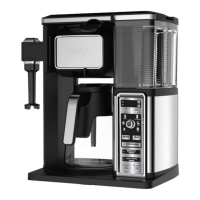
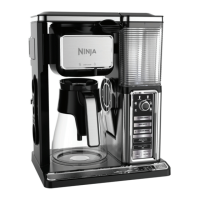
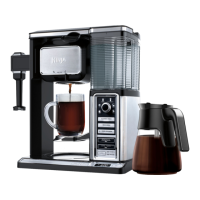
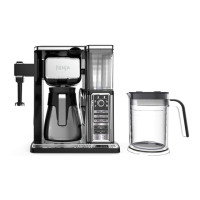
Ninja COFFEE BAR CF090 Series - User Manual

Ninja COFFEE BAR CF090 Series
24 pages
Print Icon
To Next Page IconTo Next Page
Loading...
ninjakitchen.com
1-877-646-5288
CF090 series
OWNER’S GUIDE

Questions and Answers

  • C
    Cody ThompsonAug 18, 2025
    Why won't my Ninja Coffee Maker brew or complete the brew?
    • L
      lonnieandersonAug 18, 2025
      Several factors can prevent your Ninja Coffee Maker from brewing or completing a cycle. First, ensure the unit is powered on and the display is lit. Try a different outlet and press the Power button. Check that the water reservoir has enough water. Also, make sure the Drip Stop is open, as a closed Drip Stop will cause the machine to beep five times and halt the brew. Ensure the brew basket is correctly inserted by aligning it with the rails and sliding it in until it clicks. If beeping continues, consider running the clean cycle.
  • R
    Regina KerrAug 21, 2025
    What to do if my Ninja COFFEE BAR CF090 Coffee Maker has grounds in the coffee?
    • L
      Louis AllenAug 21, 2025
      If you find grounds in your coffee, it could be due to several reasons. Ensure a filter (either the permanent one or a paper filter) is in place during brewing. The brew basket may have overflowed due to too many grounds; after cooling, clean the removable filter holder and refill with the correct amount of coffee. Also, fine ground coffee can clog the removable filter holder, so it is best to use a medium-ground coffee for optimal results.
  • K
    Kimberly SmithAug 23, 2025
    Why is my Ninja Coffee Maker leaking?
    • R
      Robert BatesAug 25, 2025
      A Ninja Coffee Bar System may leak if the water reservoir is filled past the Max Fill line. Ensure you fill the reservoir up to, but not exceeding, this line. Also, after removing the water reservoir, a small amount of water may be present in the reservoir valve, which is normal. Finally, check that all parts of the brew basket are assembled correctly and securely.
  • S
    Sandra HodgeAug 26, 2025
    How to make Ninja COFFEE BAR CF090 Coffee Maker coffee stronger?
    • J
      John MataAug 26, 2025
      To brew stronger coffee with your Ninja Coffee Maker, use the Rich Brew setting with dark roast beans. Using the permanent filter in your brew basket instead of a paper filter can also help. Additionally, you can add more coffee grounds to the brew basket.
  • D
    Daniel BennettAug 28, 2025
    What to do if my Ninja COFFEE BAR CF090 coffee is too strong?
    • M
      michaelburtonAug 28, 2025
      If your coffee is too strong, try using the Classic Brew setting with light roast beans. Using a paper filter in the brew basket instead of the permanent filter can also help. You can also reduce the amount of coffee you put in the brew basket.
  • J
    Jessica GrayAug 30, 2025
    What to do if my Ninja Coffee Maker paper filter is folding over?
    • D
      Devin FrenchAug 30, 2025
      If the paper filter is folding over, ensure you are using a #4 cone filter, as larger sizes may fold. Also, fold the edges of the filter along their creases before inserting it into the brew basket. Alternatively, you can wet the sides of the paper filter to help it stick to the brew basket.
  • N
    nicholskennethSep 1, 2025
    Why is my Ninja Coffee Maker brew cycle too slow?
    • A
      andrea54Sep 1, 2025
      If the brew cycle is taking longer than normal, run the Clean Cycle with the descaling solution.
  • J
    Jamie BradleySep 4, 2025
    What to do if my Ninja Coffee Maker cup overflowed?
    • R
      Ricky JacksonSep 4, 2025
      If your cup, travel mug, or carafe overflowed, ensure that the cup, travel mug, or carafe was empty before brewing. Please ensure you are using at least a 12 oz. cup for the Cup size, 14 oz. cup for the XL Cup size, 16 oz. travel mug for the Travel Mug size, and 20 oz. travel mug for the XL Multi-Serve size. Do not exceed the Max Fill line on the water reservoir prior to brewing. The Ninja Coffee Bar® System is designed to dispense specific amounts depending on the brew: Cup 9.5 oz. XL Cup 11.5 oz. Travel Mug 14 oz. XL Multi-Serve 18 oz. Half Carafe 28 oz. Carafe 43 oz.
  • M
    Mackenzie BarnesSep 6, 2025
    What to do if my Ninja COFFEE BAR CF090 Coffee Maker over ice brew is not cold?
    • A
      allison87Sep 6, 2025
      Make sure your cup, travel mug, or carafe is filled all the way to the top with ice cubes.
  • M
    Michael BurkeSep 8, 2025
    What to do if my Ninja COFFEE BAR CF090 Coffee Maker has sediment in my coffee?
    • T
      Travis MillerSep 8, 2025
      To reduce sediment in your brewed coffee, use a slightly coarser grind or use a paper filter.

Summary

Important Safeguards

Safety Signal Words

Explains safety signal words like WARNING and CAUTION.

General Safety Precautions

Lists fundamental safety rules for appliance use.

Additional Safety Precautions

Covers further operational safety guidelines.

Glass Carafe Safety

Specific safety guidelines for using the glass carafe.

Maintenance Guidelines

Procedures for cleaning and upkeep of the appliance.

Cord Statement

Information regarding the power cord's design and usage.

Control Panel

Control Panel Overview

Details all buttons, indicators, and the digital clock.

Before First Use

Initial Setup and Priming

Instructions for unpacking, washing, and initial system priming.

Setting the Clock & Delay Brew

Setting the Clock

Steps to set the current time on the digital display.

Setting the Delay Brew Time

Procedure to program an automatic brew start time.

Preparing & Using the Ninja Coffee Bar System

Coffee Volume and Brew Type Guide

Explains how brew size and type affect coffee volume.

Coffee Temperature Considerations

Discusses factors influencing coffee drinking temperature.

Pre-Heating the Brewer

Steps to pre-heat the system for optimal temperature.

Filling the Brew Basket with Coffee

Guidance on coffee amount and filter placement.

Drip Stop Operation

How to use the drip stop feature for pouring mid-brew.

Intelligent Warming Plate and Stay Warm Function

Details on the intelligent warming plate and manual shutoff.

Brewing Coffee Types

Instructions for Classic, Rich, and Custom Brew types.

Custom Brews: Classic & Rich

Instructions for brewing Classic and Rich coffee types.

Over Ice Brew

Method for brewing hot coffee over ice for iced coffee.

Signature Brews

How to brew Specialty and Cafe Forte concentrates.

Frothing Your Milk

Milk Frothing Procedure

Step-by-step guide to frothing milk using the integrated frother.

Care & Maintenance

Cleaning After Brewing

Instructions for cleaning the brew basket and related parts.

Carafe and Reservoir Cleaning

Guidance on cleaning the glass carafe and water reservoir.

Cleaning & Descaling Your Brewing System

Descaling Process

Steps to clean mineral buildup using the CLEAN cycle.

Troubleshooting Guide

Coffee Quality and Brew Issues

Solutions for sediment, grounds, weak/strong coffee.

Brew Cycle and Overflow Problems

Addresses slow cycles, overflows, and brew basket issues.

Operational and Leakage Solutions

Troubleshooting leaks, power issues, and pod compatibility.

Carafe Design and Brew Volume

Benefits of carafe design and factors impacting brew volume.

Ordering Replacement Parts

How to Order Parts

Information on purchasing replacement parts and accessories.

SharkNinja Limited Warranty

Warranty Coverage and Claims

Details the one-year limited warranty terms and conditions.

Product Registration

Registering Your Product

Instructions for registering the appliance for safety notifications.

Ninja COFFEE BAR CF090 Series Specifications

General IconGeneral
ModelCF090 Series
Carafe TypeGlass
Brew TypesClassic, Rich, Over Ice, Specialty
Water ReservoirRemovable
ProgrammableYes
Auto Shut-OffYes
Built-in FrotherYes
Hot PlateNo
Special FeaturesBuilt-in Frother
ColorBlack
Warranty1 year

Related product manuals