EasyManua.ls Logo

Ninja FOODI FT205CO - User Manual

Ninja FOODI FT205CO
8 pages
Print Icon
To Next Page IconTo Next Page
Loading...
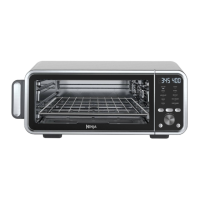
FOODI® DIGITAL PRO AIR FRY OVEN
FT205CO | Owner’s Guide
IMPORTANT SAFETY INSTRUCTIONS
PLEASE READ ALL INSTRUCTIONS CAREFULLY BEFORE USE • FOR HOUSEHOLD USE ONLY
WARNING
To reduce the risk of injury, fire, electrical shock or property damage, basic safety precautions
must always be followed, including the following numbered warnings and subsequent instructions.
Do not use appliance for other than intended use.
1 Read all instructions prior to using the oven and its accessories.
2 To eliminate a choking hazard for young children, discard all packaging materials immediately
upon unpacking.
3 This appliance can be used by persons with reduced physical, sensory or mental capabilities or
lack of experience and knowledge if they have been given supervision or instruction concerning
use of the appliance in a safe way and understand the hazards involved.
4 Take inventory of all contents to ensure you have all parts needed to properly and safely operate
your oven.
5 NEVER leave the oven unattended while in use.
6 NEVER use outlet below counter.
7 DO NOT let cord hang over edges of tables or counters or touch hot surfaces, including stoves
and other heating ovens.
8 Keep the appliance and its cord out of reach of children. Do not allow the appliance to be used by
children. Close supervision is necessary when used near children.
9 DO NOT use an extension cord. A short power-supply cord is used to reduce the risk of children
grabbing the cord or becoming entangled and to reduce the risk of people tripping over a longer
cord.
10 DO NOT place appliance on hot surfaces, near hot gas or electric burner, in a heated oven or on a
stovetop.
11 DO NOT place any object directly onto the heating elements and DO NOT cover crumb tray or
any part of the oven with metal foil. This will cause the oven to overheat or cause a fire.
12 To protect against electrical shock
DO NOT immerse cord, plugs, or main unit housing in water or other liquid.
13 DO NOT use the oven with damage to the power cord or plug. Regularly inspect the oven and
power cord. If the oven malfunctions or has been damaged in any way, immediately stop use and
call Customer Service.
14 DO NOT cover the air intake vents or air outlet vents while unit is operating. Doing so will prevent
even cooking and may damage the unit or cause it to overheat.
15 DO NOT insert anything in the intake and ventilation slots and do not obstruct them.
16 DO NOT use accessory and attachments not recommended or sold by SharkNinja.
Read and review instructions to understand operation and use of product.
Indicates the presence of a hazard that can cause personal injury, death or substantial
property damage if the warning included with this symbol is ignored.
Avoid contact with hot surface. Always use hand protection to avoid burns.
For indoor and household use only.
@ninjakitchen
SharkNinja Operating LLC
US: Needham, MA 02494
1-877-646-5288
ninjakitchen.com
Illustrations may dier from actual product. We are constantly striving to improve our products, therefore the
specifications contained herein are subject to change withoutnotice.
FOODI and NINJA are registered trademarks of SharkNinja Operating LLC.
The product may be covered by one or more U.S. patents.
See sharkninja.com/patents for more information.
© 2022 SharkNinja Operating LLC
FT205CO_IB_MP_Mv1
TECHNICAL SPECIFICATIONS
Voltage: 120V~, 60Hz
Power: 1800 Watts
RECORD THIS INFORMATION
Model Number: _________________________
Serial Number: __________________________
Date of Purchase: ________________________
(Keep receipt)
Store of Purchase: _______________________
REGISTER YOUR PURCHASE
registeryourninja.com
Scan QR code using mobile device
THANK YOU
for purchasing the Ninja® Foodi® Digital Pro Air Fry Oven
Question and Answer IconNeed help?

Do you have a question about the Ninja FOODI FT205CO and is the answer not in the manual?

Summary

Important Safety Instructions

Never Leave Unattended

Ensure the oven is never left unattended while in use.

Child Safety Precautions

Keep appliance and cord out of reach of children. Close supervision is necessary when used near children.

Electrical Safety

Do not immerse cord, plugs, or main unit housing in water or other liquid.

Ventilation Safety

Do not cover air intake or outlet vents while unit is operating.

Parts and Accessories

Main Unit

The primary appliance unit, including the attached power cord.

Air Fry Basket

Used for Air Fry and Dehydrate functions. Hand-wash recommended.

Broil Rack

Designed to be placed inside the sheet pan for broiling.

Sheet Pan

Used with the wire rack for various cooking functions.

Wire Rack

Slides into bottom rails for Toast and Bagel functions.

Removable Crumb Tray

Catches crumbs and must be cleaned regularly.

Before First Use

Initial Preparation Steps

Remove packaging, read manual, and wash accessories before initial operation.

Accessory Cleaning

Wash air fry basket, sheet pan, wire rack, broil rack, and crumb tray. Do not dishwash sheet pan.

Main Unit Cleaning Warning

Never submerge the main unit in water or place it in the dishwasher.

Control Panel Overview

Display Indicators

Explanation of time, temperature, and function indicators on the control panel.

Function Buttons

Details on the MODE, TIME/SLICES, and TEMP/SHADE buttons for operation.

Cooking Functions

Brief descriptions of available cooking modes like Air Fry, Broil, Bake, etc.

Using Cooking Functions

Air Fry Function

Instructions for using the Air Fry mode, including time, temperature, and ingredient placement.

Broil Function

Steps for using the Broil mode, specifying time, temperature settings, and rack placement.

Air Roast Function

Guide for Air Roast mode, covering time, temperature, and preheating procedures.

Bake Function

Instructions for the Bake mode, including time, temperature, and rack placement.

Specific Cooking Modes

Pizza Function

How to use the Pizza mode, including time, temperature, and ingredient setup.

Toast and Bagel Modes

Operating instructions for Toast and Bagel functions, focusing on slices and shade.

Reheat and Dehydrate

Steps for using Reheat and Dehydrate functions, noting any model limitations.

Keep Warm Function

Instructions for maintaining food temperature using the Keep Warm mode.

Cleaning, Maintenance & Storage

Everyday Cleaning

Routine cleaning procedures for the unit and accessories after each use.

Deep Cleaning

Detailed instructions for thorough cleaning of the oven and its parts.

Flip-Up Storage

How to flip the unit up for storage or cleaning, with safety precautions.

Troubleshooting and FAQ

Error Message Explanations

Guidance on interpreting error codes displayed on the unit.

Common Operational Questions

Answers to frequently asked questions about oven operation and performance.

Heating Element Behavior

Explanation for why heating elements may turn on and off during operation.

Noise and Steam

Information regarding normal operational noises, steam, and fan activity.

One Year Limited Warranty

Warranty Coverage Details

Information on what is covered and for how long under the limited warranty.

Exclusions from Warranty

Items and conditions not covered by the one-year limited warranty.

Warranty Service Process

How to obtain service, register product, and initiate a warranty claim.

Overview

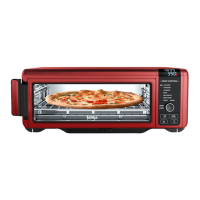
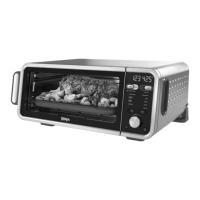
The Ninja Foodi Digital Pro Air Fry Oven (model FT205CO) is a versatile kitchen appliance designed for countertop use, offering a range of cooking functions including air frying, broiling, air roasting, baking, pizza cooking, toasting, bagel toasting, reheating, dehydrating, and keeping food warm. This oven is engineered to provide fast and crispy results with minimal added oil, making it suitable for various culinary needs from full-sized sheet pan meals to healthy snacks.

Function Description:

  • AIR FRY: This function allows for fast, extra-crispy cooking of foods like chicken wings, French fries, and chicken nuggets with little to no added oil. It's recommended to place ingredients in the air fry basket on the top rails, and for fatty or marinated ingredients, to place the sheet pan and wire rack on the bottom rails underneath to catch drippings. For even browning and crispiness, flipping ingredients halfway through the cooking cycle is advised.
  • BROIL: Ideal for broiling meat and fish, and evenly browning the tops of casseroles. This function does not require preheating. Ingredients are placed on the sheet pan, which rests on the wire rack on the bottom rails.
  • AIR ROAST: Designed to achieve a crispy outside and perfectly cooked inside for full-sized sheet pan meals, thicker proteins, and roasted vegetables. Food cooks faster in Air Roast mode compared to Bake, so adjustments to traditional oven recipes may be necessary.
  • BAKE: For evenly baking cookies, brownies, cakes, and other items. The oven preheats before baking. Recommended times and temperatures from boxed foods should be used, with awareness that results may vary with different baking accessories.
  • PIZZA: Cooks frozen or homemade pizza evenly. The oven preheats before cooking. Ingredients can be placed on the sheet pan or wire rack.
  • TOAST: Evenly toasts up to 9 slices of bread to a desired level of darkness. This function does not preheat, and it's crucial to select the exact number of slices to avoid over- or under-toasting. Bread slices are placed on the wire rack in the middle rails.
  • BAGEL: Perfectly toasts up to 6 bagel halves, placed cut-side up on the wire rack in the middle rails. Similar to Toast, this function does not preheat, and selecting the correct number of slices is important.
  • REHEAT: Heats leftovers without overcooking. This function is not included on all models and does not preheat. Food is placed on the sheet pan or in an oven-safe container on the wire rack in the bottom rails.
  • DEHYDRATE: Dehydrates meats, fruits, and vegetables for healthy snacks. This function is not included on all models and does not preheat. Ingredients are placed in the air fry basket on the top rails.
  • KEEP WARM: Keeps food warm for up to 2 hours. This function does not preheat and has no temperature selection. Food is placed on the sheet pan or in an oven-safe container on the wire rack in the bottom rails.

Important Technical Specifications:

  • Voltage: 120V~, 60Hz
  • Power: 1800 Watts
  • Control Panel: Features a Time display, Temperature display (with Fahrenheit/Celsius indicator), Preheat indicator, MODE button for function selection, SLICES and SHADE indicators (for Toast/Bagel), Setting dial (START/STOP button) for adjusting settings and starting/pausing cooking, TIME/SLICES button for time/slice count adjustment, TEMP/SHADE button for temperature/shade level adjustment, Light button for interior light, and Power button for on/off.
  • Accessories: Includes an Air Fry Basket, Broil Rack, Sheet Pan, Wire Rack, and Removable Crumb Tray. Optional accessories available for purchase include an Egg Bite/Muffin Tray, 2" Casserole Dish, Multi-Purpose Pan, and Mini Morsel Tray.
  • Dimensions: The unit is designed for countertop use and features a flip-up-and-away storage mechanism, allowing it to be stored upright to save space.

Usage Features:

  • Preheating: The unit preheats quickly for most functions (Air Fry, Air Roast, Bake, Pizza). Broil, Toast, Bagel, Reheat, Dehydrate, and Keep Warm functions do not require preheating.
  • Cord Management: The power cord management system is designed not to interfere with the oven's flip-away functionality, with options for outlet placement on the left or behind the oven.
  • Smoke Reduction: When cooking greasy or drippy foods with the Air Fry Basket, the sheet pan should be placed on the bottom rails to catch drippings and reduce smoke. Using oils with a high smoke point (e.g., canola, refined coconut, avocado, vegetable, grapeseed) and avoiding temperatures above 400°F can also help. Cooking spray should not be used on interior side walls or heating elements.
  • Temperature Control: The oven is designed to precisely control temperature by adjusting heating element power levels, which may cause elements to appear to turn on and off.
  • Timer: The timer starts counting down once the unit has preheated (for functions that preheat). Cook time and temperature can be adjusted at any time during the cooking cycle.
  • Fahrenheit/Celsius Toggle: Press and hold the TEMP/SHADE button for 5 seconds while not in cook mode to switch between temperature units.
  • "END HOT" Indicator: Appears on the display when cook time is complete.
  • "FLIP" Indicator: Appears on the display when the unit is cool enough to flip up for storage or cleaning.
  • Error Messages: In case of error codes ("Er0" through "Er7"), users are advised to power off the unit and contact Customer Service.
  • Default Settings: The oven remembers the last settings used for each function. To restore default settings for all functions, press the TIME/SLICE and TEMP/SHADE buttons simultaneously for 5 seconds.

Maintenance Features:

  • Everyday Cleaning: The unit should be cleaned thoroughly after every use. Unplug and allow to cool. Empty the crumb tray by sliding it out when the oven is in the flipped-down position. Wipe interior walls with a soft, damp sponge, avoiding abrasive cleaners or chemical cleaners.
  • Accessory Cleaning: Hand-washing is recommended for all accessories for longest use. The air fry basket and wire rack can be put in the dishwasher but may wear more quickly. The sheet pan should NOT be placed in the dishwasher.
  • Deep Cleaning: For deep cleaning, allow the unit to cool and unplug. Remove and wash all accessories separately. A non-abrasive cleaning brush can be used for the air fry basket. Soaking accessories in hot, soapy water overnight can help. The main unit should NEVER be submerged in water or placed in a dishwasher.
  • Exterior Cleaning: Wipe the exterior and control panel with a damp cloth. A non-abrasive liquid cleanser or mild spray solution can be applied to the sponge, not directly to the oven surface.
  • Flip-Up-and-Away Storage: The unit can be flipped upright for storage or deep cleaning once the "FLIP" indicator appears, signifying it has cooled to below 95°F. Handles on each side of the unit should be used for lifting. Accessories can be stored inside while in the upright position.
  • Cooling Fan: The cooling fan may continue to run for about 15 minutes after cooking is completed or until the unit's temperature is below 95°F; this is normal.

Ninja FOODI FT205CO Specifications

General IconGeneral
BrandNinja
ModelFOODI FT205CO
CategoryOven
LanguageEnglish

Related product manuals