USING
THE
CONTROLLERS
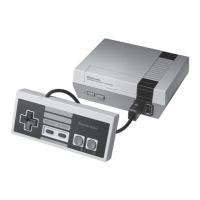
Your
NES includes two identical
controllers.
The controller
you plug into controller
socket
1
becomes "Controller
1";
the
controller
you
plug
into
controller
socket 2
becomes
"Controller
2".
For
one player,
plug either
controller
into controller socket
1
.
For
two players, plug
both controllers into the
controller
sockets.
*
SELECT
button (Controller 1 only).
Each
game pak contains several
variations of the game. The
SELECT
button is used to
select
the particular variation
you
want to play from
the menu displayed at the begin-
ning of the
game.
*
START button
(Controller 1 only)
After selecting
the
game
you want from the
game menu,
push the
START button
to
start
the
game. The
START
button can also
be used to take a
"time-out"
in the
middle
of a game.
If you push the
START
button in the middle
of
a game, the game
will
freeze
(pause) where
it is
until
the START button
is
pressed again.
Note:
On some
games there is no
pause
function.
*
CONTROL PAD
The 4-way
Control
Pad
moves the
main character of the game
up,
down, left, and right;
although its
function
may vary
from game to game. Consult the
instructions
included
with
your
game
pak for more details.
*
BUTTONS A
AND
B
Buttons A and B perform different functions in different
games.
Consult the instruc-
tions included with your game
pak for details.
13



 To Next Page