Nintendo 64 User Manual
5
For users with televisions that only have HDMI inputs:
Make sure the Nintendo 64 Power Switch is off before beginning the connection process.
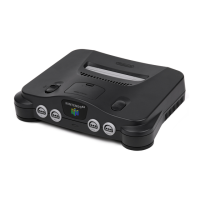
1. Insert the AC power supply to the back of the N64 control deck until you hear a click
sound.
2. Connect the AC power cord into a standard wall outlet.
3. Insert the A/V cable to the back of the N64 control deck.
4. Connect the colored AV cables into the corresponding colored audio/visual inputs of the
AV to HDMI converter.
5. Insert the HDMI cable to the HDMI port on your AV to HDMI converter.
6. Connect the HDMI cable to the HDMI port on your television.
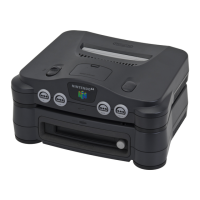
7. If you have an N64 jumper pak or N64 expansion pak, insert it into the memory
expansion slot below the Game Pak slot on the top of the console.
a. If the N64 jumper or expansion paks have already been inserted, proceed to the
following step.
8. Insert an N64 Game Pak into the Game Pak slot until you hear a click sound.
9. Connect an N64 controller into the first controller input of the N64 control deck.
10. Flip the power switch on.
11. Follow the on-screen instructions.
a. These may vary depending on the game you are currently playing.
Powering Off
1. Flip the power switch off.
2. Remove the Game Pak from the control deck.












 To Next Page