4
ahCr.egwoH ot
You will need to charge the console, the Joy-Con
controllers, and the Pro Controller to use them.
Below are methods for charging each device.
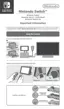
Charging the console
You can charge the Nintendo Switch console in
the following ways:
• Put the console in the Nintendo Switch dock
when the dock is connected to the AC adapter
• Connect the AC adapter directly to the console
The battery icon on the screen will show a
lightning bolt when the console begins charging.
Using the Nintendo Switch dock
Put the console into the Nintendo Switch dock
while the dock is connected to the AC adapter.
How to Charge.
.edom peels ni gnigrahc
si elosnoc eht nehw rof si etamitse sihT ◆
.sruoh eerht tuoba sekat egrahc llu
f A


 To Next Page
 Loading...