4
Manuals packaged with the console
Quick Start Guide
Provides information on getting ready to use the Wii U™ console for the rst time.
Wii U Operations Manual (this manual)
Provides information on topics such as part names, recharging, System Settings options and
troubleshooting.
Important Information booklet
Contains important information regarding health and safety, warranties, support information,
disposal of the product and so on.
Manuals built in to the Wii U console
Wii U Electronic Manual
Includes detailed explanations on how to use Wii U features and pre-installed software.
Wii Menu Electronic Manual
Includes detailed explanations on how to use Wii Menu features and pre-installed software.
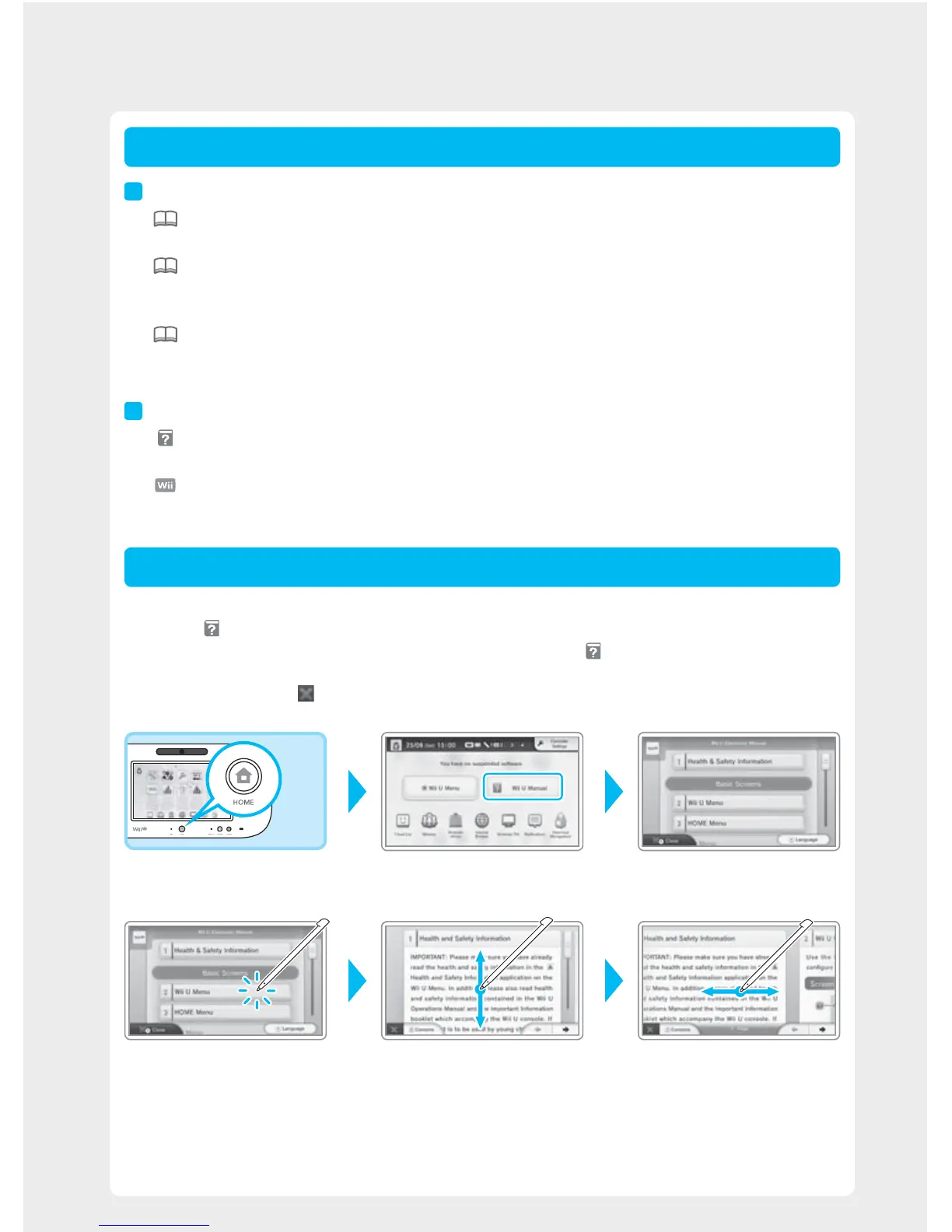
Press the HOME Button on the Wii U GamePad while the Wii U Menu is displayed to open the HOME Menu,
then touch
. The Wii U Electronic Manual will appear.
· If you press the HOME Button while using a Wii U software title, touching will display the electronic manual for
that software instead.
· To close the manual, touch
in the bottom left of the screen. The console will return to the screen it was displaying
before you pressed the HOME Button.
HOME Menu Electronic manual contents
Touch or slide on the screen using the Wii U GamePad stylus (p. 9) to view the contents of the manual.
·
View pageSelect items Change page
Note that the screens and illustrations shown were taken during development and may dier from those found
in the nal product.
· To change the language of the electronic manual, select the option shown in the bottom-right corner of the screen.
Types of Documentation
Using Electronic Manuals
Wii U Documentation














 To Next Page