11
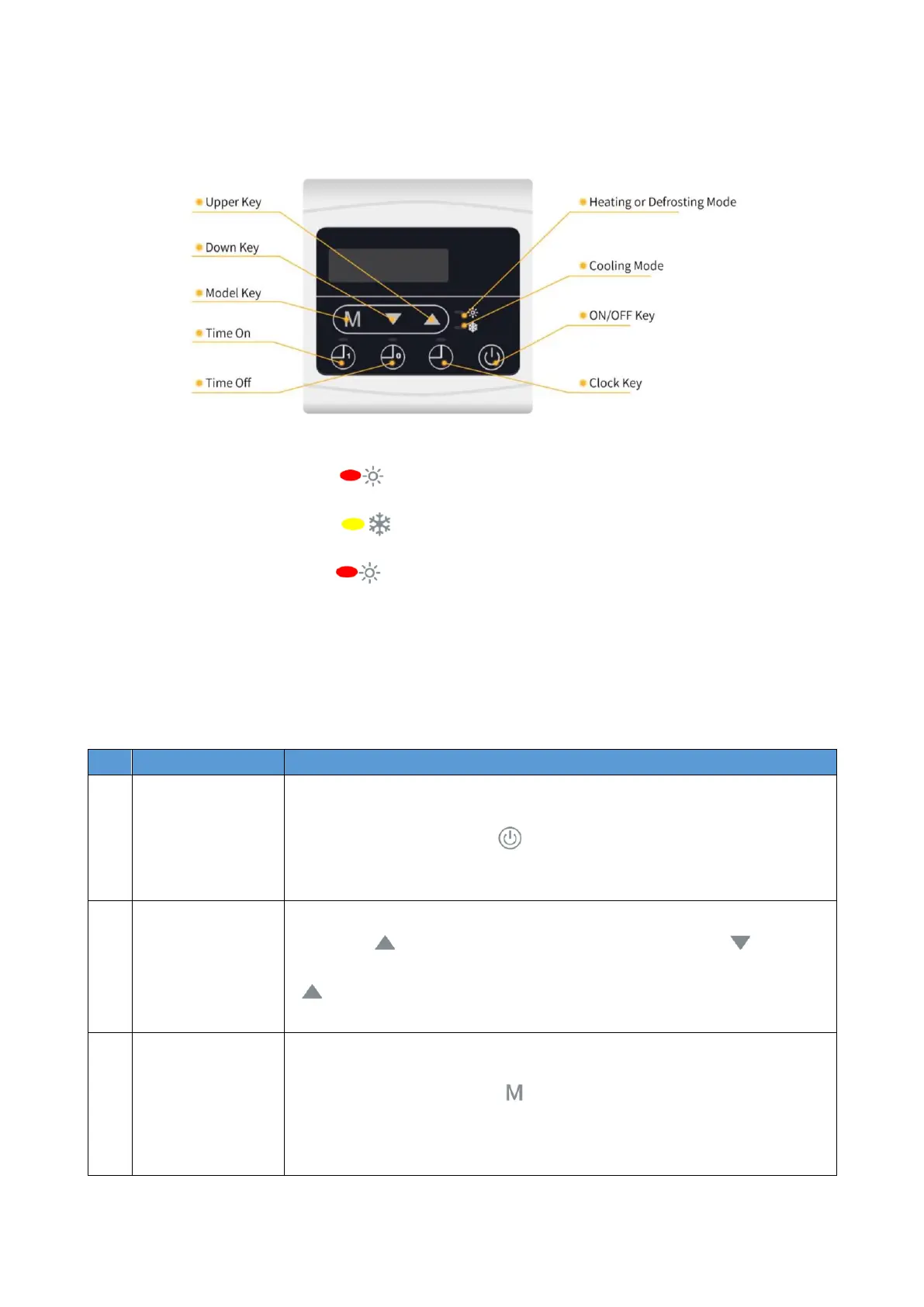
4.1. Control Panel Diagram
Basic Icons
①
When in heating mode, " " light up;
②
When in Cooling mode, " " light up;
③
When in defrost mode, " " flash.
④
When the unit is on, it displays an error code if an error is detected, and it displays water inlet
temperature if there are no errors.
⑤
When the unit is off, it displays an error code if an error is detected, and it displays current
time if there are no errors.
4.2. Key Operating Instructions
Pressing " " 5s to enter the system status query, with " " and "
" to query the system parameters.
In the start-on state, press " " to select mode between Heating mode,
Cooling mode, and Automatic mode.


 To Next Page