compatibility). Select one of these entries
to save in the vehicle phonebook.
.
[Enter Number by Keypad]:
Input the phone number to save in the
vehicle phonebook.
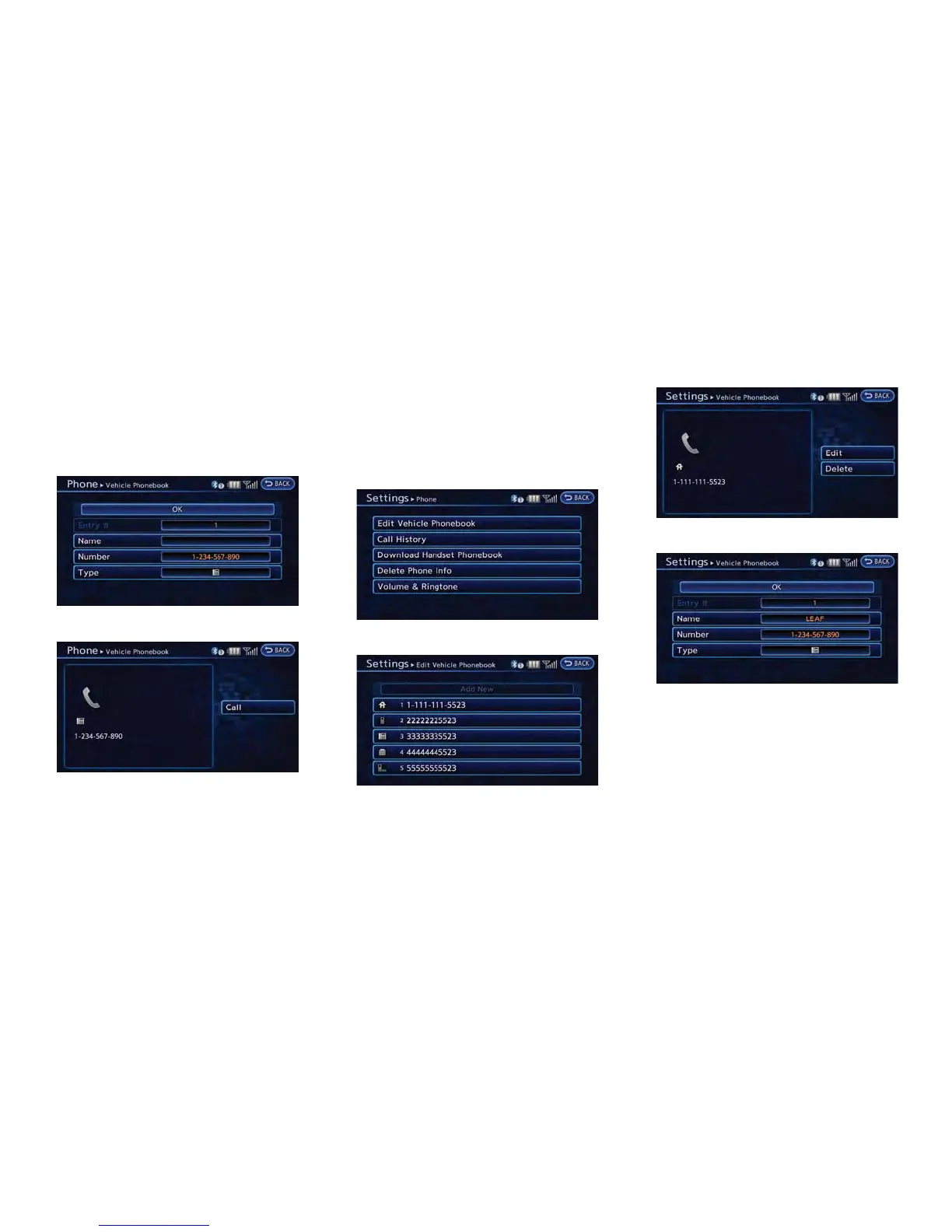
5. Touch [OK] at the top of the screen.
6. After the phonebook entry is saved, it will
show a screen to indicate that is ready to
call the number. Touch [BACK] to return to
the Vehicle Phonebook.
Editing Vehicle Phonebook
1. Push the MENU button and touch [Set-
tings].
2. Touch [Phone & CARWINGS].
3. Touch [Phone].
4. Touch [Edit Vehicle Phonebook].
5. Select the desired entry from the displayed
list.
6. Touch [Edit].
7. Select the desired item to change.
Available settings
.
[Entry #]:
Changes the displayed number of the
selected entry.
.
[Name]:
Edit the name of the entry using the
keypad displayed on the screen.
Bluetooth
®
Hands-Free Phone System 7-7



 To Next Page