EM-60
< REMOVAL AND INSTALLATION >
[VQ40DE]
TIMING CHAIN
1. Set No. 1 cylinder to TDC.
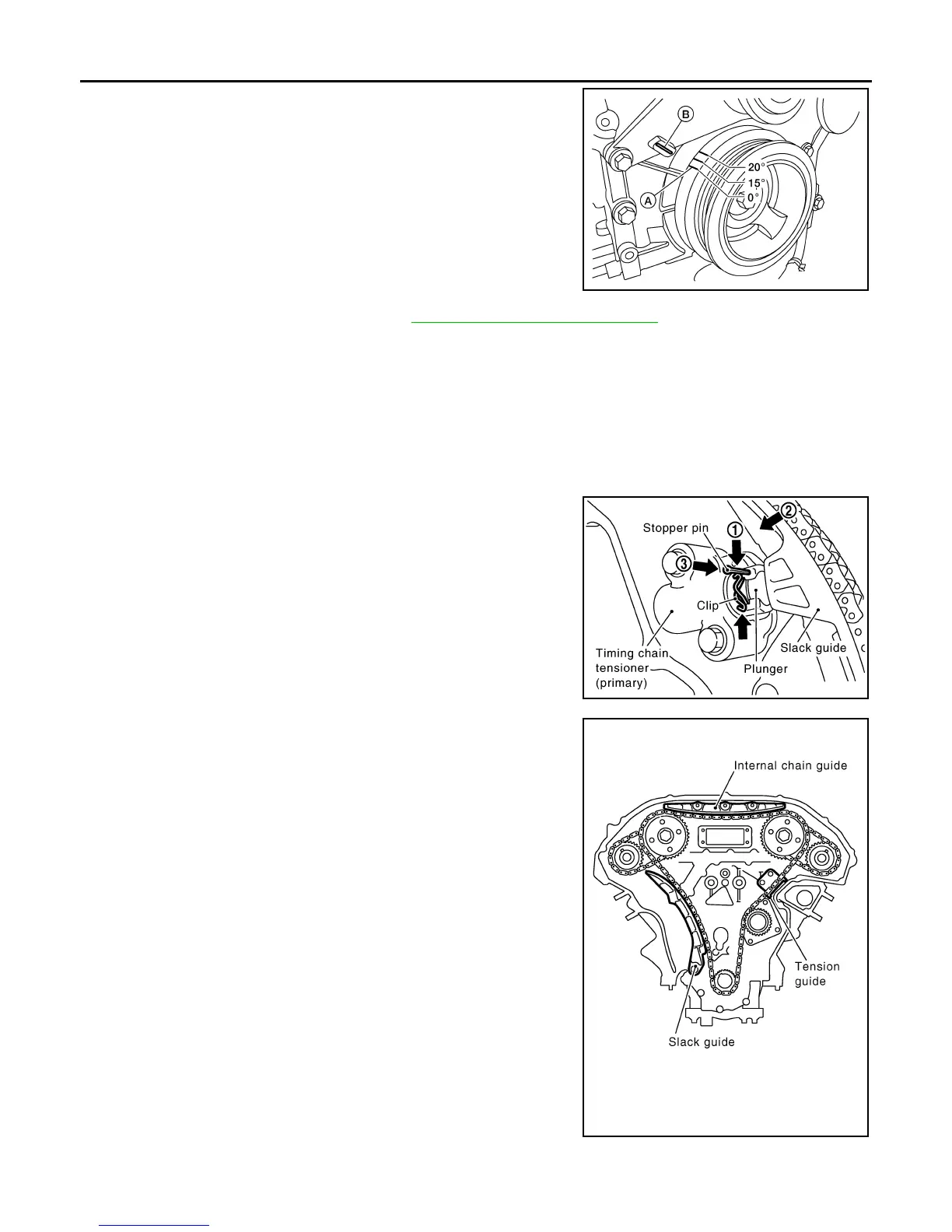
• Rotate crankshaft pulley clockwise to align timing mark (A)
(grooved line without color) with timing indicator (B).
2. Remove front timing chain case. Refer to EM-51, "Removal and Installation"
.
3. Check timing chain markings to confirm No. 1 cylinder is at TDC of its compression stroke.
• If not, remove Ring Gear Stopper Tool and turn crankshaft clockwise 360° (one revolution).
• Re-install Ring Gear Stopper Tool.
• If the original timing chain markings are not legible, use paint or equivalent to mark the timing chains to
the sprockets.
4. If removing the secondary timing chains, loosen camshaft sprocket bolts.
5. Compress the primary timing chain tensioner.
1. Loosen clip of primary timing chain tensioner, and release
plunger stopper (1).
2. Depress plunger into tensioner body by pressing slack
guide (2).
3. Keep slack guide pressed and insert stopper pin through
the tensioner body hole and plunger groove (3) to hold
plunger in.
NOTE:
Use stopper pin included with Tool J-50246.
6. Remove internal chain guide.
7. Remove timing chain (primary).
CAUTION:
AWBIA0719ZZ
Tool number : KV11105210 (J-44716)
PBIC2919E
PBIC2266E
Revision: January 2013 2013 Xterra



 To Next Page