[ Edit: 2016/ 11/ 24 Model: E12-A ]
4-14 Monitor, Heater and air conditioner, and audio system
E12-A-120227-C632DA94-F715-4DE3-9A27-6DCC7CB2EDB1
AUDIO OPERATION PRECAUTIONS
E12-A-120227-48034462-02B5-4770-8218-11DE9015C5F4
WARNING:
Do not adjust the audio system while driving so
that full attention may be given to vehicle
operation.
The audio system operates when the ignition switch is
in the “ACC” or “ON” position.
Radio
E12-A-120227-B47CCA32-F597-4DDB-AA2C-0A5F669E5174
. Radio reception is affected by station signal
strength, distance from radio transmitter, build-
ings, bridges, mountains and other external
influences. Intermittent changes in reception
quality normally are caused by these external
influences.
. Using a cellular phone in or near the vehicle may
influence radio reception quality.
Compact Disc (CD) player
E12-A-120227-C38CE18A-7DAB-41A4-B310-15A8FAD8031D
. During cold weather or rainy days, the player may
malfunction due to the humidity. If this occurs,
remove the CD from CD player and dehumidify or
ventilate the player completely.
. The player may skip while driving on rough roads.
. The CD player sometimes may not function when
the passenger compartment temperature is ex-
tremely high. Lower the temperature before use.
. Do not expose the CD to direct sunlight.
. CDs that are of poor quality, or are dirty,
scratched, covered with fingerprints, or that have
pin holes may not work properly.
. The following CDs may not work properly.
— Copy control compact discs (CCCD)
— Recordable compact discs (CD-R)
— Rewritable compact discs (CD-RW)
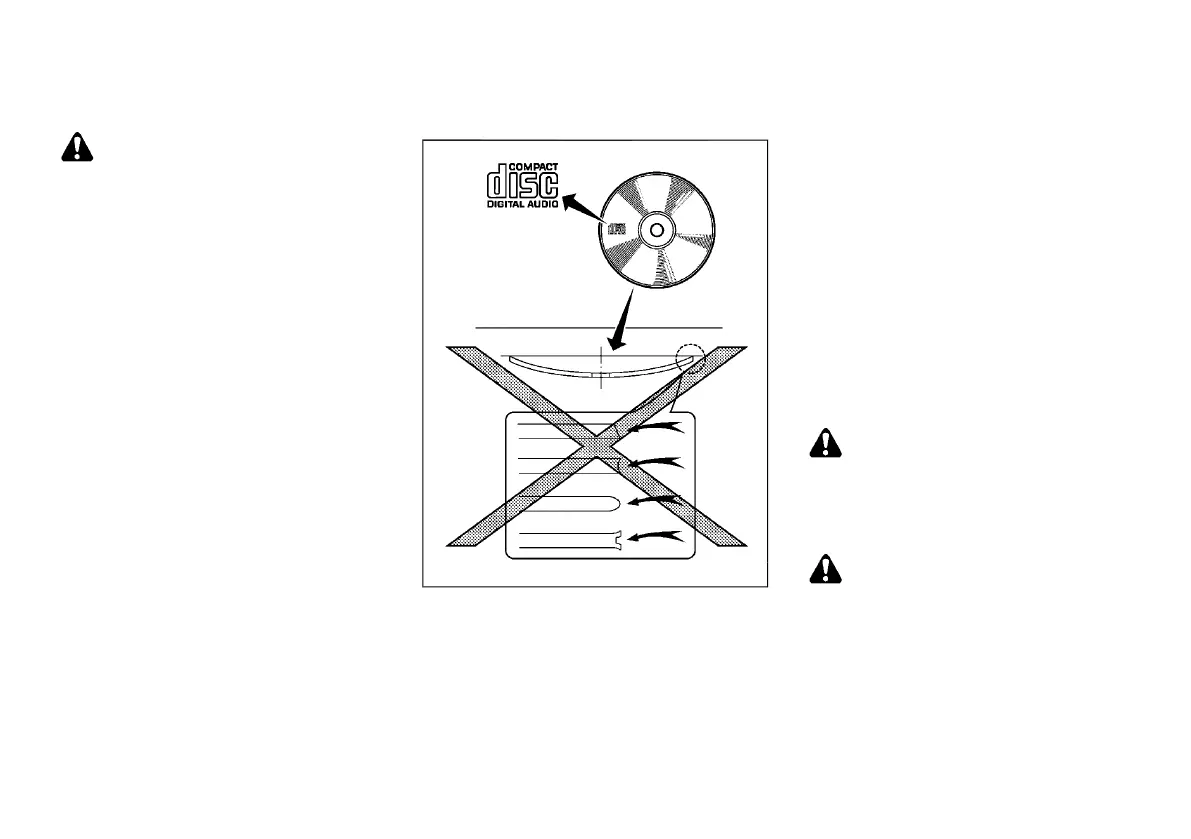
SAA0480
. Do not use the following CDs as they may cause
the CD player to malfunction.
— 8 cm (3.1 in) discs
— CDs that are not round
— CDs with a paper label
— CDs that are warped, scratched or have
unusual edges.
. This audio system can only play prerecorded CDs.
It has no capabilities to record or burn CDs.
. If the CD cannot be played, one of the following
messages will be displayed.
Check disc:
— Confirm that the CD is inserted correctly (the
label side is facing up, etc.).
— Confirm that the CD is not bent or warped and
it is free of scratches.
Push eject:
This is a malfunction due to the temperature inside
the player is too high. Remove the CD by pushing
the EJECT button, and after a short time reinsert
the CD. The CD can be played when the
temperature of the player returns to normal.
Unplayable:
The file is unplayable in this audio system.
USB (Universal Serial Bus) Connection Port
GUID-1447A5B3-6BEA-4326-AAED-62FB37F557EE
WARNING:
Do not connect, disconnect or operate the USB
device while driving. Doing so can be a distrac-
tion. If distracted you could lose control of your
vehicle and cause an accident or serious injury.
CAUTION:
. Do not force the USB device into the USB
connection port. Inserting the USB device
tilted or up-side-down into the port may
damage the port. Make sure that the USB
device is connected correctly into the USB
connection port.
. Do not grab the USB connection port cover
when pulling the USB device out of the port.
This could damage the port and the cover.
AUDIO SYSTEM (if equipped)
Condition:


 To Next Page
 Loading...