[ Edit: 2016/ 11/ 24 Model: E12-A ]
4-24 Monitor, Heater and air conditioner, and audio system
iPod main operation:
GUID-11F97BB9-9503-47D0-8BB9-62C812293875
The system operates when the ignition switch is in the
“ON” or “ACC” position. Push the
button
repeatedly or push the
button to switch to the
iPod mode.
If the system was turned off while the iPod was playing,
pushing the Power button will start the iPod.
If another audio source is playing and the iPod is
connected, pushing the
button or the button
repeatedly will change the system to the iPod mode.
When the
button is pushed while the iPod is
connected, the interface for iPod operation is shown
on the audio display. The items on the menu list can be
scrolled by turning the TUNE FOLDER knob while the
iPod is operating. To select an item, push the ENTER/
SETTING button. Items in the iPod menu appear on
the display in the following order.
. Now playing
. Playlists
. Artists
. Albums
. Songs
. Podcasts
. Genres
. Composers
. Audiobooks
. Shuffle Songs
For more information about each item, see the iPod
Owner’s Manual.
SEEK TRACK (rewind/forward)
buttons:
GUID-11F97BB9-9503-47D0-8BB9-62C812293875
When the or button is pushed for more than
1.5 seconds while the iPod is playing, the iPod will play
while fast forwarding or rewinding. When the button is
released, the iPod will return to the normal play speed.
When the
or button is pushed for less than
1.5 seconds while the iPod is playing, the next track or
the beginning of the current track on the iPod will be
played.
RPT (REPEAT) button:
GUID-11F97BB9-9503-47D0-8BB9-62C812293875
When the button is pushed while a track is being
played, the play pattern can be changed as follows:
Repeat Off ? 1 Track Repeat? All Repeat ? Repeat
Off
RDM (RANDOM) button:
GUID-11F97BB9-9503-47D0-8BB9-62C812293875
When the button is pushed while a track is being
played, the play pattern can be changed as follows:
Shuffle Off ? Track Shuffle ? Shuffle Off
BACK button:
GUID-11F97BB9-9503-47D0-8BB9-62C812293875
The display will return to the previous screen.
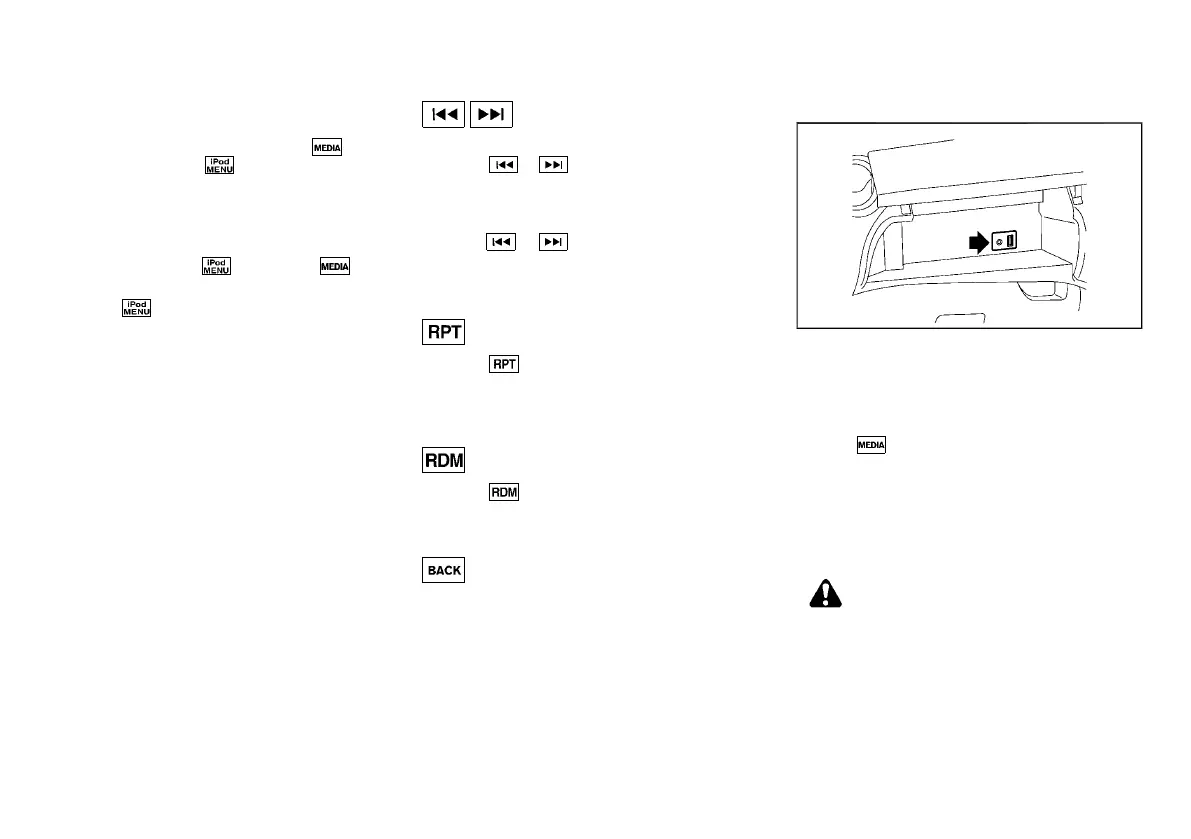
Auxiliary input jack
GUID-B1DFA9D5-944B-4D6C-A225-03466269C971
JVH1538X
The AUX input jack is located inside the upper
instrument box. The AUX input jack accepts any
standard analog audio input such as from a portable
cassette tape/CD player, MP3 player or laptop
computer.
Push the
button repeatedly until the AUX mode is
selected, to play a compatible device when it is
plugged into the AUX input jack.
NISSAN strongly recommends using a stereo mini
plug cable when connecting your music device to the
audio system. Music may not play properly when a
monaural cable is used.
WARNING:
Do not allow the cable or an external device
connected to the AUX terminal to affect your
driving.
NOTE:
. Depending on the external device, please
note that the volume may be louder or
quieter than that of the external device.
Condition:



 To Next Page