•
Your mobile phone has not been paired with the
Bluetooth
®
system of the audio unit.
•
The mobile phone does not support Bluetooth
®
technology (BT Core v2.0).
NOTE
•
For models with NISSAN Connect™ (Audio
with Navigation system) see the separately
provided Owner’s Manual.
•
For details, see your mobile phone’s Owner’s
Manual.
•
For assistance with your mobile phone inte-
gration, please visit your local NISSAN dealer
or qualified workshop.
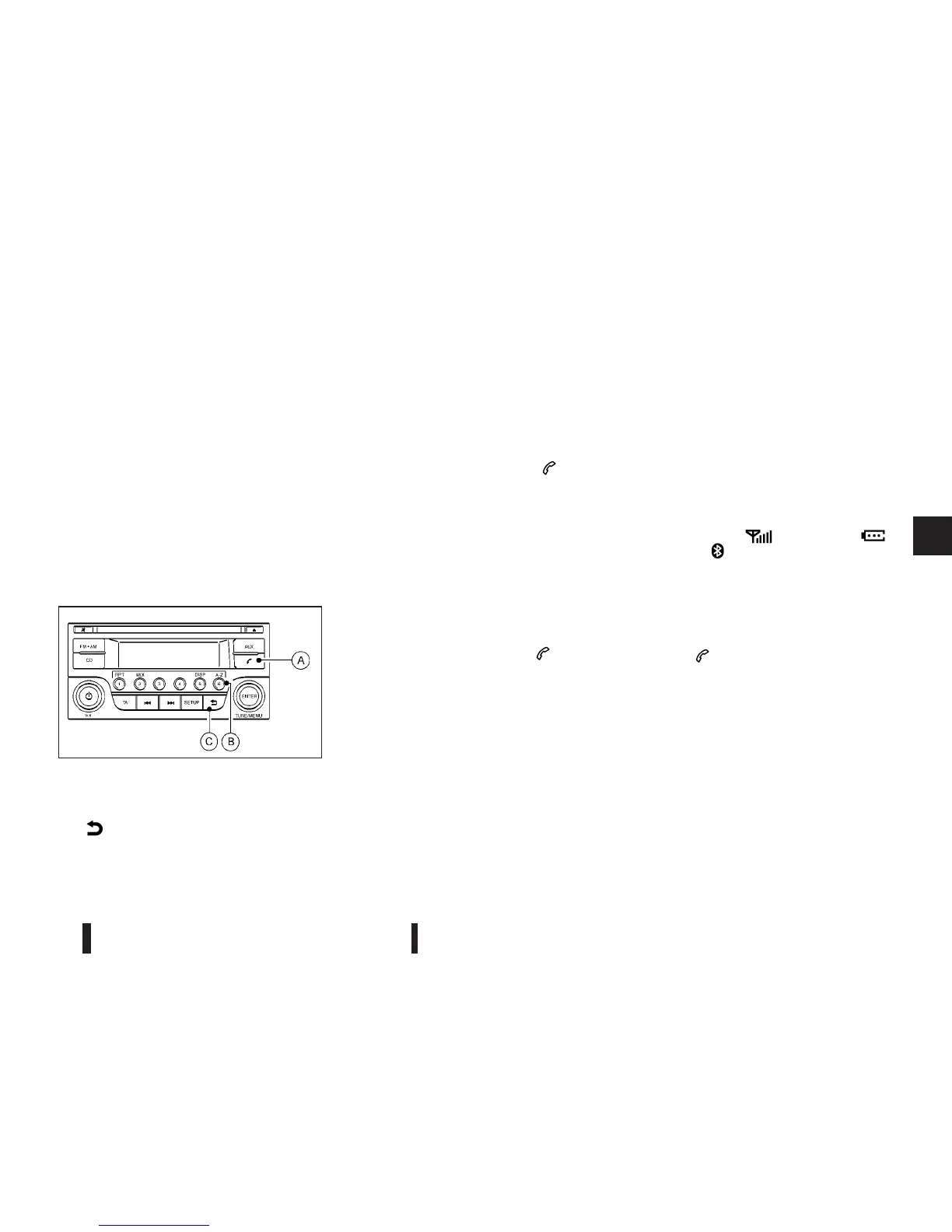
jA
Phone button
jB
Phone book quick search button
jC
(Back) button
BLUETOOTH® settings
To setup the Bluetooth system to pair (connect or
register) your preferred mobile phone, push the
<SETUP> button, select the [Bluetooth] key, and
then push the <ENTER> button. It is also possible to
enter the setup menu directly via the <
> (phone)
button.
The following options can be selected:
•
[Pair Device]
Bluetooth mobile phones can be paired with the
system. A maximum of 5 Bluetooth mobile
phones can be registered.
For details, see “FM AM radio with CD player
(— where fitted)” earlier in this section.
•
[Select Device]
Paired Bluetooth mobile phone (
) are listed
on the display and can be selected for connec-
tion.
For details, see “FM AM radio with CD player
(— where fitted)” earlier in this section.
•
[Delete Device]
A registered Bluetooth mobile phone can be de-
leted.
For details, see “FM AM radio with CD player
(— where fitted)” earlier in this section.
•
[On/Off]
If this setting is turned off, the connection be-
tween the Bluetooth devices and the in-vehicle
Bluetooth module will be cancelled.
For details, see “FM AM radio with CD player
(— where fitted)” earlier in this section.
When successfully paired, a notification message
will be displayed. During the connection the follow-
ing status icons will be displayed (top left of dis-
play): Signal strength (
), Battery status ( ),
and Bluetooth (
).
*: If the low battery message comes on, the Blue-
tooth® device must be recharged soon.
HANDS-FREE TELEPHONE
CONTROL
The hands-free mode can be operated using the
telephone <
> button on the audio system, or
(where fitted) on the steering wheel.
Initiating a call
A call can be initiated using one of the following
methods:
– Redial
– Phone book
– Manual dialling
– Missed calls
– Dialled calls
– Received calls
NAA1197
Heater and air conditioner, and audio system 4-41



 To Next Page