Redial:
To redial or call the last number dialled, press <
>
for more than 2 seconds.
Making a call from the phone book:
Once the Bluetooth
®
connection has been made,
between the registered mobile phone and the audio
system, phone book data will be transferred auto-
matically to the audio system. The transfer may take
a while before completion.
NOTE
Phone book data will be erased when:
•
Switching to another registered mobile
phone.
•
Mobile phone is disconnected.
•
The registered mobile phone is deleted from
the audio system.
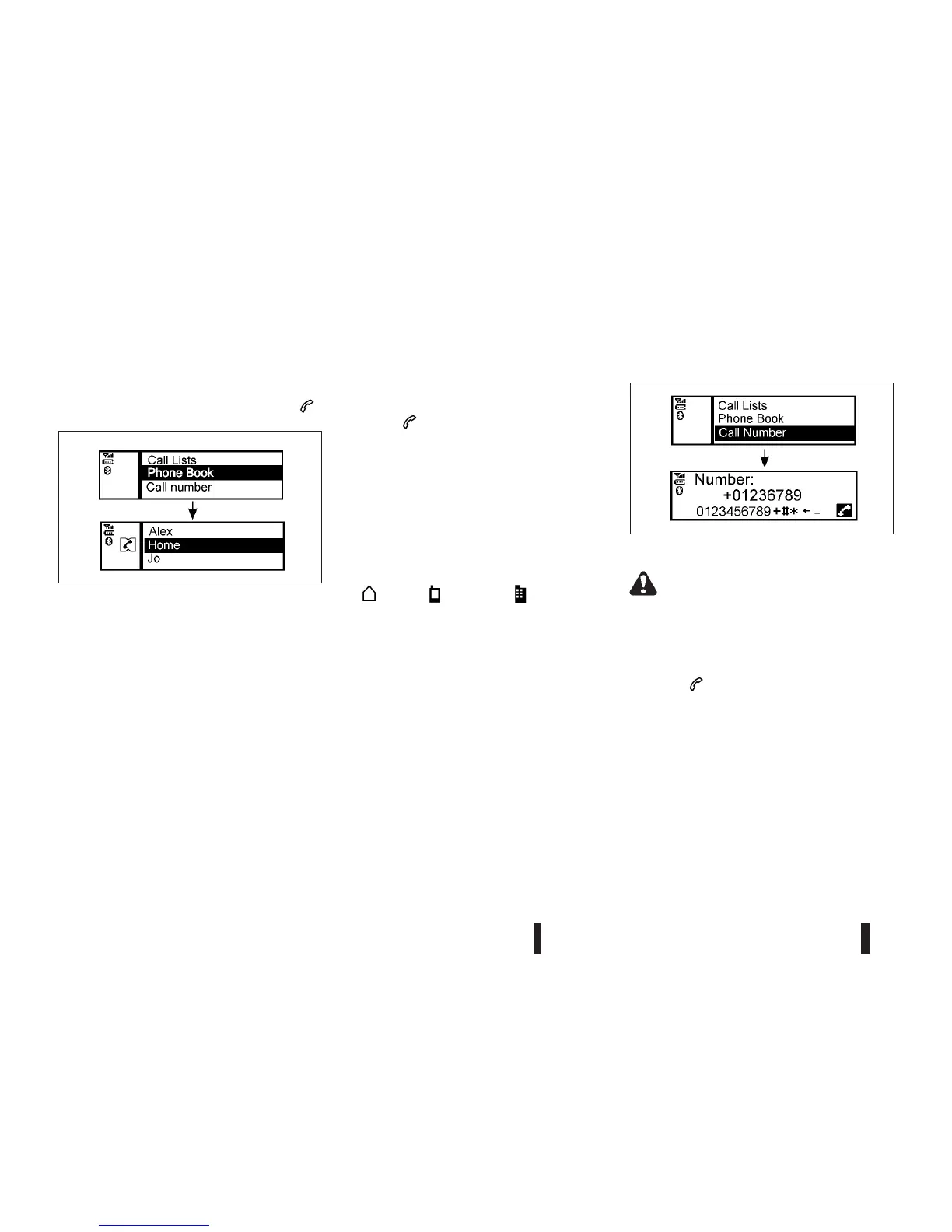
To dial a contact from the phone book proceed as
follows:
1. Press <
>.
2. Turn the <TUNE/MENU> dial and scroll down to
[Phone Book] then press <ENTER>.
3. Scroll down through the list, select the appropri-
ate contact name (highlighted), and press
<ENTER>.
4. A following screen will show the number to be
dialled. If correct, press <ENTER> again to dial
the number.
If the contact has more numbers assigned for
(home), (mobile), or (office), scroll,
and select the appropriate number to dial.
Alternatively, the quick search mode can be used as
follows:
1. Press <A-Z/
j6>.
2. Turn the <TUNE/MENU> dial for the first alpha-
betic or numerical letter of the contact name.
Once highlighted, press <ENTER> to select the
letter.
3. The display will show the corresponding contact
name(s). Where necessary, use the <TUNE/
MENU> dial again to scroll further for the appro-
priate contact name to call.
4. A following screen will show the number to be
dialled. If correct, press <ENTER> again to dial
the number.
Manually dialling a phone number:
WARNING
Park the vehicle in a safe location, and apply the
parking brake before making a call.
To dial a phone number manually use the audio sys-
tem display (virtual keyboard pad) as follows:
1. Press <
>, and turn the <TUNE/MENU> dial
to highlight [Call Number].
2. Press <ENTER> to select [Call Number].
3. Turn the <TUNE/MENU> dial to scroll along, and
select each number of the phone number. Once
highlighted, press <ENTER> after each number
selection.
To delete the last number entered scroll to the
[←] (Backspace) symbol, and once highlighted
press <ENTER>. The last number will be de-
leted. Pressing <ENTER> repeatedly will delete
each subsequent number.
NAA1199
NAA1198
4-42 Heater and air conditioner, and audio system



 To Next Page