4. After entering the last number, scroll to the [ ]
symbol, and press <ENTER>, or press <
> to
dial the number.
Call Lists:
A number from the dialled, received, or missed call
lists can also be used to make a call.
•
Dialled call
Use the dialled call mode to make a call which is
based on the list of outgoing (dialled) calls.
•
Received call
Use the received call mode to make a call which
is based on the list of received calls.
•
Missed call
Use the missed call mode to make a call which
is based on the list of missed calls.
1. Press <
>, and select [Call Lists].
2. Turn the <TUNE/MENU> dial to scroll to an item,
and press <ENTER> to select it.
3. Scroll to the preferred phone number then press
<ENTER>, or press <
> to dial the number.
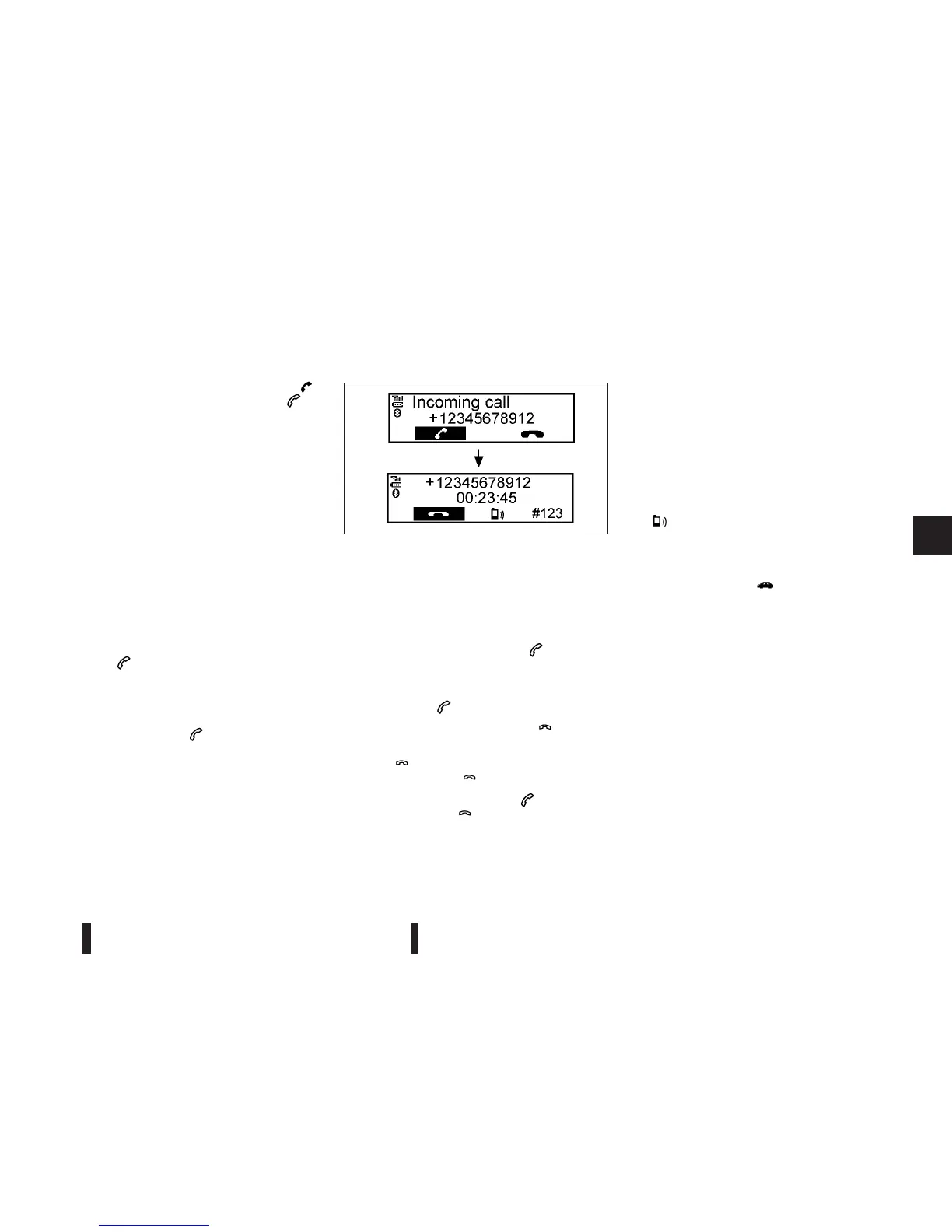
Receiving a call
When receiving an incoming call, the display will
show the caller’s phone number (or a notification
message that the caller’s phone number cannot be
shown):
•
Answer the call by pressing < > briefly, or
press <ENTER>.
•
End the call, after the conversation, by:
– Pressing < > briefly again.
– Pressing <ENTER> when the [
] symbol is
highlighted.
If [
] is not highlighted, turn the <TUNE/
MENU> dial to [
], and press <ENTER>.
•
Reject the call by pressing < > with a long
press or select [
] from the incoming call
screen.
During a call:
During a call, by scrolling and pressing <ENTER>,
you can select the following options:
•
[#123] — Use this item to enter numbers during
a call. For example, if directed by an automated
phone system to dial an extension number the
system will send the tone associated with the
selected number.
•
[ ] — Use this item (the transfer handset com-
mand) to transfer the call from the audio system
to your mobile phone.
To transfer the call back to hands-free via the
audio system select [
].
NAA1200
Heater and air conditioner, and audio system 4-43



 To Next Page