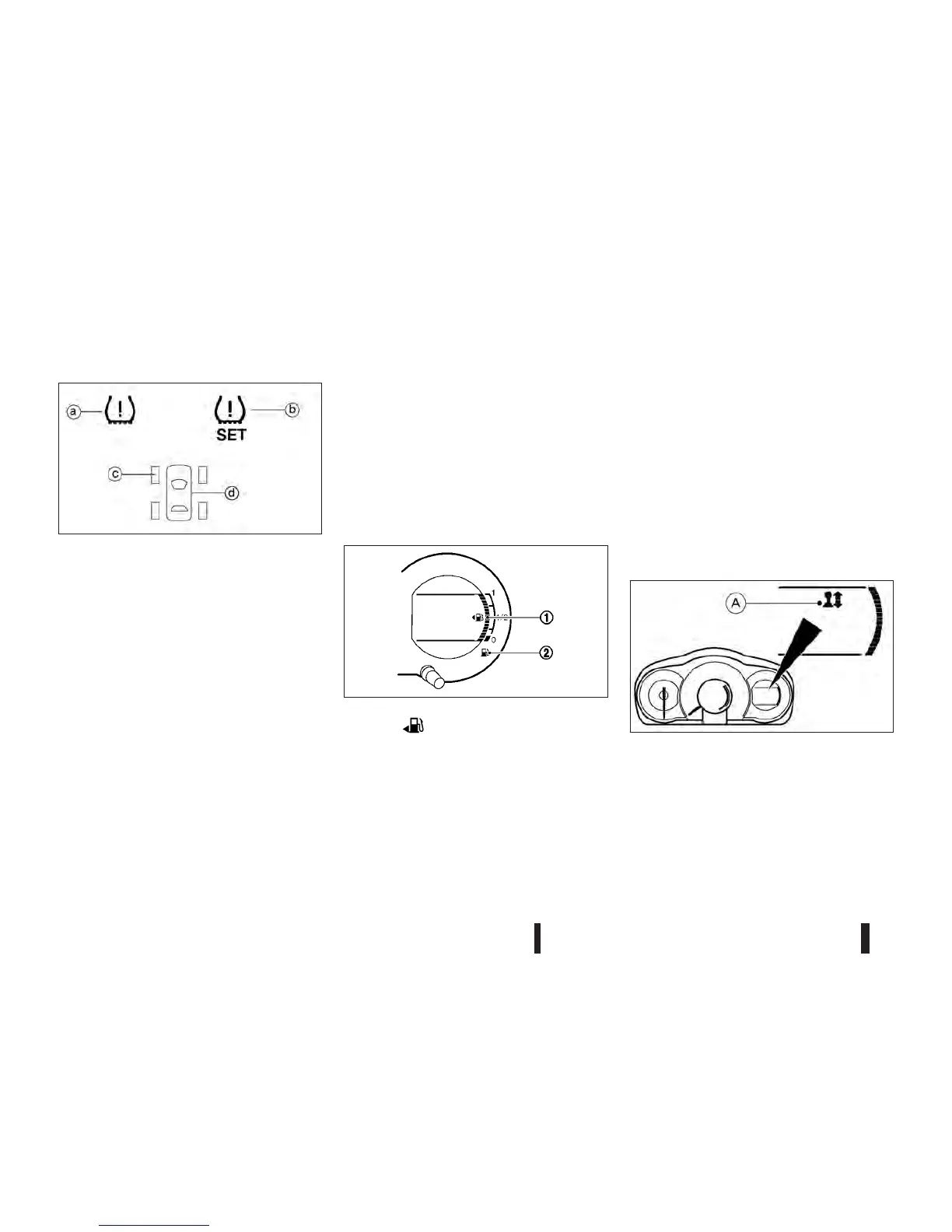
ja
TPMS indicator light
jb
TPMS set indicator light
jc
Tyre indicator light
jd
TPMS tyre location indicator light
•
When the lights ja,jc and jd come on, stop
as soon as possible and set the tyre pressure(s)
to the correct value indicated on the tyre label.
•
At ignition ON and engine off:
navigate through the trip computer by a repeated
short push of the trip computer mode switch.
The TPMS is selected when
jb appears.
Long push of the trip computer mode switch will
start the TPMS reset procedure. The TPMS set
indicator light
jb and [SET] will flash 3 times.
When successful the trip computer shows the
average fuel consumption mode again.
Drive the vehicle between 25 and 100 km/h. The
TPMS settings are updated.
Clock settings mode (where fitted)
For clock adjustment, see “Clock” later in this sec-
tion.
Resetting trip computer display
Push the trip computer mode switch jA for longer
than 3 seconds. The display of average fuel con-
sumption, average speed and elapsed time will be
reset at the same time.
FUEL GAUGE
The arrow, , indicates that the fuel filler lid is
located on the left side of the vehicle.
CAUTION
Refuel before the gauge reads the empty (0) po-
sition.
There is a small reserve of fuel in the tank when the
fuel gauge reads the empty (0) position.
The fuel gauge
j1 indicates the approximate fuel
level in the tank when the ignition switch is in the ON
position.
The gauge may move slightly during braking, turn-
ing, accelerating, or going up and down hills due to
movement of fuel in the tank.
The low fuel warning light
j2 illuminates when the
fuel level in the tank is getting low. Refuel as soon
as it is convenient, preferably before the gauge
reads the empty (0) position.
SHIFT LEVER INDICATOR (Manual
transmission – where fitted)
The shift lever indicator jA can help to improve the
level of environmentally friendly driving. When the
up arrow appears, upshifting is recommended.
When the down arrow appears, downshifting is rec-
ommended.
For more information, see “Driving vehicle” in the
“5. Starting and driving” section.
NIC2011
JVI0470XZ
NIC2072
2-4 Instruments and controls



 To Next Page