[ Edit: 2012/ 4/ 9 Model: E26-A ]
3. Turn the trip computer mode switch
*
A
counter-
clockwise until the interval reads 0.
If no further action is taken, the display will switch to
the oil level indication and the oil change reminder is
cancelled.
No wrench symbol or distance will be displayed when
the ignition switch is turned to the “ON” position. To
reactivate the reminder, set the distance to oil change
interval to a value above zero (0).
2. Oil replacement indicator (model equipped
with Diesel Particulate Filter (DPF))
GUID-B33CBF28-1517-493C-B536-339AE6963564
CAUTION:
If the oil replacement indicator is displayed,
change the engine oil as soon as possible.
Operating your vehicle with oil that has deterio-
rated can damage the engine.
When the distance to oil change information showing
zero (0) is displayed: When the ignition switch is
turned to the ON position, a wrench symbol blinks and
the distance to oil change information showing zero (0)
is displayed for approximately 5 seconds
When the set mileage approaches, the engine oil
replacement indicator will appear on the display. After
the oil is changed, reset the distance to oil change.
To reset the distance to oil change, push and hold the
trip odometer reset switch
*
A
for more than 3
seconds while the distance to oil change or oil
replacement indicator is displayed.
The distance to oil change interval cannot be adjusted
manually. The distance to oil change interval is set
automatically.
3. Oil level display
GUID-635138D6-1BA7-4FDE-9663-B22868F47082
When the ignition switch is pushed to the “ON”
position, the engine oil status is displayed.
4. Low level reminder
GUID-39E684B3-7816-4161-907A-DC9B5BD584D9
If the low level indicator is displayed, the engine oil
level is low. In this case, check the level using the oil
dipstick. (See “Engine oil” (P.8-8).)
CAUTION:
The oil level should be checked regularly using
the engine oil dipstick. Operating the vehicle
with an insufficient amount of oil can damage
the engine and such damage is not covered by
the warranty.
(See “Engine oil” (P.8-8).)
5. Oil level sensor warning
GUID-9AC3201B-B49E-425D-9B90-EADDE6374F09
If the oil sensor warning is displayed, the engine oil
level sensor may be malfunctioning. Contact a NISSAN
dealer immediately.
CAUTION:
. Even if "Oil Good" appears on the engine oil
maintenance display, be sure to replace the
engine oil when the engine oil level gauge
shows that the oil level exceeds the Hi level
by approximately 10 mm (0.4 inch) because
the oil performance has decreased.
. Always reset the oil control system after
replacing the engine oil.
CLOCK (if equipped)
GUID-84B6F0E3-CD AE-4466-811D-F42B1C2F7B44
For clock adjustment, see “Clock” (P.2-21).
INSTRUMENT BRIGHTNESS CONTROL
GUID-7CCCFBFC-A4FA-4DDC-BC50-681D229575D7
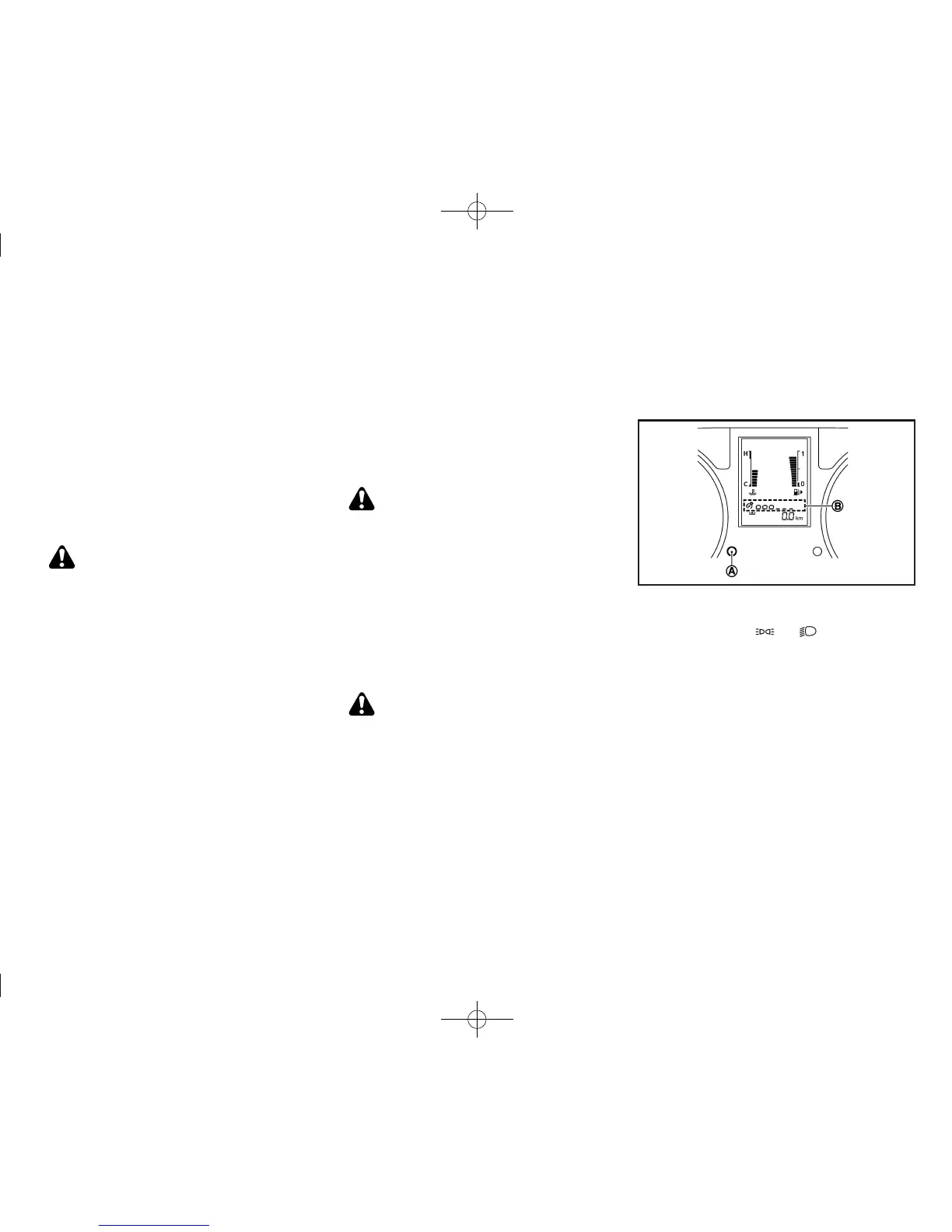
JVI0404X
The instrument brightness control operates when the
ignition switch is in the “ON” position and the headlight
switch is in either the
or position.
Turn the instrument brightness control switch
*
A
to
adjust the brightness of the meter. The brightness
indicator
*
B
will be shown briefly in the vehicle
information display when the control is turned.
When the brightness level reaches the maximum or
minimum, a beep will sound.
Instruments and controls 2-9


 To Next Page
 Loading...