EasyManua.ls Logo

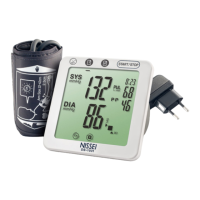
Nissei ds-1902 - User Manual

Nissei ds-1902
72 pages
Print Icon
To Next Page IconTo Next Page
Loading...
INSTRUCTIONS
ENGLISH
INSTRUKCJA OBSŁUGI
JĘZYK POLSKI
GEBRAUCHSANWEISUNG
DEUTSCH
INSTRUCTIONS
FRANÇAIS
ISTRUZIONI
ITALIANO
INSTRUCCIONES
ESPANÕL
DIGITAL
BLOOD PRESSURE
MONITOR
Model DS-1902

Table of Contents

Questions and Answers

  • M
    Monica ReedAug 14, 2025
    Why Nissei ds-1902 Blood Pressure Monitor has no display?
    • L
      ldoughertyAug 14, 2025
      If your Nissei Blood Pressure Monitor displays no readings, the issue might be due to a lack of power. Try replacing all the batteries with new ones, ensuring they are correctly positioned. Clean the battery contacts with a dry cloth. Also, verify the AC adapter connection.
  • D
    Diana SmithAug 17, 2025
    What to do if Nissei ds-1902 Blood Pressure Monitor shows low battery?
    • L
      Lisa MezaAug 17, 2025
      If your Nissei Blood Pressure Monitor displays a low battery warning, replace all the batteries with new ones.
  • M
    Michelle MarshallAug 20, 2025
    Why is blood pressure different each time I use my Nissei ds-1902 Blood Pressure Monitor?
    • M
      michaelpetersonAug 20, 2025
      If your blood pressure readings from the Nissei Blood Pressure Monitor vary significantly each time, or the reading is extremely low or high, ensure you are measuring with the correct posture. Blood pressure can change based on the time of measurement and your nervous state. Refer to the section on taking your blood pressure correctly.
  • E
    Eric DiazAug 25, 2025
    Why is the pulse rate too low (or too high) on my Nissei ds-1902?
    • M
      Melissa CobbAug 25, 2025
      If your Nissei Blood Pressure Monitor's pulse rate reading is too low or too high, it could be due to movement during the measurement or taking the measurement immediately after exercise. Remain still during the measurement and measure again after resting for more than 5 minutes.
  • R
    Rachel StewartAug 27, 2025
    What to do if Nissei Blood Pressure Monitor cannot complete the measurement?
    • M
      Matthew RobinsonAug 28, 2025
      If your Nissei Blood Pressure Monitor cannot complete the measurement, the batteries may be depleted. Replace all four batteries with new ones.
  • M
    mmorrowAug 30, 2025
    Why is the measurement result not stored on my Nissei ds-1902 Blood Pressure Monitor?
    • P
      Patricia MccoyAug 30, 2025
      If your Nissei Blood Pressure Monitor does not store the measurement result, check if you are using the right memory bank and if you selected the correct memory bank number after the measurement. Confirm the memory bank number and ensure the desired memory bank is selected before turning off the monitor after a measurement. When is displayed the result will not be saved.
  • B
    Barbara ScottSep 2, 2025
    How to make great number of measurements with Nissei ds-1902 Blood Pressure Monitor?
    • B
      boconnellSep 2, 2025
      To extend the battery life of your Nissei Blood Pressure Monitor, use alkaline batteries.
  • S
    Shannon CochranSep 6, 2025
    Why does my Nissei Blood Pressure Monitor turn off automatically?
    • C
      Christina ChristensenSep 6, 2025
      If your Nissei Blood Pressure Monitor automatically turns off, this does not indicate a problem. The instrument automatically turns off 3 minutes after a measurement or 30 seconds after memory display if left untouched.
  • J
    Jason JordanSep 10, 2025
    What to do if Nissei ds-1902 shows inflation error?
    • M
      Michael MooreSep 10, 2025
      If your Nissei Blood Pressure Monitor is showing an inflation error, reinsert the TUBE PLUG and make sure that it is securely inserted. Do not move during measurement.

Summary

Basic Product Information

Indications for Use

Describes intended users, age range, and conditions for use of the blood pressure monitor.

Method of Measurement

Explains the oscillometric method, pressurization, and display of results.

Precautions for Use

General Precautions

Warns against non-original cuffs, improper environment, and need for medical consultation.

Electromagnetic Interference Precautions

Advises caution with devices emitting strong electromagnetic fields.

Tips on Taking Your Blood Pressure

Factors Affecting Blood Pressure

Lists factors like body movement, emotions, and environment affecting BP.

Measurement Environment and Posture

Recommends resting, quiet environment, and correct posture.

Lifestyle and Environment Recommendations

Advises on avoiding activities before measurement and maintaining ambient temperature.

Interpreting Readings

Suggests consulting doctor and provides WHO BP classification.

Installing Batteries and Setting the Clock

Battery Installation

Step-by-step guide on opening compartment, inserting batteries, and closing cover.

Battery Replacement Indication

Explains when to replace batteries based on display or no display.

Setting the Clock

Details how to set year, month, day, hour, and minute using buttons.

Correct Measuring Posture

Posture Guidelines

Instructs to sit with arm supported at heart level and avoid movement.

Posture Variations and Impact

Explains how cuff position relative to heart affects readings.

Wrapping the Cuff

Cuff Placement and Fastening

Details placing cuff on arm and ensuring correct position and secure fastening.

Cuff Tightness and Clothing

Advises on proper cuff tightness and avoiding restrictive clothing.

Measurement Procedures

Initiating Measurement

Describes inserting tube plug, pressing start, and initial inflation marks.

During Measurement

Advises deep breaths, relaxing, and avoiding movement or talking.

Saving Results and Turning Off

Explains how to save results to memory banks or turn off the unit.

Irregular Pulse Rhythm Indication

Describes flashing heart mark for irregular rhythm and consulting doctor.

Measurement Process Details

Details cuff pressurization stages and the "Personal Mode" feature.

Personal Mode Usage

Explains how to efficiently use "Personal Mode" by selecting memory banks.

Memory Function

Storing Readings

Describes adding current readings to memory banks and memory capacity.

Viewing Stored Data

Explains how to view stored data, averages, and navigate memory banks.

Deleting Stored Data

Details erasing data from memory banks, including the average.

Error Displays and Troubleshooting

Over-Pressurization and Measurement Errors

Explains symbols E 300, Err 1, their causes, and remedies.

Inflation Error and Power Issues

Covers inflation errors (E -2), no display, and low battery, with solutions.

Improper Operation

Addresses accidental button presses during battery replacement and how to restart.

Measurement Interruption and Inconsistent Readings

Discusses interrupted measurements, inconsistent BP readings, and pulse rate issues.

Data Storage and Auto Power Off

Explains why results might not be stored and the automatic power-off function.

Care and Maintenance

General Care and Cleaning

Advises on avoiding extreme conditions, using soft cloths, and cleaning the cuff.

Storage and Periodic Checks

Covers proper storage, battery removal for long periods, and periodic checks.

Warranty Information

Manufacturers Warranty

Details the 2-year warranty against manufacturing defects and exclusions.

Authorized Representative and Contact

Provides contact information for the authorized representative and manufacturer.

Nissei ds-1902 Specifications

General IconGeneral
Measurement MethodOscillometric
Cuff Size22-32 cm
Measurement Range (Pressure)0-280 mmHg
Display TypeLCD
Power Source4 x AA batteries
Measurement Range (Pulse)40-200 bpm
Accuracy (Pressure)±3 mmHg
Accuracy (Pulse)±5% of reading

Related product manuals