EasyManua.ls Logo

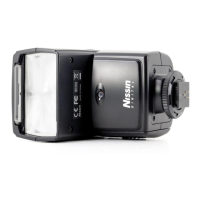
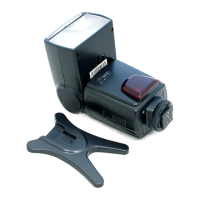
Nissin Di466 - User Manual

Nissin Di466
6 pages
Print Icon
To Next Page IconTo Next Page
Loading...
DIGITAL TTL POWER ZOOM FLASH
for
Four Thirds/Micro Four Thirds
INSTRUCTION MANUAL
Nissin Japan Ltd., Tokyo
http://www.nissin-japan.com
Nissin Marketing Ltd., Hong Kong
http://www.nissindigital.com
Design and Specifications are subject to change without prior notice.
466FT.Rev0310.1.2
Nissin Di466 Four Thirds / Micro Four Thirds version has been
developed for digital SLR and (Micro) Four Thirds system cameras
with hotshoe and the latest TTL flash control technolgy.
Note: No film camera can be used with Di466 Four Thirds.
Attach Di466 Four Thirds to your camera, and then almost all jobs
are controlled by the camera for the most proper exposure.
Read this instruction manual and refer your camera owner’s
manual to enjoy flash photography.
Read this instruction manual and refer your canera owner’s manual
to enjoy flash photography.
The compatibility list of Di622 Mark II, please check at our official
website: www.nissindigital.com
WARNING
The flash unit contains high voltage electric parts. Do not try
to open or repair the flash unit. Return it back to the repair
service station or the store you bought it.
Do not touch the inside parts from the opening when the unit
was dropped and broken.
Do not fire the flash direct to the eye at short distance. It may
damage the eye. When taking flash picture especially
toward a baby, it is recommended to keep the flash unit at
least 1 meter (3.3feet) away from the subject.
Or use diffuser or bounce the light to the ceiling or to the wall
to soften its intensity.
Do not use the flash unit in the flammable gas, chemicals or
such liquids. It may cause fire or electric shock.
CAUTIONS
Do not leave or store the flash unit in the temperature over
40°C, such like in the automobile.
The flash unit is not water resistant. Keep the unit away from
rain, snow and humidity.
Do not use benzene, thinner or other alcoholic agents to
clean the unit.
Do not use this flash with the cameras which is not listed in
the compatibility list at our official website, otherwise it may
damage the camera’s circuitry.
Remove the batteries when not in use for a longer period of
time.
This sign refers the danger or serious damage.
This sign refers the damage or defect.
Question and Answer IconNeed help?

Do you have a question about the Nissin Di466 and is the answer not in the manual?

Summary

Safety Warnings

Danger or Serious Damage Warnings

Details dangers like high voltage, eye damage, and flammable gas use.

Damage or Defect Cautions

Covers cautions like temperature, water resistance, and cleaning agents.

Nomenclature and Basic Operation

Flash Unit Components Overview

Diagram identifying key parts of the Di466 flash unit.

Battery Installation and Power On

Guide to inserting batteries and turning the flash unit on.

Energy Saving Modes

Explanation of automatic stand-by and power-off features.

Mounting and Removing the Flash

Attaching to Camera Hotshoe

Procedure for securely mounting the Di466 flash to the camera.

Detaching from Camera Hotshoe

Safe steps for removing the flash unit from the camera.

Automatic Flash Shooting

Camera Mode Compatibility

Details camera modes for automatic TTL flash operation.

TTL Flash Power Compensation

How to adjust flash output for optimal exposure.

Creative Flash Techniques

Fill-in Flash and Reflector Use

Technique for softening light for portraits or close subjects.

Light Diffusing Panel Application

How to soften flash light and create effects for subjects.

Advanced Lighting and Modes

Bounce Lighting Techniques

Using bounce lighting for softer shadows and less intimidating results.

AF Assist Light Function

How the AF assist light helps focus in low light conditions.

Flash Mode Settings

Covers slow sync, red-eye reduction, and 2nd curtain sync.

Manual and Wireless Flash Operation

Setting manual power and using as a wireless slave.

Flash Settings and Specifications

Setting Master and Slave Flashes

Instructions for setting up master and slave flash units.

TTL Exposure Level Customization

How to adjust TTL exposure levels for personalized results.

Technical Specifications

Details on guide numbers, power, recycle time, and dimensions.

Troubleshooting Common Issues

Solutions for charging, firing, and exposure problems.

Warranty Information

Warranty Void Conditions

Reasons that may void the product warranty.

Summary

Safety Warnings

Danger or Serious Damage Warnings

Details dangers like high voltage, eye damage, and flammable gas use.

Damage or Defect Cautions

Covers cautions like temperature, water resistance, and cleaning agents.

Nomenclature and Basic Operation

Flash Unit Components Overview

Diagram identifying key parts of the Di466 flash unit.

Battery Installation and Power On

Guide to inserting batteries and turning the flash unit on.

Energy Saving Modes

Explanation of automatic stand-by and power-off features.

Mounting and Removing the Flash

Attaching to Camera Hotshoe

Procedure for securely mounting the Di466 flash to the camera.

Detaching from Camera Hotshoe

Safe steps for removing the flash unit from the camera.

Automatic Flash Shooting

Camera Mode Compatibility

Details camera modes for automatic TTL flash operation.

TTL Flash Power Compensation

How to adjust flash output for optimal exposure.

Creative Flash Techniques

Fill-in Flash and Reflector Use

Technique for softening light for portraits or close subjects.

Light Diffusing Panel Application

How to soften flash light and create effects for subjects.

Advanced Lighting and Modes

Bounce Lighting Techniques

Using bounce lighting for softer shadows and less intimidating results.

AF Assist Light Function

How the AF assist light helps focus in low light conditions.

Flash Mode Settings

Covers slow sync, red-eye reduction, and 2nd curtain sync.

Manual and Wireless Flash Operation

Setting manual power and using as a wireless slave.

Flash Settings and Specifications

Setting Master and Slave Flashes

Instructions for setting up master and slave flash units.

TTL Exposure Level Customization

How to adjust TTL exposure levels for personalized results.

Technical Specifications

Details on guide numbers, power, recycle time, and dimensions.

Troubleshooting Common Issues

Solutions for charging, firing, and exposure problems.

Warranty Information

Warranty Void Conditions

Reasons that may void the product warranty.

Nissin Di466 Specifications

General IconGeneral
Product colorBlack
Color temperature5600 K
Shooting distance0.7 - 6 m
Approx. number of flashes200 - 1500
Approximate recycling time4.5 s
Camera brands compatibilityOlympus
Battery typeAA
Number of batteries supported4
Carrying caseYes
Weight and Dimensions IconWeight and Dimensions
Depth95 mm
Width67 mm
Height105 mm
Weight240 g

Related product manuals