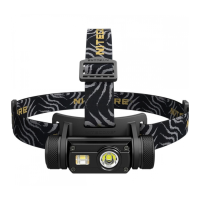
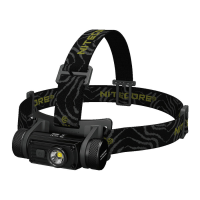
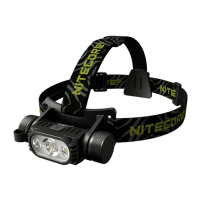
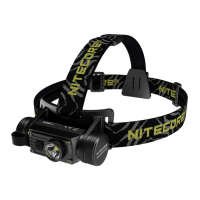
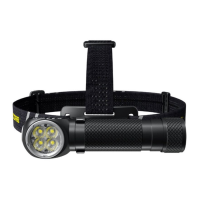
• Spotlight/Floodlight Adjustable
• Auxiliary Red Light
• USB-C Rechargeable
High Performance
Dual Beam E-focus Headlamp
HC68
Features
Specications
Accessories
Battery Options
• Equippedwithspotlight,oodlight,andauxiliaryredlightwithamax
outputof2,000lumens
• Utilizes2xLuminusSST-40-WLEDsfordualprimarywhitelights
• ThespotlightusestheTIRopticlensspeciallydesignedforlongrange
lightingtoprovideamaxthrowof202metersandamaxpeakbeam
intensityof10,300cd
• TheoodlightusesTrueVisionTechnologyforanultrasmoothoodbeam
• Availablewithsteplessspotlight/oodlightoutputratioadjustment
(PatentNo.:ZL201820778007.X)
• Highlyecientconstantcurrentcircuitprovidesastableoutputofupto
800hours
• IntelligentLi-ionbatterychargingcircuitwithaUSB-Cchargingport
• 180°tiltanglefordierentilluminationneeds
• Apowerindicatorbeneaththe"+"and"-"Buttonsindicatesthe
remainingbatterypower
• Thepowerindicatorcandisplaythebatteryvoltage(±0.1V)
• IncorporatedAdvancedTemperatureRegulation(ATR)module
(PatentNo.ZL201510534543.6)
• Constructedfromaerogradealuminumalloy
• HAIIImilitarygradehard-anodizednish
• RatinginaccordancewithIP68(2meterssubmersible)
• Impactresistantto2meters
Dimensions:91.5mm×34.75mm×26.5mm(3.60"×1.37"×1.04")
Weight:118.5g(4.18oz)(BracketandHeadbandIncluded,andBatteryNotIncluded)
70g(2.47oz)(Bracket,HeadbandandBatteryNotIncluded)
NITECORENL1835HP18650Li-ionBattery(3,500mAh),SpareO-ring,
USB-CChargingCable,Headband,Bracket
Type
Nominal
Voltage
Compatibility
NITECORENL1835HP(3,500mAh) 18650 3.6V Y(Recommended)
ButtonTopped18650Rechargeable
Li-ionBattery(DischargeCurrentOver8A)
18650 3.6V/3.7V Y(Compatible)
PrimaryLithiumBattery CR123 3V Y(Compatible)
RechargeableLi-ionBattery RCR123 3.6V/3.7V Y(Compatible)
FlatTopped18650Battery 18650 ─ N(Incompatible)
ButtonTopped18650RechargeableLi-ion
Battery(DischargeCurrentBelow8A)
18650 ─ N(Incompatible)
Note: DONOTattempttousetheHC68tochargeCR123/RCR123batteries.
Technical Data
FL1
STANDARD
TURBO
100%SPOTLIGHT 100%FLOODLIGHT AUXILIARYREDLIGHT
BEACON SOS
HIGHER HIGH MID LOW
ULTRALOW
HIGHER HIGH MID LOW
ULTRALOW
HIGH LOW FLASHING
2,000
Lumens
1,800
Lumens
950
Lumens
250
Lumens
50
Lumens
1
Lumen
1,400
Lumens
850
Lumens
220
Lumens
45
Lumens
1
Lumen
11
Lumens
3
Lumens
11
Lumens
2,000
Lumens
2,000
Lumens
*─ *30min 2h30min 6h 28h 800h *30min 2h30min 6h 28h 800h 30h 110h 160h ─ ─
185m 202m 147m 75m 32m 4m 77m 57m 29m 18m 2m 4m 2m ─ ─ ─
8,600cd 10,300cd 5,400cd 1,420cd 280cd 4cd 1,500cd 820cd 210cd 87cd 1cd 4cd 1cd ─ ─ ─
2m(ImpactResistance)
IP68,2m(WaterproofandSubmersible)
Note: ThestateddataismeasuredinaccordancewiththeinternationalashlighttestingstandardsANSI/PLATOFL1-2019,usinga1x18650Li-ionbattery(3,500mAh)
underlaboratoryconditions.Thedatamayvaryinrealworlduseduetodierentbatteryusageorenvironmentalconditions.
*TheruntimeofHIGHERistestedwithouttemperatureregulation.
*TURBOandHIGHERAvailability:TheTURBOlevelandHIGHERlevelareonlyaccessiblewhenusingan18650rechargeableLi-ionbatterywithadischargecurrent
over8A.ItisinaccessiblewhenusingCR123/RCR123batteries.
(English)
Battery Installation / Removal
Asillustrated,afterunscrewingthebatterycap,insert/removethebattery(s)and
screwtotightenthebatterycap.
Note: Afterthebatteryinsertion,thepowerindicatorbeneaththe"+"and"-"
Buttonswillashtoindicatethebatteryvoltage.Pleaserefertothe"Power
Indication"sectionofthismanualformoredetails.
Warnings:
1.Ensurethebattery(s)is/areinsertedwiththenegativeendtowardsthespring.The
productwillnotworkifthebattery(s)is/areincorrectlyinserted.
2.CAUTION!Possibledangerousradiation!Don'tlookintothelight!Maybe
dangerousforyoureyes.
3.Whenthepowerislow,pleasestopusingtheproductandrechargethebatteryas
soonaspossibletoavoiddamagetothebattery.
4.Whentheproductiskeptinabackpackorleftunusedforprolongedtime,please
removeallbatteriestopreventaccidentalactivationorbatteryleakage.
5.DONOTsubmergetheheadlampintoanyliquidwhenitishot.Doingsomay
causeirreparabledamagetothelightduetothedierenceofairpressureinside
andoutsideofthetube.
Battery Charging
TheHC68isequippedwithanintelligentchargingsystem.Asillustrated,tightenthe
batterycapafterinsertingthebatteryandunscrewthechargingportcapuntilthe
chargingportisfullyexposed.ThenusetheUSBcabletoconnectanexternalpower
supply(e.g.aUSBadapterorotherUSBchargingdevices)tothechargingportto
beginthechargingprocess.
•
Duringthechargingprocess,thepowerindicatorwillashslowlytoinformtheuser.
• Whenthebatteryisfullycharged,theHC68willceasethechargingprocessand
thepowerindicatorwillbecomesteadilyturnedontoinformtheuser.
• Thechargingtimeforan18650rechargeableLi-ionbattery(3,500mAh)isapprox.
3hours.(Chargedviathe5V/2Aadapter)
Primary White Light
On/O
On:Whenthelightiso,shortpressthePowerButtontoturniton.
O:Whenthelightison,shortpressthePowerButtontoturnito.
Note: TheHC68hasamemoryfunctiontomemorizeULTRALOW,LOWorMIDofthe
primarywhitelightonly.
• IfthepreviousbrightnesslevelisHIGHorHIGHER,reactivatingthelightwill
directlyaccessMIDinstead.
• IfthepreviousbrightnesslevelisULTRALOW,LOWorMID,reactivatingthelight
willautomaticallyaccessthepreviousstatus.
Brightness Levels
Whenthelightison,shortpressthe"+"Buttoneachtimetoincreasethebrightness
levelinsequencefromULTRALOWtoHIGHER.
Whenthelightison,shortpressthe"-"Buttoneachtimetodecreasethebrightness
levelinsequencefromHIGHERtoULTRALOW.
Spotlight/Floodlight Adjustment
TheHC68hasaspotlight/oodlightadjustmentfunction.Theoutputratioofthe
spotlightandoodlightissteplessadjustableonacertainbrightnesslevel.
• Whenthelightison,pressandholdthe"+"Buttontoincreasethespotlightoutput
ratioanddecreasetheoodlightoutputratiountilitreaches100%Spotlight.
• Whenthelightison,pressandholdthe"-"Buttontoincreasetheoodlightoutput
ratioanddecreasethespotlightoutputratiountilitreaches100%Floodlight.
Note:
1.Only100%Spotlightor100%FloodlightisavailableonULTRALOW.Longpress
the"+"Buttontoswitchto100%Spotlight.Longpressthe"-"Buttontoswitchto
100%Floodlight.
2.ThisfunctionisnotavailableonTURBOasthespotlight/oodlightoutputratioon
TURBOisxed.
TURBO Activation
Whenthelightison,holdthePowerButtonfor1secondtoaccessTURBO
temporarily.(HoldingthePowerbuttonforover5secondsafteractivatingTURBOwill
accessULTRALOWinstead.)ShortpressthePowerButtontoreturntotheprevious
memorizedstatus,oritwillautomaticallyreturntothepreviousstatusifthereisno
operationin60seconds.
Auxiliary Lights and Special Modes
On:Whenthelightiso,doublepressthePowerButtontoaccessREDLOW.
Switch:WhenREDLOWison,shortpressthe"+"Buttoneachtimetoswitchtothe
followingmodesinsequence:REDLOW–REDHIGH–REDFLASHING–BEACON
–SOS;shortpressthe"-"Buttoneachtimetoswitchtothefollowingmodesin
sequence:SOS–BEACON–REDFLASHING–REDHIGH–REDLOW.
O:WhenoneoftheAuxiliaryLightsorSpecialModesison,shortpressthePower
Buttonturnito.
Power Indication
• Whenthebatteryisinsertedorthepowerisdisconnectedduringthecharging
process,thepowerindicatorwillashtoshowthebatteryvoltage(±0.1V).For
example,whenthebatteryvoltageisat4.2V,thepowerindicatorwillash4times
followedbya1.5-secondpauseand2moreashes.
1×18650battery:
2×CR123batteries:
Note: WhenusingtwoCR123/RCR123inseries,theindicatorwillshowtheaverage
voltagebetweenthetwobatteries.
• Whenthelightiso,shortpressthe"+"/"-"buttonandthepowerindicatorwill
ashtoindicatetheremainingpower:
1.Flashingthreetimesindicatesthatthepowerisabove50%.
2.Flashingtwiceindicatesthatthepowerisbelow50%.
3.Flashingonceindicatesthatthepowerisbelow10%.
ATR (Advanced Temperature Regulation)
TheintegratedATRtechnologyregulatestheoutputoftheHC68accordingtothe
workingconditionandambientenvironmenttomaintaintheoptimalperformance.
Low power
Full power
3.5V 3.7V 3.9V 4.2V
Low power
Full power
4.8V 5.6V 6.0V 6.4V
SYSMAX Innovations Co., Ltd.
TEL: +86-20-83862000
FAX: +86-20-83882723
E-mail: info@nitecore.com
Web: www.nitecore.com
Address:
Unit6355,5/F,
No.1021GaopuRoad,
TianheDistrict,Guangzhou,
510653,Guangdong,China
Please nd us on facebook : NITECORE Flashlight
Thanks for purchasing NITECORE!
HC11056822
MadeinChina
Charging Function
Battery Installation / Removal
Changing Batteries
Thebatteriesshouldbereplacedwhentheoutputappearstobedimortheheadlamp
becomesunresponsiveduetolowpower.
Maintenance
Every6months,threadsshouldbewipedwithacleanclothfollowedbyathin
coatingofsilicon-basedlubricant.
(Deutsch)
Einsetzen/Entfernen der Batterien oder Akkus
LegenSieBatterien/Akkusein–wieaufdemBilddargestellt–undschraubenSiedie
KappedesBatteriefachesfestzu.
ZumEntnehmenderBatterien/AkkusgehenSieinumgekehrterReihenfolgevor.
HINWEIS
NachdemEinlegenderBatterieblinktdieStromanzeigeunterden„+“und„-“-Tasten,
umdieBatteriespannunganzuzeigen.WeitereInformationenndenSieimAbschnitt
„Stromanzeige“dieserBedienungsanleitung.
WARNUNGEN
1.StellenSiesicher,dassdieBatterien/AkkusmitdemnegativenPol(-)zurFeder
zeigen.DieHC68funktioniertnichtmitfalscheingelegtenBatterien/Akkus.
2.ACHTUNG!GefährlicheStrahlung!BlickenSienichtindenLichtstrahl!Dieskann
gefährlichseinfürIhreAugen.
3.WenndieLeistungniedrigist,stellenSiebittedieVerwendungeinundladenSie
denAkkusoschnellwiemöglichauf,umSchädenamAkkuzuvermeiden.
4.WenndasProduktineinemRucksackaufbewahrtoderlängereZeitnichtbenutzt
wird,entfernenSiebittealleAkkus/Batterien,umeineversehentlicheAktivierung
odereinAuslaufenderAkkus/Batterienzuverhindern.
5.TauchenSiedieLampeNICHTineineFlüssigkeit,wennsieheißist.Dieskanndie
LampeaufgrunddesunterschiedlichenLuftdrucksinnerhalbundaußerhalbdes
Gehäusesirreparabelbeschädigen.
Ladefunktion
DieHC68istmiteinemintelligentenLadesystemausgestattet.ÖnenSie
–wiedargestellt–dieLadeport-AbdeckungbisderLadeportvollständiggeönetist.
VerbindenSiedanachdasUSB-Kabel-angeschlossenaneinexternesNetzteil(z.B.
einenUSB-Adapter,einenComputeroderandereUSB-Ladegeräte)-mitdemUSB-
AnschlussderHC68,umdenLadevorgangzustarten.
● WährenddesLadevorgangsblinktdieLadeanzeigelangsam.
● WennderAkkuvollständigaufgeladenist,beendetdieHC68denLadevorgangund
dieLadeanzeigeleuchtetkonstant.
● DieLadezeitfüreinen18650Li-Ion-Akku(3500mAh)beträgtca.3h.(Aufgeladen
miteinem5V/2AAdapter).
Primäres weißes Licht
Ein/Aus
Ein:WenndasLichtausgeschaltetist,drückenSiekurzdieEin/Aus-Taste,umeseinzuschalten.
Aus:WenndasLichteingeschaltetist,drückenSiekurzdieEin/Aus-Taste,umesauszuschalten.
Hinweis:
DieHC68verfügtübereineSpeicherfunktion,mitdernur„ULTRALOW“,„LOW“oder
„MID“desprimärenweißenLichtsgespeichertwerdenkönnen.
● WenndievorherigeHelligkeitsstufe„HIGH“oder„HIGHER“ist,wirdbeider
ReaktivierungderLampestattdessendirektauf„MID“zugegrien.
● WenndievorherigeHelligkeitsstufe„ULTRALOW“,„LOW“oder„MID“ist,wirdbei
derReaktivierungderLampeautomatischdervorherigeStatusaufgerufen.
Helligkeitsstufen
WenndasLichteingeschaltetist,drückenSiewiederholtaufdie„+“–Taste,um
stufenweisedieHelligkeitvon„ULTRALOW“bis„HIGHER“zuregeln.
WenndasLichteingeschaltetist,drückenSiewiederholtaufdie„-“–Taste,um
stufenweisedieHelligkeitvon„HIGHER“bis„ULTRALOW“zuregeln.
Einstellungen des Verhältnis Strahler zu Flutlicht
DieHC68verfügtübereineSpot-undFlutlicht-Einstellfunktion.DasLeistungsverhältnis
vonSpotlichtundFlutlichtiststufenlosfüreinebestimmteHelligkeitsstufeeinstellbar.
•
WenndasLichteingeschaltetist,haltenSiedie"+"-Tastegedrückt,umdenAnteildes
Warranty Service
AllNITECORE
®
productsarewarrantedforquality.AnyDOA/defectiveproductcan
beexchangedforareplacementthroughalocaldistributor/dealerwithin15days
ofpurchase.Afterthat,alldefective/malfunctioningNITECORE
®
productscanbe
repairedfreeofchargewithin60monthsfromthedateofpurchase.Beyond60
months,alimitedwarrantyapplies,coveringthecostoflaborandmaintenance,but
notthecostofaccessoriesorreplacementparts.
Thewarrantywillbenulliedif
1.theproduct(s)is/arebrokendown,reconstructedand/ormodiedbyunauthorized
parties.
2.theproduct(s)is/aredamagedduetoimproperuse.(e.g.reversedpolarity
installation)
3.theproduct(s)is/aredamagedduetobatteryleakage.
ForthelatestinformationonNITECORE
®
productsandservices,pleasecontacta
localNITECORE
®
distributororsendanemailtoservice@nitecore.com
※Allimages,textandstatementsspeciedhereinthisusermanualareforreference
purposeonly.Shouldanydiscrepancyoccurbetweenthismanualandinformation
speciedonwww.nitecore.com,SysmaxInnovationsCo.,Ltd.reservestherights
tointerpretandamendthecontentofthisdocumentatanytimewithoutprior
notice.
Note: Pleaseremovetheinsulationlmbeforetherstuse.
(Español)
Instalación/remoción de baterías
Comosemuestraenlaimagen,despuésdedesenroscarlatapadelasbaterías,
inserte/remuevala(s)batería(s)yenrosqueparaapretarlatapadelasbaterías.
Nota: Despuésdeinsertarla(s)batería(s),elindicadordecargadebajodelos
botones“+”y“-“parpadearáparamostrarelvoltajedelabatería.Porfavorconsulte
lasección“Indicadordebatería”deestemanualparamásdetalles.
Advertencias:
1.Asegúresequela(s)batería(s)está(n)insertada(s)conelpolonegativohacia
elresorte.Elproductonofuncionarásila(s)batería(s)está(n)incorrectamente
insertada(s).
2.¡PRECAUCIÓN!¡Posibleradiaciónpeligrosa!¡Nomiredirectamentealaluz!Puede
serpeligrosoparasusojos.
3.Cuandolacargaestébaja,porfavordejedeutilizarelproductoyrecarguela
bateríatanprontocomoseaposibleparaevitardañosenlabatería
4.Cuandodejeelproductoenunamochilaosedejedeusarporperiodos
prolongadosdetiempo,porfavorremuevatodaslasbateríasparaprevenir
activaciónaccidentalofugasenlasbaterías.
5.NOsumerjalalinternacuandoestécalienteenningúnlíquido.Hacerlopuede
causardañosirreparablesalalinternadebidoaladiferenciadepresióndeaire
dentroyfueradeltubo.
Cambio de baterías
LaHC68estáequipadaconunsistemadecargainteligente.Comosemuestraenla
imagen,aprietelatapadelabateríadespuésdeinsertarlaydesenrosquelatapadel
puertodecargahastaqueelpuertodecargaestétotalmenteexpuesto.Después
utiliceelcableUSBparaconectarunafuentedealimentaciónexterna(Porejemplo:
UnadaptadorUSBuotrodispositivodecargaUSB)alpuertodecargaparainiciarla
cargadelabatería.
• Duranteelprocesodecarga,elindicadorparpadearálentamenteparainformaral
usuario.
• Cuandolabateríaestécompletamentecargada,laHC68cesaráelprocesode
cargayelindicadorpermaneceráencendidoparainformaralusuario.
• EltiempodecargaparaunabateríaLi-ion18650(3,500mAh)esdeaprox.3horas.
(Cargadaatravésdeunadaptador5V/2A)
Luz principal blanca
Encendido/Apagado
Encendido:Cuandolaluzestáapagada,presionebrevementeelbotóndeencendido
paraencender.
Apagado:Cuandolaluzestáencendida,presionebrevementeelbotóndeencendido
paraapagar.
Nota: ElHC68tienefuncióndememoriaparamemorizarULTRABAJO,BAJOo
MEDIOdelaluzblancaprincipalsolamente.
• SielniveldebrilloanterioresALTOoMÁSALTO,alreactivarlaluzaccederá
directamenteaMEDIO.
• SielniveldebrilloanterioresULTRABAJO,BAJOoMEDIO,alreactivarlaluzse
accederáautomáticamentealestadoanterior.
Niveles de intensidad
Cuandolalinternaestáencendida,presionebrevementeelbotón"+"cadavezpara
incrementarelniveldeintensidadensecuenciadeULTRABAJOaULTRAALTO.
Cuandolalinternaestáencendida,presionebrevementeelbotón"-"cadavezpara
bajarelniveldeintensidadensecuenciadeULTRAALTOaULTRABAJO.
Ajuste Luz focal/Luz de inundación
LaHC68tienefuncióndeajustedeLuzfocal/Luzdeinundación.Ajustablesin
escalonamientosentreLUZFOCALyLUZDEINUNDACIÓN.
• Cuandolaluzestáencendida,presioneymantengapresionadoelbotón“+”para
incrementarelporcentajedepotenciadelaluzfocalydisminuirelporcentajede
potenciadelaluzdeinundaciónhastaalcanzarun100%delaluzfocal.
• Cuandolaluzestáencendida,presioneymantengapresionadoelbotón“-“
paraincrementarelporcentajedepotenciadelaluzdeinundaciónydisminuir
elporcentajedepotenciadelaluzfocalhastaalcanzarun100%delaluzde
inundación.
Nota:
1.Sóloel100%delaluzfocaloel100%delaluzdeinundaciónestándisponiblesen
ULTRABAJO.Mantengapresionadoelbotón“+”paracambiaral100%deluzfocal.
Mantengapresionadoelbotón“-“paracambiaral100%deluzdeinundación.
2.EstafunciónnoestádisponibleenTURBOyaqueelporcentajedelaluzfocal/de
inundaciónenTURBOesja.
Activación de TURBO
Cuandolaluzestéencendida,mantengapresionadoelbotóndeencendidodurante
1segundoparaaccederaTURBOtemporalmente.(Simantienepresionadoelbotón
deencendidodurantemásde5segundosdespuésdeactivarTURBO,accederáa
ULTRALOWensulugar.)Presionebrevementeelbotóndeencendidopararegresar
alestadopreviamentememorizado,oregresaráautomáticamentesinohayninguna
operaciónen60segundos.
Luces auxiliares y modos especiales
Encendido:Cuandolaluzestáapagada,presionedosveceselbotóndeencendido
paraaccederaROJOBAJO.
Cambio:CuandolaluzROJOBAJOestáencendida,presionebrevementeelbotón
“+”cadavezparacambialosmodosenlasiguientesecuencia:ROJOBAJO–ROJO
ALTO–ROJOINTERMITENTE–BALIZA–SOS;presionebrevementeelbotón“-”
cadavezparacambiarlosmodosenlasiguientesecuencia:SOS–BALIZA–ROJO
INTERMITENTE–ROJOALTO–ROJOBAJO.
Apagado:Cuandounadelaslucesauxiliaresomodosespecialesestáencendida,
presionebrevementeelbotóndeencendidoparaapagar.
Indicador de batería
Cuandolabateríaesinsertada,olaalimentaciónesdesconectadaduranteelproceso
decarga,elindicadordecargaparpadearáparamostrarelvoltajedelabatería
(±0.1V).Porejemplo,cuandoelvoltajedelabateríaesde4.2V,elindicadorde
cargaparpadeará4vecesseguidodeunapausade1.5segundosyparpadeará2
vecesmás.Diferentesvoltajesrepresentanlosnivelesdebateríarestante.
1×18650battery:
2×CR123batteries:
Nota:Cuandoseutilizan2bateríasCR123/RCR123enserie,elindicadormostraráel
voltajepromedioentrelas2baterías.
•Cuandolaluzestáapagada,presionebrevementeelbotón“+”/”-“yelindicador
decargaparpadearáparaindicarelniveldecargarestante:
1.Tresparpadeosindicanunniveldebateríasuperioral50%.
2.Dosparpadeosindicanunniveldebateríainferioral50%.
3.Unparpadeoindicaquelacargaesinferioral10%.
ATR (Regulación Avanzada de Temperatura)
LatecnologíaATRintegradaregulalapotenciadelaHC68deacuerdoalas
condicionesdetrabajoymedioambienteparamantenerunrendimientoóptimo.
Cambio de baterías
Lasbateríasdebenserreemplazadascuandolapotenciapareceserdébilolalinterna
norespondadebidoalabajapotencia.
Mantenimiento
Cada6mesessedeberánlimpiarlasroscasconunpañolimpio,seguidoaesto,debe
aplicarseunanacapadelubricanteabasedesilicón.
Low power
Full power
3.5V 3.7V 3.9V 4.2V
Low power
Full power
4.8V 5.6V 6.0V 6.4V
SpotlichteszuerhöhenunddendesFlutlichtszuverringern,bis100%Strahlererreichtist.
• WenndasLichteingeschaltetist,haltenSiedieTaste"-"gedrückt,umdenAnteil
desFlutlichtszuerhöhenunddieLeistungdesSpotlichteszuverringern,bis100%
Flutlichterreichtist.
Hinweis:
1.InStufeULTRALOWsindnur100%Spotlichtoder100%Flutlichtverfügbar.
DrückenSielangeaufdie"+"-Taste,umzu100%Spotlichtzuwechseln.Drücken
Sielangeaufdie"-"-Taste,umauf100%Flutlichtzuschalten.
2.DieseFunktionistbei„TURBO“nichtverfügbar,dahierdasVerhältniszwischen
SpotlichtundFlutlichtfesteingestelltist.
Aktivierung de TURBO-Mode
WenndasLichtangeschaltetist,haltenSiedieEin-/Aus-Taste1Sekundelang
gedrückt,umvorübergehendauf„TURBO“zuzugreifen.(WennSiedieEin-/Aus-
TastenachdemAktivierenvon„TURBO“längerals5Sekundengedrückthalten,wird
stattdessen„ULTRALOW“aktiviert).DrückenSiekurzaufdieEin-/Aus-Taste,umzum
vorherigengespeichertenStatuszurückzukehren,oderSiekehrenautomatischzum
vorherigenStatuszurück,wenninnerhalbvon60SekundenkeineweitereBedienung
erfolgt.
Zusatz-Licht und Sonder-Modi
Ein:WenndasLichtausist,drückenSiezweimaldieEIN/AUS-Taste,umauf"RED-
LOW"zuzugreifen.
Umschalten:Wenn"RED-LOW"eingeschaltetist,drückenSiewiederholtkurzdie
"+"-Taste,umnacheinanderindiefolgendenModizuwechseln:"RED-LOW"-"RED-
HIGH"-"RED-FLASHING"-"BEACON"-"SOS".WennSiekurzwiederholtdie"-"-Taste
ändertsichdieRichtunginderdieModidurchlaufenwerden.
Aus:WenndasZusatzlichtodereinSonder-Modieingeschaltetist,drückenSiekurz
dieEIN/AUS-Taste,umesauszuschalten.
Stromanzeige
WenndieBatterieeingesetztist,blinktdieStromanzeige,umdieBatteriespannung
(±0,1V)anzuzeigen.WenndieBatteriespannungbeispielsweise4,2Vbeträgt,
blinktdieStromanzeigeviermal,gefolgtvoneinerPausevon1,5Sekundenundzwei
weiterenBlinksignalen.UnterschiedlicheSpannungenstellendieentsprechenden
verbleibendenBatterieleistungsstufendar:
1×18650battery:
2×CR123batteries:
Hinweis: WennSiezweiCR123/RCR123inReiheverwenden,zeigtdieAnzeigedie
durchschnittlicheSpannungzwischendenbeidenBatterien/Akkusan.
● WenndasLichtausist,drückenSiekurzdie"+"/"-"-TasteunddieEnergieanzeige
blinkt,umdieverbleibendeEnergieanzuzeigen:
1.DreimaligesBlinkenzeigtan,dassdieLeistungüber50%liegt.
2.ZweimaligesBlinkenzeigtan,dassdieLeistungunter50%liegt.
3.EinmaligesBlinkenzeigtan,dassdieLeistungunter10%liegt.
ATR (erweiterte Temperaturregulierung)
Mitdem"AdvancedTemperatureRegulation"-ModulregeltdieHC68ihreLeistungund
passtsichderUmgebungs-temperaturan,umsodieoptimaleLeistungzuerhalten.
Wechsel der Akkus/Batterien
DieBatteriensolltenausgetauschtwerden,wenndieLeistungschwacherscheint
oderdieStirnlampeaufgrundgeringerLeistungnichtmehrreagiert.
Allgemeine Hinweise
AltbatteriengehörennichtindenHausmüll.SiekönnengebrauchteBatterien
unentgeltlichanunserVersandlagerzurückgeben.AlsVerbrauchersindSiezur
RückgabevonAltbatteriengesetzlichverpichtet.
Entsorgung von Elektro- und Elektronikgeräten
DiedurchgestricheneMülltonnebedeutet,dassSiegesetzlichverpichtet
sind,dieseGeräteeinervomunsortiertenSiedlungsabfallgetrennten
Erfassungzuzuführen.DieEntsorgungüberdieRestmülltonneoderdie
gelbeTonneistuntersagt.EnthaltendieProdukteBatterienoderAkkus,
dienichtfestverbautsind,müssendiesevorderEntsorgungentnommen
undgetrenntalsBatterieentsorgtwerden.
Full power
3.5V 3.7V 3.9V 4.2V
Low power
Full power
4.8V 5.6V 6.0V 6.4V

 Need help?
 General
 Weight and Dimensions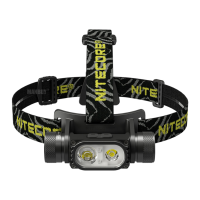

 To Next Page