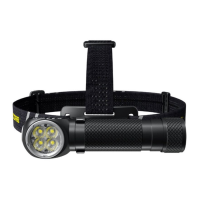
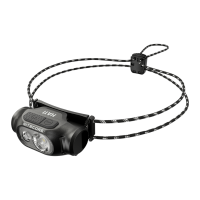
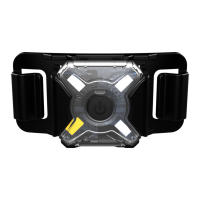
• Triple Light Sources
• Innovative Power Indicator
• Patented ATR Technology
Triple Output Full Metal
USB-C Rechargeable Headlamp
HC65 V2 / HC65M V2
Features Specications
Accessories
Battery Options
Technical Data
(English)
Charging FunctionBattery Installation
(Deutsch)
(Francais)
• Triple output full metal USB-C rechargeable headlamp
• Utilizes a primary Luminus SST-40-W LED with a max output of 1,750
lumens
• EquippedwithahighCRIauxiliarywhitelight(CRI≥90,Color
Temperature: 4500K) and an auxiliary red light
• UnibodyTIRlenssystemreectsuniformandsoftlight
• A max beam intensity of 7,000cd and a max throw of 165 meters
• Highlyecientconstantcurrentcircuitprovidesmaxruntimeof800hours
• Built-in intelligent Li-ion battery charging circuit with a USB-C charging
port
• 180°adjustabletiltangleforvariouslightingneeds
• The power indicator beneath the power button can indicate the remaining
battery power
• Thepowerindicatorcandisplaythebatteryvoltage(±0.1V)
• IntegratedAdvancedTemperatureRegulation
(PatentNo.ZL201510534543.6)
• Constructed from aero grade aluminum alloy
• HAIIImilitarygradehard-anodizednish
• WaterproofanddustproofratinginaccordancewithIP68(2meters
submersible)
• Impactresistantto2meters
HC65 V2:
Dimensions:90.8mm×34.75mm×26.95mm(3.57”×1.37”×1.06”)
Weight:114.5g(4.04oz)(BracketandHeadbandIncluded,BatteryNotIncluded)
65.5g(2.31oz)(Bracket,HeadbandandBatteryNotIncluded)
HC65M V2:
Dimensions:90.8mm×50mm×45.8mm(3.57”×1.97”×1.80”)
Weight:90g(3.17oz)(
NVGMountIncluded,BatteryNotIncluded
)
HC65 V2:
NITECORE18650RechargeableLi-ionBattery(NL1835HP3,500mAh),
SpareO-ring,USB-CChargingCable,Headband,Bracket
HC65M V2:
NITECORE18650RechargeableLi-ionBattery(NL1835HP3,500mAh),
Spare O-ring, USB-C Charging Cable,
NVGMount
Type
Nominal
Voltage
Compatibility
NITECORENL1835HP(3,500mAh) 18650 3.6V Y (Recommended)
ButtonTopped18650RechargeableLi-ion
Battery(DischargeCurrentOver8A)
18650 3.6V/3.7V Y (Compatible)
Primary Lithium Battery CR123 3V Y (Compatible)
Rechargeable Li-ion Battery RCR123 3.6V/3.7V Y (Compatible)
FlatTopped18650Battery 18650 ─ N (Incompatible)
ButtonTopped18650RechargeableLi-ion
Battery(DischargeCurrentBelow8A)
18650 ─ N (Incompatible)
Note:DONOTattempttousetheHC65V2/HC65MV2tochargeCR123/
RCR123batteries.
FL1
STANDARD
PRIMARY WHITE LIGHT AUXILIARY RED LIGHT AUXILIARY
WHITE
LIGHT
BEACON SOS
TURBO HIGH MID LOW ULTRALOW HIGH LOW FLASHING
1,750
Lumens
900
Lumens
250
Lumens
50
Lumens
1
Lumen
11
Lumens
3
Lumens
11
Lumens
35
Lumens
1,750
Lumens
1,750
Lumens
*30min 2h15min 6h 28h 800h 30h 110h 57h 20h ─ ─
165m 123m 65m 28m 3m 7m 3m ─ 10m ─ ─
7,000cd 3,810cd 1,100cd 200cd 3cd 12cd 3cd ─ 28cd ─ ─
2m(ImpactResistance)
IP68,2m(WaterproofandSubmersible)
Note:ThestateddataismeasuredinaccordancewiththeinternationalashlighttestingstandardsANSI/PLATOFL1-2019,using1x18650Li-ionbattery(3,500mAh)
underlaboratoryconditions.Thedatamayvaryinrealworlduseduetodierentbatteryusageorenvironmentalconditions.
*Thedataistestedwithouttemperatureregulation.
*TURBOAvailability:TheTURBOlevelisonlyaccessiblewhenusingan18650rechargeableLi-ionbatterywithadischargecurrentover8A.Itisinaccessiblewhen
usingCR123/RCR123batteries.
Battery Installation
Insertthebattery(s)asillustratedandscrewtotightenthebatterycap.
Note: After the battery insertion, the power indicator beneath the Power Button will
ashtoindicatethebatteryvoltage.Pleaserefertothe"PowerIndication"sectionof
thismanualformoredetails.
Warnings:
1.Ensurethebattery(s)is/areinsertedwiththenegativeendtowardsthespring.The
productwillnotworkifthebattery(s)is/areincorrectlyinserted.
2.CAUTION!Possibledangerousradiation!Don'tlookintothelight!Maybe
dangerousforyoureyes.
3.Whenthepowerislow,pleasestopusingtheproductandrechargethebatteryas
soonaspossibletoavoiddamagetothebattery.
4.Whentheproductiskeptinabackpackorleftunusedforprolongedtime,please
removeallbatteriestopreventaccidentalactivationorbatteryleakage.
Battery Charging
TheHC65V2/HC65MV2isequippedwithanintelligentchargingsystem.As
illustrated, unscrew the charging port cap after inserting the battery and tightening
thebatterycap,usetheUSBcabletoconnectanexternalpowersupply(e.g.aUSB
adapterorotherUSBchargingdevices)tothechargingporttobeginthecharging
process.
• Duringthechargingprocess,thepowerindicatorwillashslowlytoinformthe
user.
• Whenthebatteryisfullycharged,theHC65V2/HC65MV2willceasethecharging
processandthepowerindicatorwillbecomesteadilyturnedontoinformtheuser.
• Whenthechargingstatusisabnormal(e.g.thebatteryisdefectiveorinserted
incorrectly),theHC65V2/HC65MV2willceasethechargingprocessandthe
powerindicatorwillashquicklytoinformtheuser.
• Thechargingtimeforan18650rechargeableLi-ionbattery(3,500mAh)isapprox.
2hours25minutes.(Chargedviathe5V/2Aadapter)
Primary White Light
On/O
On: Whenthelightiso,shortpressthePowerButtontoaccesstheULTRALOW
Level.
Whenthelightiso,pressandholdthePowerButtonfor1secondtoaccessthe
previousmemorizedbrightnesslevel.
O:
Whenthelightison,pressandholdthePowerButtonfor1secondtoturnito.
(TheHC65V2/HC65MV2hasamemoryfunction.Whenreactivated,theheadlamp
willautomaticallyaccessthepreviousmemorizedbrightnesslevel.)
Brightness Levels
When the light is on, short press the Power Button to cycle through the following
brightnesslevels:ULTRALOW–LOW–MID–HIGH–TURBO.
Direct Access to TURBO
• Whenthelightiso,pressandholdthePowerButtonforover1secondevenafter
accessingthememorizedbrightnessleveluntilitaccessesTURBO.Youwillneedto
exitTURBOmanuallywhenusingthisaccess.
• Whenthelightison,doublepressthePowerButtontoaccessTURBOtemporarily.
ShortpressthePowerButtontoreturntothepreviousstatus,oritwill
automaticallyreturntothepreviousstatusifthereisnooperationin30seconds.
Auxiliary Lights and Special Modes
(BEACON / SOS)
On:
Whenthelightiso,doublepressthePowerButtontoaccesstheLOWLevelof
AUXILIARYREDLIGHT.
Switch:
WhentheLOWLevelofAUXILIARYREDLIGHTison,shortpressthePower
Buttontocyclethroughthefollowingmodes:HIGH(AUXILIARYREDLIGHT)–
FLASHING(AUXILIARYREDLIGHT)–AUXILIARYWHITELIGHT–BEACON–SOS–
LOW(AUXILIARYREDLIGHT).
O:
When one of the auxiliary lights or special modes is on, press and hold the
PowerButtonfor1secondtoturnito.
Power Indication
Whenthebatteryisinserted,thepowerindicatorwillashtoshowthebattery
voltage(±0.1V).Forexample,whenthebatteryvoltageisat4.2V,thepower
indicatorwillash4timesfollowedbya1.5-secondpauseand2moreashes.
Dierentvoltagesrepresentthecorrespondingremainingbatterypowerlevels:
1×18650battery:
2×CR123batteries:
Note: WhenusingtwoCR123/RCR123inseries,theindicatorwillshowtheaverage
voltagebetweenthetwobatteries.
ATR (Advanced Temperature Regulation)
TheintegratedATRtechnologyregulatestheoutputoftheHC65V2/HC65MV2
accordingtotheworkingconditionandambientenvironmenttomaintaintheoptimal
performance.
Changing Batteries
The batteries should be replaced when the output appears to be dim or the headlamp
becomesunresponsiveduetolowpower.
Maintenance
Every6months,threadsshouldbewipedwithacleanclothfollowedbyathin
coatingofsilicon-basedlubricant.
3.5V 3.7V 3.9V 4.2V
Low power Full power
4.8V 5.6V 6.0V 6.4V
Einsetzen der Batterien
LegenSieBatterien/Akkusein-wieaufdemBilddargestellt-undschraubensiedie
KappedesBatteriefachsfest.
HINWEIS
:
NachdemEinlegenderBatterieblinktdieStromanzeigenebendemEin/
Aus-Schalter,umdieBatteriespannunganzuzeigen.WeitereInformationenndenSie
imAbschnitt„Stromanzeige“dieserBedienungsanleitung.
WARNUNGEN
1.StellenSiesicher,dassdieBatterien/AkkusmitdemnegativenPol(-)zurFeder
zeigen.DieHC65V2/HC65MV2funktioniertnichtmitfalscheingelegten
Batterien/Akkus.
2.Achtung!GefährlicheStrahlung!BlickenSienichtindenLichtstrahl!Dieskannfür
IhreAugengefährlichsein.
3.WenndieLeistungniedrigist,stellenSiebittedieVerwendungeinundladenSie
denAkkusoschnellwiemöglichauf,umSchädenamAkkuzuvermeiden.
4.WenndasProduktineinemRucksackaufbewahrtoderlängereZeitnichtbenutzt
wird,entfernenSiebittealleAkkus/Batterien,umeineversehentlicheAktivierung
odereinAuslaufenderAkkus/Batterienzuverhindern.
Ladefunktion
DieHC65V2/HC65MV2istmiteinemintelligentenLadesystemausgestattet.Önen
Sie-wiedargestellt–dieLadeport-Abdeckung,nachdemSieeinenAkkueingelegt
haben.VerbindenSiedanachdasUSB-Kabel-angeschlossenaneinexternesNetzteil
(z.B.einenUSB-Adapter,einenComputeroderandereUSB-Ladegeräte)-mitdem
USB-AnschlussamKopfderHC65V2/HC65MV2,umdenLadevorgangzustarten.
● WährenddesLadevorgangsblinktdieLadeanzeigelangsam.
●WennderAkkuvollständigaufgeladenist,beendetdieHC65V2/HC65MV2den
LadevorgangunddieLadeanzeigeleuchtetkonstant.
●WennderLadestatusanormalist(z.B.wennderAkkudefektistoderfalsch
eingesetztwurde),brichtdieHC65V2/HC65MV2denLadevorgangabunddie
Betriebsanzeigeblinktschnell.
●DieLadezeitfüreinen18650Li-Ion-Akku(3500mAh)beträgtca.2h25min
(aufgeladenmiteinem5V/2AAdapter).
Primäres weißes Licht
Ein/Aus
Ein:
WenndasLichtausgeschaltetist,drückenSiekurzdieEin/Aus-Taste,umden
ULTRALOW-Modeaufzurufen.WenndasLichtausgeschaltetist,haltenSiedieEin/Aus-
Taste1Sekundelanggedrückt,umdievorherige,gespeicherteHelligkeitsstufeaufzurufen.
Aus:
WenndasLichteingeschaltetist,haltenSiedieEin/Aus-Taste1Sekundelang
gedrückt,umesauszuschalten.
(DieHC65V2/HC65MV2verfügtübereineSpeicherfunktion.Beierneuter
AktivierungwirdautomatischdiezuvorgespeicherteHelligkeitsstufeaufgerufen.)
Helligkeitsstufen
WenndasLichteingeschaltetist,drückenSiekurzaufdieEin/Aus-Taste,um
fortlaufendzwischendenfolgendenHelligkeitsstufenzuwechseln:„ULTRALOW“–
„LOW“–„MID“–„HIGH“–„TURBO“.
Direkter Zugri auf den TURBO-Mode
●
WenndasLichtausgeschaltetist,haltenSiedieEin/Aus-Tastelängerals1Sekunde
gedrückt-auchnachdemSiebereitsdiegespeicherteHelligkeitsstufeaufgerufen
haben-bisderTURBO-Modeeingeschaltetwird.SiemüssendenTURBO-Mode
manuellverlassen,wennSiedieseZugrisartverwenden.
●
WenndasLichteingeschaltetist,drückenSiezweimalaufdieEin/Aus-Taste,um
vorübergehendaufdenTURBO-Modezuzugreifen.DrückenSiekurzaufdieEin/Aus-Taste,
umzumvorherigenStatuszurückzukehrenoderkehrenSieautomatischzumvorherigen
Statuszurück,wennsieinnerhalbvon30SekundenkeineweiterenEingabentätigen.
Zusatzlichter und Sondermodi (BEACON / SOS)
Ein:
WenndasLichtausgeschaltetist,drückenSiezweimaldieEin/Aus-Taste,umauf
denLOW-ModedesrotenZusatzlichtszuzugreifen.
Umschalten:
WenndasroteZusatzlichtimLOW-Modeleuchtet,drückenSiekurzdie
Ein/Aus-Taste,umzwischendenfolgendenModizuwechseln:„HIGH“(rotesZusatzlicht)
–rotesBlinklicht–weißesZusatzlicht–„BEACON“–„SOS“–„LOW“(rotesZusatzlicht).
Aus:
WenneinesderZusatzlichteroderSondermodieingeschaltetist,haltenSiedie
Ein/Aus-Taste1Sekundelanggedrückt,umesauszuschalten.
Stromanzeige
WenndieBatterieeingesetztist,blinktdieStromanzeige,umdieBatteriespannung
(±0,1V)anzuzeigen.WenndieBatteriespannungbeispielsweise4,2Vbeträgt,
blinktdieStromanzeigeviermal,gefolgtvoneinerPausevon1,5Sekundenundzwei
weiterenBlinksignalen.UnterschiedlicheSpannungenstellendieentsprechenden
verbleibendenBatterieleistungsstufendar:
1×18650battery:
2×CR123batteries:
ATR (erweiterte Temperaturregulierung)
Mitdem"AdvancedTemperatureRegulation"-ModulregeltdieHC65V2/HC65MV2ihre
Leistung und passt sich der Umgebungstemperatur an, um so die optimale Leistung zu
erhalten.
Wechsel der Akkus/Batterien
Die Batterien sollten ausgetauscht werden, wenn die Leistung schwach erscheint
oderdieStirnlampeaufgrundgeringerLeistungnichtmehrreagiert.
Allgemeine Hinweise
AltbatteriengehörennichtindenHausmüll.SiekönnengebrauchteBatterien
unentgeltlichanunserVersandlagerzurückgeben.AlsVerbrauchersindSiezur
RückgabevonAltbatteriengesetzlichverpichtet.
Entsorgung von Elektro- und Elektronikgeräten
DiedurchgestricheneMülltonnebedeutet,dassSiegesetzlichverpichtet
sind,dieseGeräteeinervomunsortiertenSiedlungsabfallgetrennten
Erfassungzuzuführen.DieEntsorgungüberdieRestmülltonneoderdiegelbe
Tonneistuntersagt.EnthaltendieProdukteBatterienoderAkkus,dienicht
festverbautsind,müssendiesevorderEntsorgungentnommenundgetrenntals
Batterieentsorgtwerden.
Low power Full power
4.8V 5.6V 6.0V 6.4V
Installation de la batterie
Insérezlaoulespilescommeillustréetvissezpourserrerlebouchondelabatterie.
Remarque: Après l’insertion de la batterie, l’indicateur de charge sous le bouton
d’alimentationclignotepourindiquerlatensiondelabatterie.Veuillezvousréférerà
lasection«Indicationdepuissance»decemanuelpourplusdedétails.
Avertissements:
1.Assurez-vousquelaoulespilessontinséréesavecl’extrémiténégativeversle
ressort.Leproduitnefonctionnerapassilaoulespilessontmalinsérées.
2.ATTENTION!Radiationsdangereusespossibles!Neregardezpasdirectementla
lumière!Celapeutêtredangereuxpourvosyeux.
3.Lorsquelapuissanceestfaible,veuillezcesserd’utiliserleproduitetrechargerla
batteriedèsquepossiblepouréviterd’endommagerlabatterie.
4.Lorsqueleproduitestconservédansunsacàdosoulaisséinutilisépendant
unepériodeprolongée,veuillezretirertouteslespilespouréviteruneactivation
accidentelleouunefuitedebatterie.
Charge de la batterie
LeHC65V2/HC65MV2estéquipéd’unsystèmedechargeintelligent.Comme
illustré,dévissezlecapuchonduportdechargeaprèsavoirinsérélabatterieetserré
le capuchon de la batterie, utilisez le câble USB pour connecter une alimentation
externe (par exemple, un adaptateur USB ou d’autres dispositifs de charge USB) au
portdechargepourcommencerleprocessusdecharge.
● Pendantleprocessusdecharge,l’indicateurd’alimentationclignotelentementpour
informerl’utilisateur.
●
Lorsquelabatterieestcomplètementchargée,laHC65V2/HC65MV2cesserale
processus de charge et l’indicateur d’alimentation s’allumera régulièrement pour
informerl’utilisateur.
● Lorsquel’étatdechargeestanormal(parexemple,labatterieestdéfectueuseou
malinsérée),laHC65V2/HC65MV2arrêteleprocessusdechargeetl’indicateur
d’alimentationclignoterapidementpourinformerl’utilisateur.
● Letempsdecharged’unebatterieLi-ionrechargeablede18650(3500mAh)est
d’environ2heures25minutes.(Chargévial’adaptateur5V/2A)
Lumière blanche primaire
On/O
ON :
Lorsquelevoyantestéteint,appuyezbrièvementsurleboutond’alimentation
pouraccéderauniveauULTRALOW.
Lorsquelevoyantestéteint,maintenezenfoncéleboutond’alimentationpendant1
secondepouraccéderauniveaudeluminositémémoriséprécédent.
OFF :
Lorsquelevoyantestallumé,maintenezenfoncéleboutond’alimentation
pendant1secondepourl’éteindre.
(LaHC65V2/HC65MV2aunefonctionmémoire.Lorsqu’elleestréactivée,lalampe
frontaleaccèdeautomatiquementauniveaudeluminositémémoriséprécédent.)
Niveaux de luminosité
Lorsquelevoyantestallumé,appuyezbrièvementsurleboutond’alimentationpour
parcourirlesniveauxdeluminositésuivants:ULTRALOW–LOW–MID–HIGH–TURBO.
Accès direct à TURBO
● Lorsquelalumièreestéteinte,appuyezsurleboutond’alimentationetmaintenez-
leenfoncépendantplusde1seconde,mêmeaprèsavoiraccédéauniveaude
luminositémémoriséjusqu’àcequ’ilaccèdeàTURBO.VousdevrezquitterTURBO
manuellementlorsdel’utilisationdecetaccès.
● Lorsquelevoyantestallumé,appuyezdeuxfoissurleboutond’alimentationpour
accédertemporairementàTURBO.Appuyezbrièvementsurleboutond’alimentation
pourreveniràl’étatprécédent,ouilreviendraautomatiquementàl’étatprécédent
s’iln’yapasd’opérationdans30secondes.
Lumières auxiliaires et modes spéciaux
(BEACON/SOS)
ON :
Lorsquelevoyantestéteint,appuyezdeuxfoissurleboutond’alimentation
pouraccéderauniveauLOWduVOYANTROUGEAUXILIAIRE.
Interrupteur: LorsqueleniveauBASdeLALUMIÈREROUGEAUXILIAIREestallumé,
appuyezbrièvementsurleboutond’alimentationpourparcourirlesmodessuivants:
HIGH(LUMIÈREROUGEAUXILIAIRE)-CLIGNOTANT(LUMIÈREROUGEAUXILIAIRE)-
LUMIÈREBLANCHEAUXILIAIRE-BALISE-SOS-LOW(LUMIÈREROUGEAUXILIAIRE).
OFF :
Lorsquel’undesvoyantsauxiliairesoudesmodesspéciauxestallumé,
maintenezenfoncéleboutond’alimentationpendant1secondepourl’éteindre.
Indication de puissance
Lorsque la batterie est insérée, l’indicateur d’alimentation clignote pour indiquer la
tensiondelabatterie(±0,1V).Parexemple,lorsquelatensiondelabatterieestà
4,2V,l’indicateurd’alimentationclignotera4foissuivid’unepausede1,5seconde
etde2autresashs.Diérentestensionsreprésententlesniveauxdepuissancede
batterie restants correspondants :
1×18650battery:
2×CR123batteries:
Remarque:LorsquevousutilisezdeuxCR123/RCR123ensérie,l’indicateur
acheralatensionmoyenneentrelesdeuxbatteries.
Régulation de température ATR
LatechnologieATRintégréerégulelasortieduHC65V2/HC65MV2enfonctiondes
conditionsd’utilisationetdel’environnementambiantpourmaintenirlesperformances
optimales.
Changer les batteries
Lesbatteriesdoiventêtreremplacéeslorsquelasortiesemblefaibleouquelalampe
frontalenerépondplusenraisond’unefaiblepuissance.
Maintenance
Touslessixmois,leletagedoitêtreessuyéavecunchionpropreetrecouvertd’un
lubriantàbasedesilicone.
Low power Full power
4.8V 5.6V 6.0V 6.4V
Установка аккумуляторной батареи
Установитеаккумуляторную(-ые)батарею(-и),какпоказанонарисунке,и
закрутитекрышку.
Примечание:послеустановкиаккумуляторнойбатареииндикаторпитания
подкнопкойпитанияначнетмигать,показываянапряжениеаккумуляторной
батареи.Болееподробнуюинформациюсм.вразделе«Индикацияпитания»
настоящегоруководства.
Предупреждения:
1.
Положительный(-е)полюс(-ы)аккумуляторной(-ых)батареи(-ей)приустановке
должен(должны)бытьнаправлен(-ы)всторонупружины.Еслиаккумуляторная(-
ые)батарея(-и)вставлен(-ы)неправильно,устройствонебудетработать.
2.ВНИМАНИЕ!Возможноопасноеизлучение!Ненаправляйтелучсветапрямов
глаза!Этоопаснодляглаз.
3.Принизкомуровнезарядапрекратитеиспользованиеустройстваизарядите
аккумуляторнуюбатареюкакможноскореевоизбежаниеееповреждения.
4.Еслиустройствохранитсяврюкзакеилинеиспользуетсядлительноевремя,
необходимоизвлечьвсеаккумуляторныебатареи,чтобыпредотвратить
случайноевключениеилисаморазрядбатареи.
Зарядка аккумуляторной батареи
HC65V2/HC65MV2оснащенинтеллектуальнойсистемойзарядки.Длязарядки
установитеаккумуляторнуюбатареюизакрутитееекрышку,какпоказано
нарисунке,затемподключитеUSB-кабельотразъемазарядкиквнешнему
источникупитания(например,USB-адаптеруилидругимзаряднымUSB-
устройствам).
● Впроцессезарядкииндикаторпитаниябудетмедленномигать,темсамым
оповещаяпользователяозарядке.
● ПослеполнойзарядкиаккумуляторнойбатареиHC65V2/HC65MV2
перестанетзаряжаться,аиндикаторпитаниябудетпостоянногореть,
информируяпользователяополнойзарядке.
● Вслучаевозникновенияотклоненийвовремязарядки(например,если
аккумуляторнеисправенилиустановленнеправильно)HC65V2/HC65MV2
прекратитпроцессзарядки,аиндикаторпитанияначнетбыстромигать.
● Времязарядкилитий-ионнойаккумуляторнойбатареи18650(3500мАч)
составляетпримерно2часа25минут(зарядкачерезадаптер5В/2А)
ОСНОВНАЯ ЛАМПА ДНЕВНОГО СВЕТА
Вкл/Выкл
Вкл:
еслифонарьвыключен,нажмитенаиудерживайтекнопкупитаниядля
полученияпрямогодоступакСВЕРХНИЗКОМУУРОВНЮ.
Еслифонарьвыключен,нажмитенаиудерживайтекнопкупитаниявтечение1
секунды,чтобыпереключитьсянапредыдущийсохраненныйуровеньяркости.
Выкл:
еслифонарьвключен,нажмитенаиудерживайтекнопкупитанияв
течениепримерно1секунды,чтобывыключитьфонарь.
(HC65V2/HC65MV2предусматриваетналичиепамяти.Приповторнойактивации
налобныйфонарьавтоматическипереключаетсянапоследнийсохраненный
уровеньяркости).
Уровни яркости
Привключенномфонаренажимайтенакнопкупитаниядляциклического
переключениямеждуследующимиуровнямияркости:СВЕРХНИЗКИЙ-НИЗКИЙ
–СРЕДНИЙ–ВЫСОКИЙ-TУРБО.
Быстрое включение режима ТУРБО
●
Привыключенномфонаренажмитенаиудерживайтекнопкупитанияболее1
секундыдажепослепереходаксохраненномууровнюяркости,поканевключится
режимTURBO.ВэтомслучаевыходизрежимаТУРБОвыполняетсявручную.
●
Привключенномфонаредваждынажмитенакнопкупитания,чтобывременно
включитьрежимТУРБО.Нажмитенакнопкупитания,чтобывернутьсяв
предыдущийрежим,илижепереходвпредыдущийрежимбудетавтоматически
выполненвслучаеотсутствиякаких-либодействийвтечение30секунд.
Дополнительные лампы и специальные
режимы (МАЯЧОК/SOS)
Вкл:
еслифонарьвыключен,дваждынажмитенакнопкупитания,чтобы
переключитьсянаНИЗКИЙуровеньДОПОЛНИТЕЛЬНОЙЛАМПЫКРАСНОГОСВЕТА.
Переключение:есливключенНИЗКИЙуровеньДОПОЛНИТЕЛЬНОЙЛАМПЫ
КРАСНОГОСВЕТА,нажмитенакнопкупитаниядляциклическогопереключения
между следующими режимами:
ВЫСОКИЙ(ДОПОЛНИТЕЛЬНАЯЛАМПА
КРАСНОГОСВЕТА)-МИГАНИЕ(ДОПОЛНИТЕЛЬНАЯЛАМПАКРАСНОГОСВЕТА)
-ДОПОЛНИТЕЛЬНАЯЛАМПАДНЕВНОГОСВЕТА-МАЯЧОК-SOS-НИЗКИЙ
(ДОПОЛНИТЕЛЬНАЯЛАМПАКРАСНОГОСВЕТА).
Выкл:
привключеннойдополнительнойлампеиливключенныхспециальных
режимахнажмитенаиудерживайтекнопкупитаниявтечение1секунды,чтобы
выключитьлампу.
Индикация питания
Послевставкиаккумуляторнойбатареииндикаторпитанияначнетмигать,
показываянапряжениеаккумулятора(±0,1В).Например,еслинапряжение
аккумуляторнойбатареисоставляет4,2В,индикаторпитаниямигает4раза,
затемчерез1,5секундыеще2раза.Различныезначениянапряженияозначают
соответствующуюоставшуюсямощностьбатареи:
1×18650battery:
2×CR123batteries:
Примечание: прииспользованиидвухпоследовательноустановленных
аккумуляторныхбатарейCR123/RCR123индикаторпокажеттолькосреднее
значениенапряжениядвухаккумуляторныхбатарей.
ATR (усовершенствованный регулятор температуры)
ВстроенныйрегуляторATRрегулируетуровеньяркостиHC65V2/HC65MV2в
зависимостиотрабочихусловийиусловийокружающейсреды,благодарячему
обеспечиваетсяоптимальнаяпроизводительностьизделия.
Замена аккумуляторных батарей
Аккумуляторныебатареинеобходимозаменить,еслисветстановитсятусклым,
илиеслиналобныйфонарьперестаетреагироватьнанажатиекнопокиз-за
низкогоуровнязаряда.
Техническое обслуживание
Каждые6месяцеврезьбовыесоединениянеобходимопротиратьчистойтканью,
послечегоследуетнаноситьнанихтонкийслойсмазкинасиликоновойоснове.
Low power Full power
4.8V 5.6V 6.0V 6.4V
(Русский)
SYSMAX Innovations Co., Ltd.
TEL: +86-20-83862000
FAX: +86-20-83882723
E-mail: info@nitecore.com
Web: www.nitecore.com
Address:Rm2601-06,CentralTower,
No.5XiancunRoad,
TianheDistrict,Guangzhou,
510623,Guangdong,China
Please nd us on facebook : NITECORE Flashlight
Thanks for purchasing NITECORE!
HC07016522
MadeinChina
• Triple Light Sources
• Innovative Power Indicator
• Patented ATR Technology
Triple Output Full Metal
USB-C Rechargeable Headlamp
HC65 V2 / HC65M V2
Features Specications
Accessories
Battery Options
Technical Data
(English)
Charging FunctionBattery Installation
(Deutsch)
(Francais)
• Triple output full metal USB-C rechargeable headlamp
• Utilizes a primary Luminus SST-40-W LED with a max output of 1,750
lumens
• EquippedwithahighCRIauxiliarywhitelight(CRI≥90,Color
Temperature: 4500K) and an auxiliary red light
• UnibodyTIRlenssystemreectsuniformandsoftlight
• A max beam intensity of 7,000cd and a max throw of 165 meters
• Highlyecientconstantcurrentcircuitprovidesmaxruntimeof800hours
• Built-in intelligent Li-ion battery charging circuit with a USB-C charging
port
• 180°adjustabletiltangleforvariouslightingneeds
• The power indicator beneath the power button can indicate the remaining
battery power
• Thepowerindicatorcandisplaythebatteryvoltage(±0.1V)
• IntegratedAdvancedTemperatureRegulation
(PatentNo.ZL201510534543.6)
• Constructed from aero grade aluminum alloy
• HAIIImilitarygradehard-anodizednish
• WaterproofanddustproofratinginaccordancewithIP68(2meters
submersible)
• Impactresistantto2meters
HC65 V2:
Dimensions:90.8mm×34.75mm×26.95mm(3.57”×1.37”×1.06”)
Weight:114.5g(4.04oz)(BracketandHeadbandIncluded,BatteryNotIncluded)
65.5g(2.31oz)(Bracket,HeadbandandBatteryNotIncluded)
HC65M V2:
Dimensions:90.8mm×50mm×45.8mm(3.57”×1.97”×1.80”)
Weight:90g(3.17oz)(
NVGMountIncluded,BatteryNotIncluded
)
HC65 V2:
NITECORE18650RechargeableLi-ionBattery(NL1835HP3,500mAh),
SpareO-ring,USB-CChargingCable,Headband,Bracket
HC65M V2:
NITECORE18650RechargeableLi-ionBattery(NL1835HP3,500mAh),
Spare O-ring, USB-C Charging Cable,
NVGMount
Type
Nominal
Voltage
Compatibility
NITECORENL1835HP(3,500mAh) 18650 3.6V Y (Recommended)
ButtonTopped18650RechargeableLi-ion
Battery(DischargeCurrentOver8A)
18650 3.6V/3.7V Y (Compatible)
Primary Lithium Battery CR123 3V Y (Compatible)
Rechargeable Li-ion Battery RCR123 3.6V/3.7V Y (Compatible)
FlatTopped18650Battery 18650 ─ N (Incompatible)
ButtonTopped18650RechargeableLi-ion
Battery(DischargeCurrentBelow8A)
18650 ─ N (Incompatible)
Note:DONOTattempttousetheHC65V2/HC65MV2tochargeCR123/
RCR123batteries.
FL1
STANDARD
PRIMARY WHITE LIGHT AUXILIARY RED LIGHT AUXILIARY
WHITE
LIGHT
BEACON SOS
TURBO HIGH MID LOW ULTRALOW HIGH LOW FLASHING
1,750
Lumens
900
Lumens
250
Lumens
50
Lumens
1
Lumen
11
Lumens
3
Lumens
11
Lumens
35
Lumens
1,750
Lumens
1,750
Lumens
*30min 2h15min 6h 28h 800h 30h 110h 57h 20h ─ ─
165m 123m 65m 28m 3m 7m 3m ─ 10m ─ ─
7,000cd 3,810cd 1,100cd 200cd 3cd 12cd 3cd ─ 28cd ─ ─
2m(ImpactResistance)
IP68,2m(WaterproofandSubmersible)
Note:ThestateddataismeasuredinaccordancewiththeinternationalashlighttestingstandardsANSI/PLATOFL1-2019,using1x18650Li-ionbattery(3,500mAh)
underlaboratoryconditions.Thedatamayvaryinrealworlduseduetodierentbatteryusageorenvironmentalconditions.
*Thedataistestedwithouttemperatureregulation.
*TURBOAvailability:TheTURBOlevelisonlyaccessiblewhenusingan18650rechargeableLi-ionbatterywithadischargecurrentover8A.Itisinaccessiblewhen
usingCR123/RCR123batteries.
Battery Installation
Insertthebattery(s)asillustratedandscrewtotightenthebatterycap.
Note: After the battery insertion, the power indicator beneath the Power Button will
ashtoindicatethebatteryvoltage.Pleaserefertothe"PowerIndication"sectionof
thismanualformoredetails.
Warnings:
1.Ensurethebattery(s)is/areinsertedwiththenegativeendtowardsthespring.The
productwillnotworkifthebattery(s)is/areincorrectlyinserted.
2.CAUTION!Possibledangerousradiation!Don'tlookintothelight!Maybe
dangerousforyoureyes.
3.Whenthepowerislow,pleasestopusingtheproductandrechargethebatteryas
soonaspossibletoavoiddamagetothebattery.
4.Whentheproductiskeptinabackpackorleftunusedforprolongedtime,please
removeallbatteriestopreventaccidentalactivationorbatteryleakage.
Battery Charging
TheHC65V2/HC65MV2isequippedwithanintelligentchargingsystem.As
illustrated, unscrew the charging port cap after inserting the battery and tightening
thebatterycap,usetheUSBcabletoconnectanexternalpowersupply(e.g.aUSB
adapterorotherUSBchargingdevices)tothechargingporttobeginthecharging
process.
• Duringthechargingprocess,thepowerindicatorwillashslowlytoinformthe
user.
• Whenthebatteryisfullycharged,theHC65V2/HC65MV2willceasethecharging
processandthepowerindicatorwillbecomesteadilyturnedontoinformtheuser.
• Whenthechargingstatusisabnormal(e.g.thebatteryisdefectiveorinserted
incorrectly),theHC65V2/HC65MV2willceasethechargingprocessandthe
powerindicatorwillashquicklytoinformtheuser.
• Thechargingtimeforan18650rechargeableLi-ionbattery(3,500mAh)isapprox.
2hours25minutes.(Chargedviathe5V/2Aadapter)
Primary White Light
On/O
On: Whenthelightiso,shortpressthePowerButtontoaccesstheULTRALOW
Level.
Whenthelightiso,pressandholdthePowerButtonfor1secondtoaccessthe
previousmemorizedbrightnesslevel.
O:
Whenthelightison,pressandholdthePowerButtonfor1secondtoturnito.
(TheHC65V2/HC65MV2hasamemoryfunction.Whenreactivated,theheadlamp
willautomaticallyaccessthepreviousmemorizedbrightnesslevel.)
Brightness Levels
When the light is on, short press the Power Button to cycle through the following
brightnesslevels:ULTRALOW–LOW–MID–HIGH–TURBO.
Direct Access to TURBO
• Whenthelightiso,pressandholdthePowerButtonforover1secondevenafter
accessingthememorizedbrightnessleveluntilitaccessesTURBO.Youwillneedto
exitTURBOmanuallywhenusingthisaccess.
• Whenthelightison,doublepressthePowerButtontoaccessTURBOtemporarily.
ShortpressthePowerButtontoreturntothepreviousstatus,oritwill
automaticallyreturntothepreviousstatusifthereisnooperationin30seconds.
Auxiliary Lights and Special Modes
(BEACON / SOS)
On:
Whenthelightiso,doublepressthePowerButtontoaccesstheLOWLevelof
AUXILIARYREDLIGHT.
Switch:
WhentheLOWLevelofAUXILIARYREDLIGHTison,shortpressthePower
Buttontocyclethroughthefollowingmodes:HIGH(AUXILIARYREDLIGHT)–
FLASHING(AUXILIARYREDLIGHT)–AUXILIARYWHITELIGHT–BEACON–SOS–
LOW(AUXILIARYREDLIGHT).
O:
When one of the auxiliary lights or special modes is on, press and hold the
PowerButtonfor1secondtoturnito.
Power Indication
Whenthebatteryisinserted,thepowerindicatorwillashtoshowthebattery
voltage(±0.1V).Forexample,whenthebatteryvoltageisat4.2V,thepower
indicatorwillash4timesfollowedbya1.5-secondpauseand2moreashes.
Dierentvoltagesrepresentthecorrespondingremainingbatterypowerlevels:
1×18650battery:
2×CR123batteries:
Note: WhenusingtwoCR123/RCR123inseries,theindicatorwillshowtheaverage
voltagebetweenthetwobatteries.
ATR (Advanced Temperature Regulation)
TheintegratedATRtechnologyregulatestheoutputoftheHC65V2/HC65MV2
accordingtotheworkingconditionandambientenvironmenttomaintaintheoptimal
performance.
Changing Batteries
The batteries should be replaced when the output appears to be dim or the headlamp
becomesunresponsiveduetolowpower.
Maintenance
Every6months,threadsshouldbewipedwithacleanclothfollowedbyathin
coatingofsilicon-basedlubricant.
3.5V 3.7V 3.9V 4.2V
Low power Full power
4.8V 5.6V 6.0V 6.4V
Einsetzen der Batterien
LegenSieBatterien/Akkusein-wieaufdemBilddargestellt-undschraubensiedie
KappedesBatteriefachsfest.
HINWEIS
:
NachdemEinlegenderBatterieblinktdieStromanzeigenebendemEin/
Aus-Schalter,umdieBatteriespannunganzuzeigen.WeitereInformationenndenSie
imAbschnitt„Stromanzeige“dieserBedienungsanleitung.
WARNUNGEN
1.StellenSiesicher,dassdieBatterien/AkkusmitdemnegativenPol(-)zurFeder
zeigen.DieHC65V2/HC65MV2funktioniertnichtmitfalscheingelegten
Batterien/Akkus.
2.Achtung!GefährlicheStrahlung!BlickenSienichtindenLichtstrahl!Dieskannfür
IhreAugengefährlichsein.
3.WenndieLeistungniedrigist,stellenSiebittedieVerwendungeinundladenSie
denAkkusoschnellwiemöglichauf,umSchädenamAkkuzuvermeiden.
4.WenndasProduktineinemRucksackaufbewahrtoderlängereZeitnichtbenutzt
wird,entfernenSiebittealleAkkus/Batterien,umeineversehentlicheAktivierung
odereinAuslaufenderAkkus/Batterienzuverhindern.
Ladefunktion
DieHC65V2/HC65MV2istmiteinemintelligentenLadesystemausgestattet.Önen
Sie-wiedargestellt–dieLadeport-Abdeckung,nachdemSieeinenAkkueingelegt
haben.VerbindenSiedanachdasUSB-Kabel-angeschlossenaneinexternesNetzteil
(z.B.einenUSB-Adapter,einenComputeroderandereUSB-Ladegeräte)-mitdem
USB-AnschlussamKopfderHC65V2/HC65MV2,umdenLadevorgangzustarten.
● WährenddesLadevorgangsblinktdieLadeanzeigelangsam.
●WennderAkkuvollständigaufgeladenist,beendetdieHC65V2/HC65MV2den
LadevorgangunddieLadeanzeigeleuchtetkonstant.
●WennderLadestatusanormalist(z.B.wennderAkkudefektistoderfalsch
eingesetztwurde),brichtdieHC65V2/HC65MV2denLadevorgangabunddie
Betriebsanzeigeblinktschnell.
●DieLadezeitfüreinen18650Li-Ion-Akku(3500mAh)beträgtca.2h25min
(aufgeladenmiteinem5V/2AAdapter).
Primäres weißes Licht
Ein/Aus
Ein:
WenndasLichtausgeschaltetist,drückenSiekurzdieEin/Aus-Taste,umden
ULTRALOW-Modeaufzurufen.WenndasLichtausgeschaltetist,haltenSiedieEin/Aus-
Taste1Sekundelanggedrückt,umdievorherige,gespeicherteHelligkeitsstufeaufzurufen.
Aus:
WenndasLichteingeschaltetist,haltenSiedieEin/Aus-Taste1Sekundelang
gedrückt,umesauszuschalten.
(DieHC65V2/HC65MV2verfügtübereineSpeicherfunktion.Beierneuter
AktivierungwirdautomatischdiezuvorgespeicherteHelligkeitsstufeaufgerufen.)
Helligkeitsstufen
WenndasLichteingeschaltetist,drückenSiekurzaufdieEin/Aus-Taste,um
fortlaufendzwischendenfolgendenHelligkeitsstufenzuwechseln:„ULTRALOW“–
„LOW“–„MID“–„HIGH“–„TURBO“.
Direkter Zugri auf den TURBO-Mode
●
WenndasLichtausgeschaltetist,haltenSiedieEin/Aus-Tastelängerals1Sekunde
gedrückt-auchnachdemSiebereitsdiegespeicherteHelligkeitsstufeaufgerufen
haben-bisderTURBO-Modeeingeschaltetwird.SiemüssendenTURBO-Mode
manuellverlassen,wennSiedieseZugrisartverwenden.
●
WenndasLichteingeschaltetist,drückenSiezweimalaufdieEin/Aus-Taste,um
vorübergehendaufdenTURBO-Modezuzugreifen.DrückenSiekurzaufdieEin/Aus-Taste,
umzumvorherigenStatuszurückzukehrenoderkehrenSieautomatischzumvorherigen
Statuszurück,wennsieinnerhalbvon30SekundenkeineweiterenEingabentätigen.
Zusatzlichter und Sondermodi (BEACON / SOS)
Ein:
WenndasLichtausgeschaltetist,drückenSiezweimaldieEin/Aus-Taste,umauf
denLOW-ModedesrotenZusatzlichtszuzugreifen.
Umschalten:
WenndasroteZusatzlichtimLOW-Modeleuchtet,drückenSiekurzdie
Ein/Aus-Taste,umzwischendenfolgendenModizuwechseln:„HIGH“(rotesZusatzlicht)
–rotesBlinklicht–weißesZusatzlicht–„BEACON“–„SOS“–„LOW“(rotesZusatzlicht).
Aus:
WenneinesderZusatzlichteroderSondermodieingeschaltetist,haltenSiedie
Ein/Aus-Taste1Sekundelanggedrückt,umesauszuschalten.
Stromanzeige
WenndieBatterieeingesetztist,blinktdieStromanzeige,umdieBatteriespannung
(±0,1V)anzuzeigen.WenndieBatteriespannungbeispielsweise4,2Vbeträgt,
blinktdieStromanzeigeviermal,gefolgtvoneinerPausevon1,5Sekundenundzwei
weiterenBlinksignalen.UnterschiedlicheSpannungenstellendieentsprechenden
verbleibendenBatterieleistungsstufendar:
1×18650battery:
2×CR123batteries:
ATR (erweiterte Temperaturregulierung)
Mitdem"AdvancedTemperatureRegulation"-ModulregeltdieHC65V2/HC65MV2ihre
Leistung und passt sich der Umgebungstemperatur an, um so die optimale Leistung zu
erhalten.
Wechsel der Akkus/Batterien
Die Batterien sollten ausgetauscht werden, wenn die Leistung schwach erscheint
oderdieStirnlampeaufgrundgeringerLeistungnichtmehrreagiert.
Allgemeine Hinweise
AltbatteriengehörennichtindenHausmüll.SiekönnengebrauchteBatterien
unentgeltlichanunserVersandlagerzurückgeben.AlsVerbrauchersindSiezur
RückgabevonAltbatteriengesetzlichverpichtet.
Entsorgung von Elektro- und Elektronikgeräten
DiedurchgestricheneMülltonnebedeutet,dassSiegesetzlichverpichtet
sind,dieseGeräteeinervomunsortiertenSiedlungsabfallgetrennten
Erfassungzuzuführen.DieEntsorgungüberdieRestmülltonneoderdiegelbe
Tonneistuntersagt.EnthaltendieProdukteBatterienoderAkkus,dienicht
festverbautsind,müssendiesevorderEntsorgungentnommenundgetrenntals
Batterieentsorgtwerden.
Low power Full power
4.8V 5.6V 6.0V 6.4V
Installation de la batterie
Insérezlaoulespilescommeillustréetvissezpourserrerlebouchondelabatterie.
Remarque: Après l’insertion de la batterie, l’indicateur de charge sous le bouton
d’alimentationclignotepourindiquerlatensiondelabatterie.Veuillezvousréférerà
lasection«Indicationdepuissance»decemanuelpourplusdedétails.
Avertissements:
1.Assurez-vousquelaoulespilessontinséréesavecl’extrémiténégativeversle
ressort.Leproduitnefonctionnerapassilaoulespilessontmalinsérées.
2.ATTENTION!Radiationsdangereusespossibles!Neregardezpasdirectementla
lumière!Celapeutêtredangereuxpourvosyeux.
3.Lorsquelapuissanceestfaible,veuillezcesserd’utiliserleproduitetrechargerla
batteriedèsquepossiblepouréviterd’endommagerlabatterie.
4.Lorsqueleproduitestconservédansunsacàdosoulaisséinutilisépendant
unepériodeprolongée,veuillezretirertouteslespilespouréviteruneactivation
accidentelleouunefuitedebatterie.
Charge de la batterie
LeHC65V2/HC65MV2estéquipéd’unsystèmedechargeintelligent.Comme
illustré,dévissezlecapuchonduportdechargeaprèsavoirinsérélabatterieetserré
le capuchon de la batterie, utilisez le câble USB pour connecter une alimentation
externe (par exemple, un adaptateur USB ou d’autres dispositifs de charge USB) au
portdechargepourcommencerleprocessusdecharge.
● Pendantleprocessusdecharge,l’indicateurd’alimentationclignotelentementpour
informerl’utilisateur.
●
Lorsquelabatterieestcomplètementchargée,laHC65V2/HC65MV2cesserale
processus de charge et l’indicateur d’alimentation s’allumera régulièrement pour
informerl’utilisateur.
● Lorsquel’étatdechargeestanormal(parexemple,labatterieestdéfectueuseou
malinsérée),laHC65V2/HC65MV2arrêteleprocessusdechargeetl’indicateur
d’alimentationclignoterapidementpourinformerl’utilisateur.
● Letempsdecharged’unebatterieLi-ionrechargeablede18650(3500mAh)est
d’environ2heures25minutes.(Chargévial’adaptateur5V/2A)
Lumière blanche primaire
On/O
ON :
Lorsquelevoyantestéteint,appuyezbrièvementsurleboutond’alimentation
pouraccéderauniveauULTRALOW.
Lorsquelevoyantestéteint,maintenezenfoncéleboutond’alimentationpendant1
secondepouraccéderauniveaudeluminositémémoriséprécédent.
OFF :
Lorsquelevoyantestallumé,maintenezenfoncéleboutond’alimentation
pendant1secondepourl’éteindre.
(LaHC65V2/HC65MV2aunefonctionmémoire.Lorsqu’elleestréactivée,lalampe
frontaleaccèdeautomatiquementauniveaudeluminositémémoriséprécédent.)
Niveaux de luminosité
Lorsquelevoyantestallumé,appuyezbrièvementsurleboutond’alimentationpour
parcourirlesniveauxdeluminositésuivants:ULTRALOW–LOW–MID–HIGH–TURBO.
Accès direct à TURBO
● Lorsquelalumièreestéteinte,appuyezsurleboutond’alimentationetmaintenez-
leenfoncépendantplusde1seconde,mêmeaprèsavoiraccédéauniveaude
luminositémémoriséjusqu’àcequ’ilaccèdeàTURBO.VousdevrezquitterTURBO
manuellementlorsdel’utilisationdecetaccès.
● Lorsquelevoyantestallumé,appuyezdeuxfoissurleboutond’alimentationpour
accédertemporairementàTURBO.Appuyezbrièvementsurleboutond’alimentation
pourreveniràl’étatprécédent,ouilreviendraautomatiquementàl’étatprécédent
s’iln’yapasd’opérationdans30secondes.
Lumières auxiliaires et modes spéciaux
(BEACON/SOS)
ON :
Lorsquelevoyantestéteint,appuyezdeuxfoissurleboutond’alimentation
pouraccéderauniveauLOWduVOYANTROUGEAUXILIAIRE.
Interrupteur: LorsqueleniveauBASdeLALUMIÈREROUGEAUXILIAIREestallumé,
appuyezbrièvementsurleboutond’alimentationpourparcourirlesmodessuivants:
HIGH(LUMIÈREROUGEAUXILIAIRE)-CLIGNOTANT(LUMIÈREROUGEAUXILIAIRE)-
LUMIÈREBLANCHEAUXILIAIRE-BALISE-SOS-LOW(LUMIÈREROUGEAUXILIAIRE).
OFF :
Lorsquel’undesvoyantsauxiliairesoudesmodesspéciauxestallumé,
maintenezenfoncéleboutond’alimentationpendant1secondepourl’éteindre.
Indication de puissance
Lorsque la batterie est insérée, l’indicateur d’alimentation clignote pour indiquer la
tensiondelabatterie(±0,1V).Parexemple,lorsquelatensiondelabatterieestà
4,2V,l’indicateurd’alimentationclignotera4foissuivid’unepausede1,5seconde
etde2autresashs.Diérentestensionsreprésententlesniveauxdepuissancede
batterie restants correspondants :
1×18650battery:
2×CR123batteries:
Remarque:LorsquevousutilisezdeuxCR123/RCR123ensérie,l’indicateur
acheralatensionmoyenneentrelesdeuxbatteries.
Régulation de température ATR
LatechnologieATRintégréerégulelasortieduHC65V2/HC65MV2enfonctiondes
conditionsd’utilisationetdel’environnementambiantpourmaintenirlesperformances
optimales.
Changer les batteries
Lesbatteriesdoiventêtreremplacéeslorsquelasortiesemblefaibleouquelalampe
frontalenerépondplusenraisond’unefaiblepuissance.
Maintenance
Touslessixmois,leletagedoitêtreessuyéavecunchionpropreetrecouvertd’un
lubriantàbasedesilicone.
Low power Full power
4.8V 5.6V 6.0V 6.4V
Установка аккумуляторной батареи
Установитеаккумуляторную(-ые)батарею(-и),какпоказанонарисунке,и
закрутитекрышку.
Примечание:послеустановкиаккумуляторнойбатареииндикаторпитания
подкнопкойпитанияначнетмигать,показываянапряжениеаккумуляторной
батареи.Болееподробнуюинформациюсм.вразделе«Индикацияпитания»
настоящегоруководства.
Предупреждения:
1.
Положительный(-е)полюс(-ы)аккумуляторной(-ых)батареи(-ей)приустановке
должен(должны)бытьнаправлен(-ы)всторонупружины.Еслиаккумуляторная(-
ые)батарея(-и)вставлен(-ы)неправильно,устройствонебудетработать.
2.ВНИМАНИЕ!Возможноопасноеизлучение!Ненаправляйтелучсветапрямов
глаза!Этоопаснодляглаз.
3.Принизкомуровнезарядапрекратитеиспользованиеустройстваизарядите
аккумуляторнуюбатареюкакможноскореевоизбежаниеееповреждения.
4.Еслиустройствохранитсяврюкзакеилинеиспользуетсядлительноевремя,
необходимоизвлечьвсеаккумуляторныебатареи,чтобыпредотвратить
случайноевключениеилисаморазрядбатареи.
Зарядка аккумуляторной батареи
HC65V2/HC65MV2оснащенинтеллектуальнойсистемойзарядки.Длязарядки
установитеаккумуляторнуюбатареюизакрутитееекрышку,какпоказано
нарисунке,затемподключитеUSB-кабельотразъемазарядкиквнешнему
источникупитания(например,USB-адаптеруилидругимзаряднымUSB-
устройствам).
● Впроцессезарядкииндикаторпитаниябудетмедленномигать,темсамым
оповещаяпользователяозарядке.
● ПослеполнойзарядкиаккумуляторнойбатареиHC65V2/HC65MV2
перестанетзаряжаться,аиндикаторпитаниябудетпостоянногореть,
информируяпользователяополнойзарядке.
● Вслучаевозникновенияотклоненийвовремязарядки(например,если
аккумуляторнеисправенилиустановленнеправильно)HC65V2/HC65MV2
прекратитпроцессзарядки,аиндикаторпитанияначнетбыстромигать.
● Времязарядкилитий-ионнойаккумуляторнойбатареи18650(3500мАч)
составляетпримерно2часа25минут(зарядкачерезадаптер5В/2А)
ОСНОВНАЯ ЛАМПА ДНЕВНОГО СВЕТА
Вкл/Выкл
Вкл:
еслифонарьвыключен,нажмитенаиудерживайтекнопкупитаниядля
полученияпрямогодоступакСВЕРХНИЗКОМУУРОВНЮ.
Еслифонарьвыключен,нажмитенаиудерживайтекнопкупитаниявтечение1
секунды,чтобыпереключитьсянапредыдущийсохраненныйуровеньяркости.
Выкл:
еслифонарьвключен,нажмитенаиудерживайтекнопкупитанияв
течениепримерно1секунды,чтобывыключитьфонарь.
(HC65V2/HC65MV2предусматриваетналичиепамяти.Приповторнойактивации
налобныйфонарьавтоматическипереключаетсянапоследнийсохраненный
уровеньяркости).
Уровни яркости
Привключенномфонаренажимайтенакнопкупитаниядляциклического
переключениямеждуследующимиуровнямияркости:СВЕРХНИЗКИЙ-НИЗКИЙ
–СРЕДНИЙ–ВЫСОКИЙ-TУРБО.
Быстрое включение режима ТУРБО
●
Привыключенномфонаренажмитенаиудерживайтекнопкупитанияболее1
секундыдажепослепереходаксохраненномууровнюяркости,поканевключится
режимTURBO.ВэтомслучаевыходизрежимаТУРБОвыполняетсявручную.
●
Привключенномфонаредваждынажмитенакнопкупитания,чтобывременно
включитьрежимТУРБО.Нажмитенакнопкупитания,чтобывернутьсяв
предыдущийрежим,илижепереходвпредыдущийрежимбудетавтоматически
выполненвслучаеотсутствиякаких-либодействийвтечение30секунд.
Дополнительные лампы и специальные
режимы (МАЯЧОК/SOS)
Вкл:
еслифонарьвыключен,дваждынажмитенакнопкупитания,чтобы
переключитьсянаНИЗКИЙуровеньДОПОЛНИТЕЛЬНОЙЛАМПЫКРАСНОГОСВЕТА.
Переключение:есливключенНИЗКИЙуровеньДОПОЛНИТЕЛЬНОЙЛАМПЫ
КРАСНОГОСВЕТА,нажмитенакнопкупитаниядляциклическогопереключения
между следующими режимами:
ВЫСОКИЙ(ДОПОЛНИТЕЛЬНАЯЛАМПА
КРАСНОГОСВЕТА)-МИГАНИЕ(ДОПОЛНИТЕЛЬНАЯЛАМПАКРАСНОГОСВЕТА)
-ДОПОЛНИТЕЛЬНАЯЛАМПАДНЕВНОГОСВЕТА-МАЯЧОК-SOS-НИЗКИЙ
(ДОПОЛНИТЕЛЬНАЯЛАМПАКРАСНОГОСВЕТА).
Выкл:
привключеннойдополнительнойлампеиливключенныхспециальных
режимахнажмитенаиудерживайтекнопкупитаниявтечение1секунды,чтобы
выключитьлампу.
Индикация питания
Послевставкиаккумуляторнойбатареииндикаторпитанияначнетмигать,
показываянапряжениеаккумулятора(±0,1В).Например,еслинапряжение
аккумуляторнойбатареисоставляет4,2В,индикаторпитаниямигает4раза,
затемчерез1,5секундыеще2раза.Различныезначениянапряженияозначают
соответствующуюоставшуюсямощностьбатареи:
1×18650battery:
2×CR123batteries:
Примечание: прииспользованиидвухпоследовательноустановленных
аккумуляторныхбатарейCR123/RCR123индикаторпокажеттолькосреднее
значениенапряжениядвухаккумуляторныхбатарей.
ATR (усовершенствованный регулятор температуры)
ВстроенныйрегуляторATRрегулируетуровеньяркостиHC65V2/HC65MV2в
зависимостиотрабочихусловийиусловийокружающейсреды,благодарячему
обеспечиваетсяоптимальнаяпроизводительностьизделия.
Замена аккумуляторных батарей
Аккумуляторныебатареинеобходимозаменить,еслисветстановитсятусклым,
илиеслиналобныйфонарьперестаетреагироватьнанажатиекнопокиз-за
низкогоуровнязаряда.
Техническое обслуживание
Каждые6месяцеврезьбовыесоединениянеобходимопротиратьчистойтканью,
послечегоследуетнаноситьнанихтонкийслойсмазкинасиликоновойоснове.
Low power Full power
4.8V 5.6V 6.0V 6.4V
(Русский)
SYSMAX Innovations Co., Ltd.
TEL: +86-20-83862000
FAX: +86-20-83882723
E-mail: info@nitecore.com
Web: www.nitecore.com
Address:Rm2601-06,CentralTower,
No.5XiancunRoad,
TianheDistrict,Guangzhou,
510623,Guangdong,China
Please nd us on facebook : NITECORE Flashlight
Thanks for purchasing NITECORE!
HC07016522
MadeinChina

 Need help?
 General
 Weight and Dimensions

 To Next Page