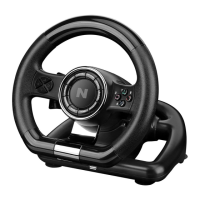
PLATFORMS
PS3® GUIDE
1、 Connect the wheel to PS3® console and connect the pedal to the wheel
2、During PS3® gameplay, press the HOME button once to enter the XBM window
3、Press & hold the MODE button to enter in the MENU setup window
PS4® GUIDE
1、 Connect the wheel to PS4® console then connect the pedal to the wheel
2、Connect the wheel to original PS4® controller with the original USB cable (or a
cable with data function)
3、Aer the connection has been established, the RED LED on the wheel will turn on
then press the HOME button on the wheel to start the game
4、During PS4® gameplay, press the HOME button once to enter the XBM window
1、 Connect the wheel to XBOX ONE® console then connect the pedal to the wheel
2、Connect the wheel to original XBOX ONE® controller with the original USB
cable (or a cable with data function)
3、Aer the connection has been established, the RED LED on wheel and on the
controller will be On
4、During XBOX ONE® gameplay, press the HOME button to enter the main menu
XBOX ONE® GUIDE
SWITCH® GUIDE
1.、Connect the wheel to SWITCH® console then connect the pedal to the wheel.
2、Aer the connection has been established, the RED LED on the wheel will turn on
To screenshot :
Press“SELECT/SHARE/9/VIEW/-” and “START/OPTIONS/10/MENU/+”


 To Next Page