1. Turn on/off: Hold down the switch for 3 seconds to power the scooter on/off.
2. Light Operation: When the scooter is powered on, press the switch twicee to activate the light, and press it
twice again to deactivate it.
3. To select the speed gear: quick press the switch once. The different gears with their corresponding speeds
are listed in the table as below:
Speed gear Speed range
ECO 0-6 km/h
D 7-15km/h
S 16-20km/h
4. Battery Indicator: There are a total of 5 LEDs to display the battery level. When the scooter is fully charged,
all 5 LEDs will be illuminated. Please recharge the scooter immediately if only 2 LEDs are illuminated.
5. Press the brake lever: the brake light will flashing.
6. Auto cruise control: Speed Cruise activated automatically after keeping the same speed for 10 seconds,
then you can release the throttle; press brake lever or press again the throttle, scooter returns back to manual
mode.
7. Auto Power off: After 10mins without any operation, it will be powered off automatically.
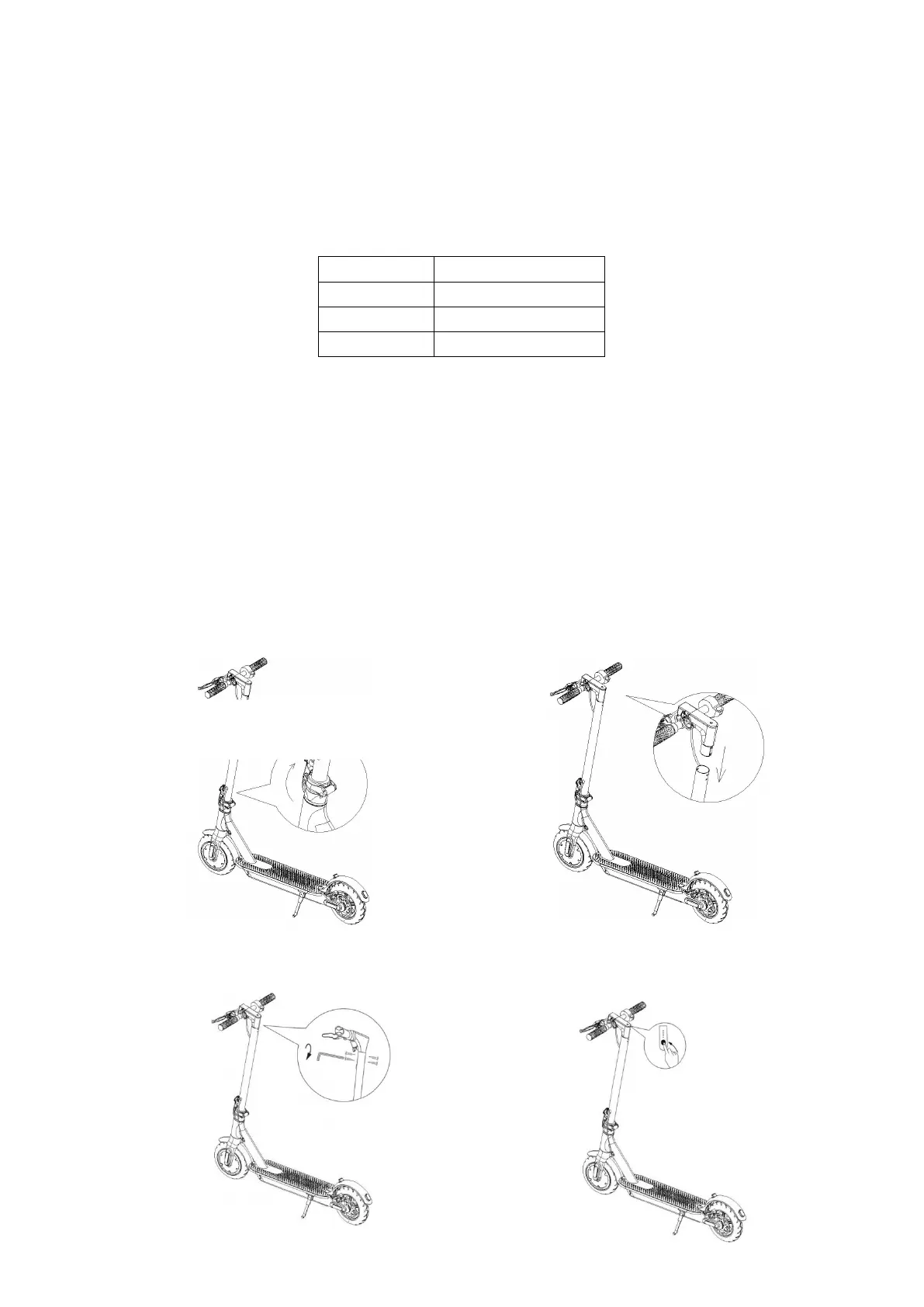
3 Assembling
1) Lift the handlebar stem and lock it into place. Then put
the kickstand down(Be careful with the handlebar).
2) Attach the handlebar to the stem. Note: take
care not damaging any cables.
3) Use the screws and hex wrench provided to
secure the handlebar.
4) Once you have completed the installation, turn on
the product to verify that all functions are operational.


 To Next Page