Special Features for Librarians and Technicians Section 3
Changing Level of Verbosity
The verbosity of the player’s announcements can be modified. In the reduced verbosity configuration the following
messages are not rendered:
• The initial “forward” or “back” message in response to the user pressing the Rewind or Fast Forward
button.
• The tone, volume, and speed up and down messages in response to users pressing those buttons while the
book is playing. Note: This is the default behavior of the Advanced Model (DA1); it is only a change in
behavior of the Standard Model(DS1).
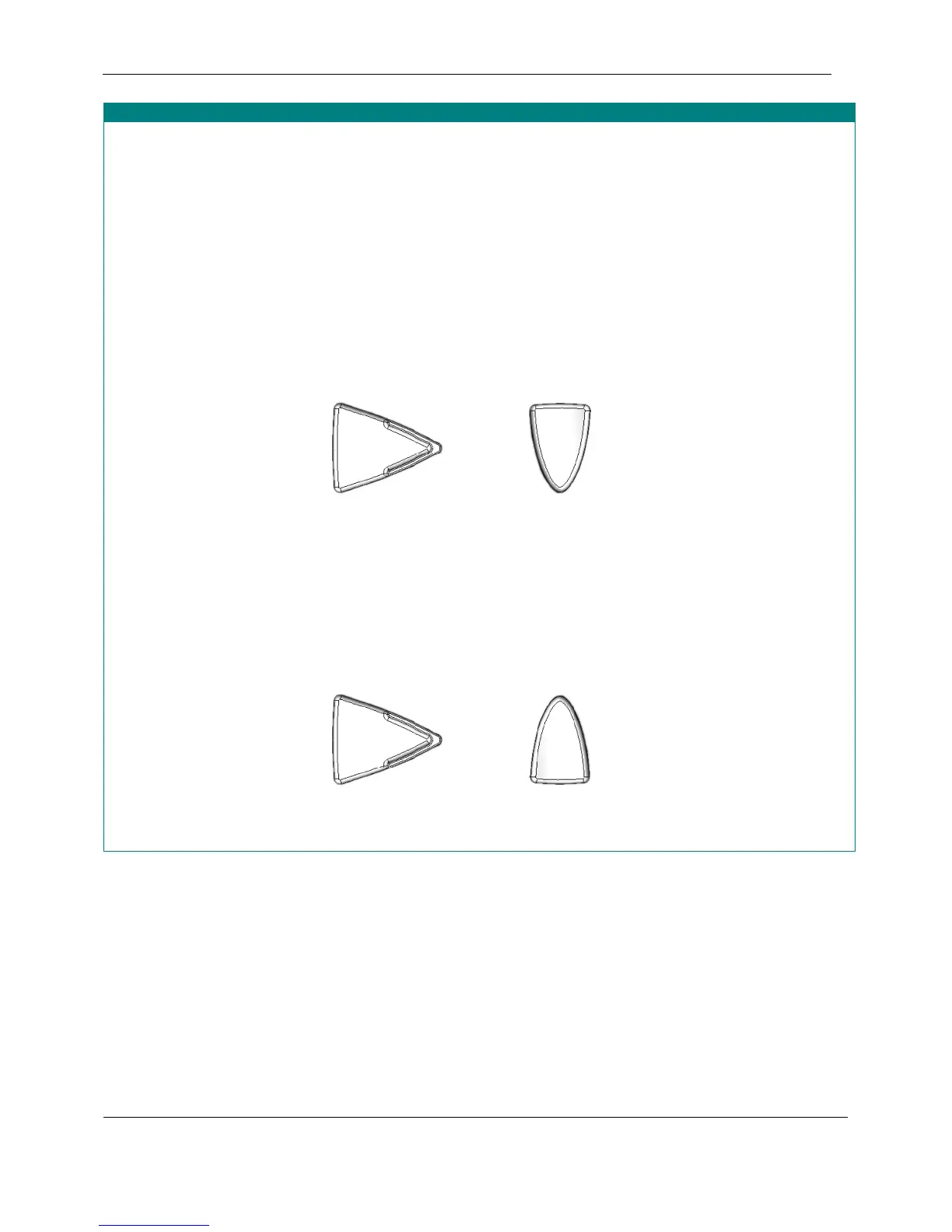
To configure the player for reduced verbosity, press and hold the Fast Forward button then the Speed Down button
so that both buttons are held down simultaneously for 2 seconds when the player is in Key Describer mode (no
cartridge inserted).
Reduced Verbosity: With no cartridge inserted,
Press and hold these buttons simultaneously for
2 seconds
+
Fast Forward
Speed Down
The message “Reduced verbosity” confirms the operation has been performed successfully.
To return the player to normal verbosity, press and hold the Fast Forward button then the Speed Up button so that
both buttons are held down simultaneously for 2 seconds when the player is in Key Describer mode (no cartridge
inserted).
Normal Verbosity: With no cartridge inserted,
press and hold these buttons simultaneously for
2 seconds
+
Fast Forward
Speed Up
The message “Normal Verbosity” confirms the operation has been performed successfully.
February 2010 Digital Talking-Book Player 28
Library Guide


 To Next Page