Player Checkout Procedure
Section 4
February 2010 Digital Talking-Book Player 46
Library Guide
3. a) Press the Fast Forward key to step through the battery submenu until the player announces the “Main
menu” option. Press the Play/Stop key to select “Main menu.”
b) Press the Fast Forward key to step through submenus until the player announces the “Statistics” submenu.
c) Press Play/Stop to select the statistics submenu.
d) Press the Fast Forward key to step through the statistics submenu until the player announces the “Export
statistics” function.
e) With a USB flash drive in the AT device port and no cartridge inserted, press the Play/Stop key to begin
the “Export statistics” operation.
f) Save the file for later transmission to NLS engineering.
Note: The same USB flash drive may be used to export statistics from many players. Since each player will
write a file with a name derived from its serial number.
?
Did the player report “Statistics exported”?
Yes:
The data were saved to the USB flash drive.
Continue to section 4.5.
No:
Try again with a different USB flash drive.
4.5 Keypad Check
Preconditions:
1. No DTB cartridge is inserted in the player.
2. The player is powered on.
Methodology:
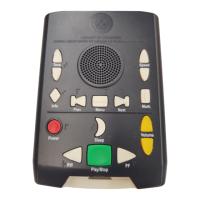
The keypad functionality is assessed by pressing each key in Key Describer mode. Each time a key is
pressed, a key identifier is announced. When released, the key should return to the full up position.
Note: It is not necessary to listen to the entire key identifier announcement with each key press. As soon as
the key identifier starts, you may press again on a different key.
1. Press each key in the center, corners, and edges.
?
Do all the keys correctly identify themselves and do they move freely without sticking?
Yes:
The keypad is operating correctly
Continue to section 4.6.
No:
The keypad may be damaged or contaminated. Send the player for
servicing.


 To Next Page