Special Features for Libraries and Technicians Section 3
3.2 Technician Diagnostic Operations (via Keypad) .2 Technician Diagnostic Operations (via Keypad)
The Technician diagnostic level is accessed using only the keypad, with prompts and results rendered as audio
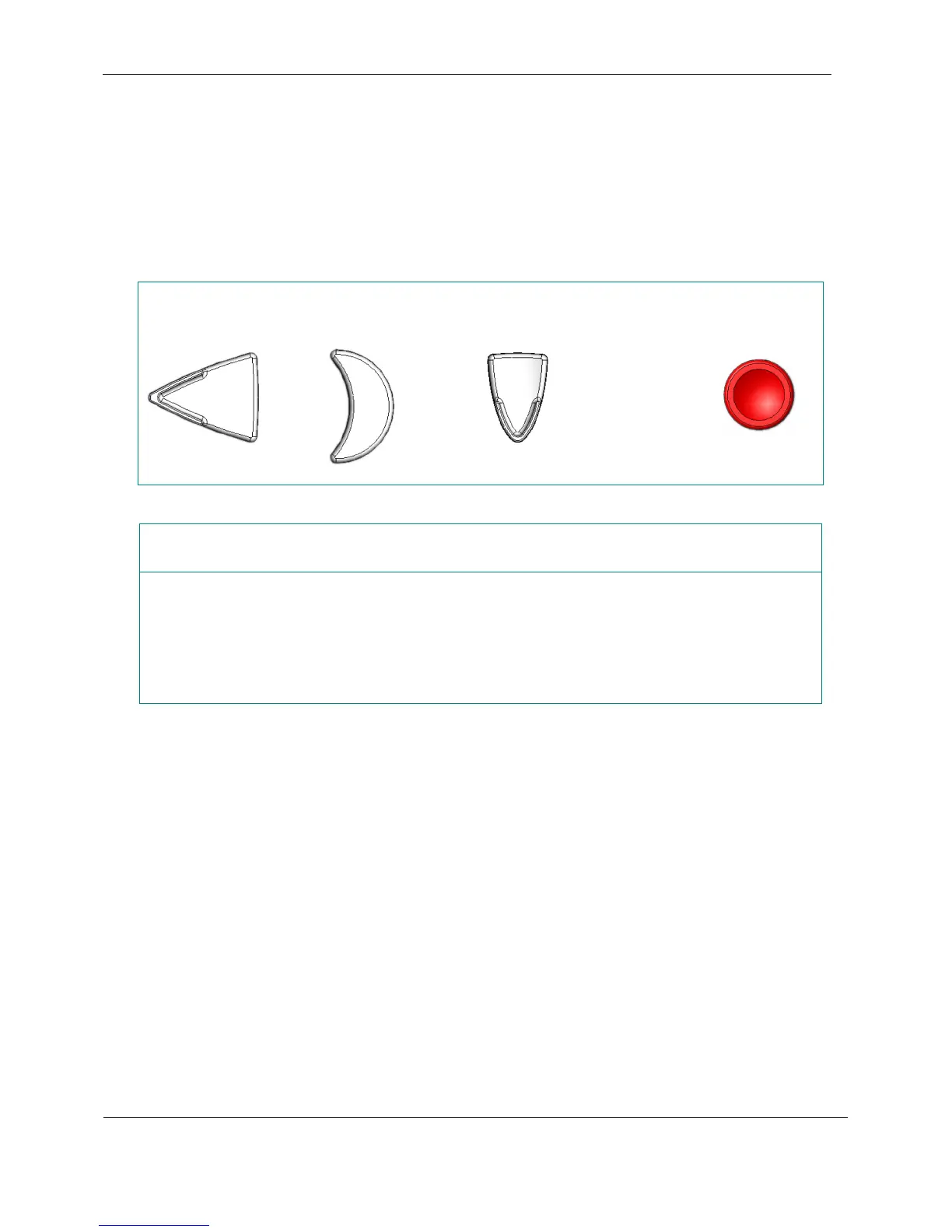
announcements. There are two methods to enter the Technician diagnostic level. The first is by holding the Rewind,
Sleep and Tone Down buttons while turning the player on by pressing the Power button. The second method is to use
a USB flash cartridge containing a file named options.xml that contains the directive to do this.
The Technician diagnostic level is accessed using only the keypad, with prompts and results rendered as audio
announcements. There are two methods to enter the Technician diagnostic level. The first is by holding the Rewind,
Sleep and Tone Down buttons while turning the player on by pressing the Power button. The second method is to use
a USB flash cartridge containing a file named options.xml that contains the directive to do this.
To enter the Technician diagnostic level:
To enter the Technician diagnostic level:
Turn off player then Turn off player then
press and hold these buttons press and hold these buttons
while while
pressing pressing
+
+
Rewind Sleep Tone Down Power
or
Insert a USB cartridge containing the file ‘options.xml’ containing:
<?xml version="1.0" encoding="utf-8"?>
<dtbm xmlns="http://www.loc.gov/nls/DTBM">
<directive>
<InitialMode value="Service2” />
</directive>
</dtbm>
To exit the Technician diagnostic level:
Power off the player.
3.2.1 Introduction
The Technician diagnostic level is intended primarily for use by librarians and technicians. At this level, access to an
audio interactive menu is provided to check the current condition of the player’s systems, read accumulated usage
statistics, and adjust various settings.
Audio on the player must be functioning to use the Technician diagnostic level.
A series of diagnostics is available from a menu that it is entered with a special key combination at start-up.
3.2.2 Accessing and Navigating Using the Keypad
Press Fast Forward or Rewind key to cycle through the Main Menu until you reach the submenu of your choice.
Press Play/Stop to enter a submenu. Use the Fast Forward or Rewind key to cycle through the commands within a
submenu. Press the Play/Stop to execute a command within the submenu.
A diagram of menu navigation is provided in section 3.2.3.
February 2010 Digital Talking-Book Player 33
Library Guide


 To Next Page