4
English
1.
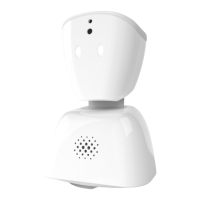
A. Lights
B. Microphone
C. Camera
D. Light up LED eyes
E. Speaker
F. Bottom front lights
G.Reset button
H. Charging port
2.
To get started with your AV1, plug it into an outlet.
The bottom front lights will light up to indicate
successful charging.
3.
Leave your AV1 plugged in overnight on rst use
to charge the battery to 100%. We recommend
charging the unit every night to ensure a
full charge.
4.
Wait 2 to 5 minutes for the headlights to change
from a red cross to a row of lights. If the red cross
does not disappear after 5 minutes, please visit our
support pages for more information on what to do.
support.noisolation.com
5.
Indication of network coverage. The number of
lights shows signal strength. AV1 works best on 4G
or WiFi.
A. Disconnected and looking for network
6.
Search for “AV1” in App Store or Google Play to
download the app onto your phone or tablet. AV1
can only connect to one device at a time, so make


 To Next Page