5
sure to use the device that you’ll be using on a
daily basis!
7.
This is your unique one-time activation key that
belongs to your AV1. Input this key when prompted
during app setup to pair your device with AV1.
8.
Complete the additional setup steps within the app
and you’re ready to start your rst AV1 session! Tap
the connect button to initiate the session, upon
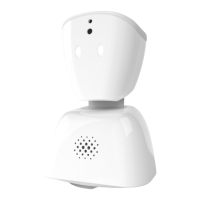
doing this AV1’s head will raise, and eyes will light
up to indicate to the people in its vicinity that the
session has begun.
9.
Able to turn a full 360 degrees, AV1 can be
maneuvered with just the swipe of a nger. To
move AV1 left or right, swipe your nger left or
right on the screen as shown.
10.
To move AV1 up or down, swipe your nger upward
or downward.
11.
For advanced options tap the mini AV1 icon to
reveal a control panel for volume, setting your
activity status, raising your hand to ask or answer
questions, and the ability to end the session.
12.
Adjust the volume that those around AV1 will hear
by selecting from three dierent options; normal,
whispering, or mute. Normal volume is used for
talking to the whole class, whispering is better
one-on-one or when you split up in smaller groups,
and of course mute turns o the speaker entirely.


 To Next Page
 Loading...