EasyManua.ls Logo

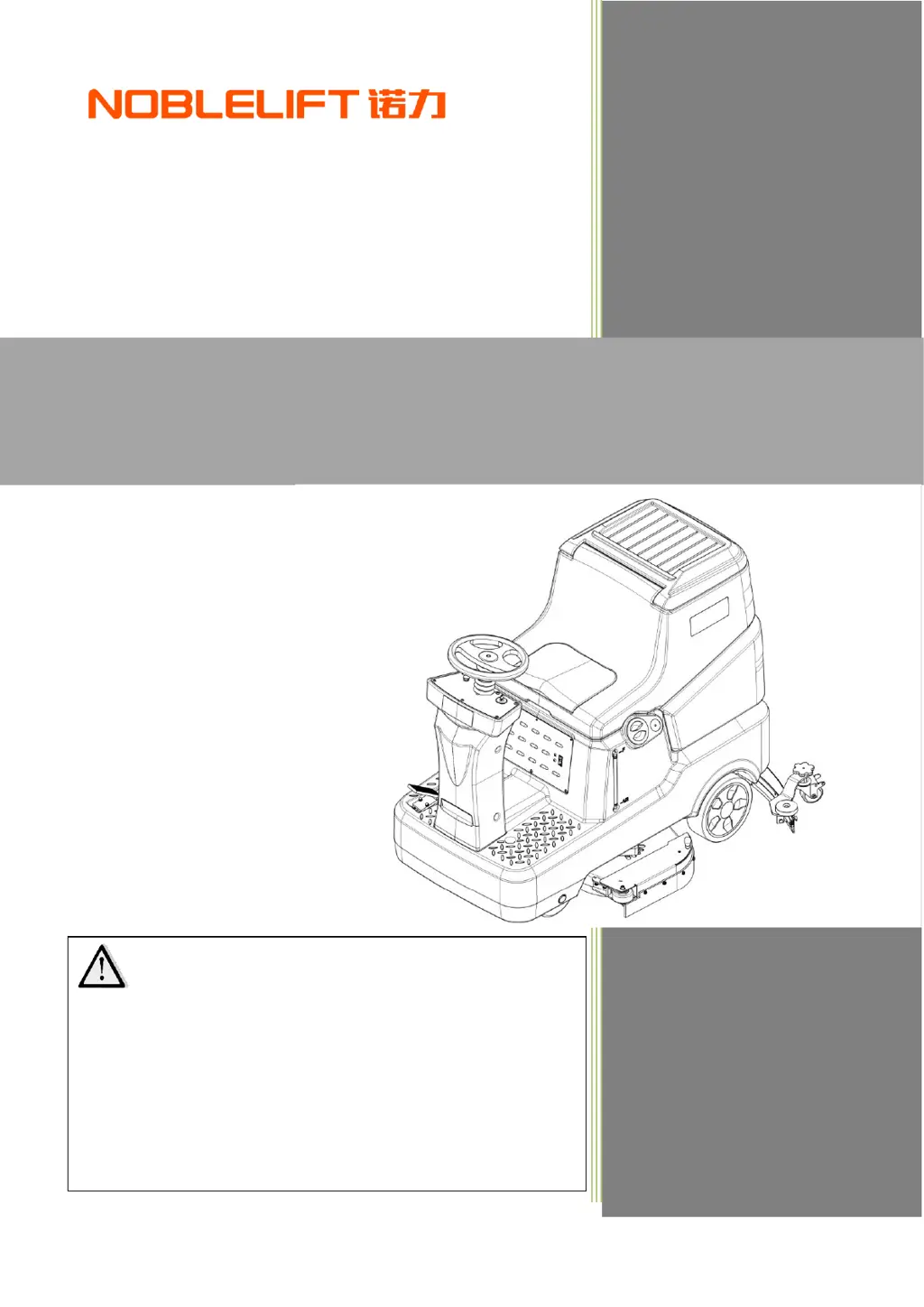
Noblelift NR810 - User Manual

Noblelift NR810
23 pages
Print Icon
To Next Page IconTo Next Page
Loading...
WARNING
Do not use the pallet truck before reading and
understanding these operating instructions.
NOTE:
Please check the designation of your
present type at the last page of this
document as well as on the ID-plate.
Keep this manual for future reference.
Version 03/2022
NR810-SMS-001-EN
Operator Manual
NR810 Rider Scrubber

Questions and Answers

  • T
    Thomas GrahamAug 13, 2025
    What to do if my Noblelift NR810 has insufficient suction?
    • D
      Daniel ChavezAug 13, 2025
      If your Noblelift Scrubber isn't sucking up sewage effectively, there are several possible causes. The recovery tank might be full, so start by emptying it. Ensure the drain hose and squeegee are correctly connected. Check the squeegee for dirt or wear and clean it if necessary. Also, verify that the recovery tank lid is properly closed, the seal isn't damaged, and the hose isn't clogged; address these issues by closing the lid correctly, replacing the seal, or cleaning the hose. Finally, a dirty recovery tank can also cause this issue, so clean the recovery tank.
  • J
    Jessica ThompsonAug 17, 2025
    Why won't my Noblelift NR810 Scrubber move forward or backward?
    • M
      Martha SanchezAug 17, 2025
      If your Noblelift Scrubber isn't moving forward or backward, the issue could stem from a few potential problems. It might be due to a control circuit board failure, in which case you should replace the control circuit board. Another possibility is that the operator is not on the seat or the seat switch is defective; ensure someone is seated or replace the seat switch. Lastly, the accelerator pedal might be unconnected or damaged; check the cable or replace the accelerator pedal.
  • J
    Joseph PerkinsAug 20, 2025
    How to fix a Noblelift NR810 when it doesn't work and the LCD display is off?
    • R
      richardstoneAug 20, 2025
      If your Noblelift Scrubber isn't working and the LCD display is off, the problem likely lies with the battery. First, check if the battery connector is disconnected and connect it if necessary. If that's not the issue, the battery may be completely discharged, requiring you to charge it.
  • R
    Rodney ArroyoAug 25, 2025
    What causes the vacuum motor to not work on a Noblelift Scrubber?
    • A
      Abigail MoyerAug 25, 2025
      If the vacuum motor on your Noblelift Scrubber isn't working, it could be due to vacuum motor damage, in which case you should check and replace the vacuum motor. Alternatively, there might be a control circuit board failure, requiring you to replace the control circuit board.
  • M
    Megan BakerAug 28, 2025
    What to do if the brush motor on my Noblelift Scrubber isn't working?
    • B
      Barry SteeleAug 28, 2025
      If the brush motor on your Noblelift Scrubber isn't working, several factors could be the cause. A control circuit board failure could be the reason, and you may need to replace the control circuit board. The brush motor might be overloaded; if so, replace the brush disc with a softer brush suitable for the floor type. Obstacles might be preventing the brush from rotating, so clean the brush holder. If the carbon brush is worn out you should contact after-sales service.
  • J
    Jessica ThompsonAug 31, 2025
    How to resolve insufficient solution supply to the brush disk on my Noblelift NR810?
    • R
      ryannicoleSep 1, 2025
      If your Noblelift Scrubber isn't supplying enough solution to the brush disk, the solution filter might be dirty; try cleaning the filter. Alternatively, the solution tank or pipeline could be clogged; in this case, clean the solution tank and pipeline.
  • C
    Caitlin JohnsonSep 5, 2025
    Why does my Noblelift NR810 Scrubber squeegee leave scratches on the floor?
    • N
      nrichardsonSep 5, 2025
      If the squeegee on your Noblelift Scrubber is leaving scratches on the floor, it could be due to debris under the squeegee blade; remove any debris. Another possibility is that the squeegee blade is worn, cracked, or brittle, in which case you should replace the squeegee blades.
  • S
    Sharon ReedSep 8, 2025
    What to do if Noblelift Scrubber doesn't work, and the battery charge is displayed at 10%?
    • D
      deanamandaSep 8, 2025
      If your Noblelift Scrubber isn't working and the battery charge is displayed at 10%, it means the battery is low and you should charge it.

Summary

INTRODUCTION

Manual Purpose and Content

Explains the manual's goal to provide safe and correct usage information for the machine.

How to Keep This Manual

Instructions on maintaining the manual's condition and location to prevent damage.

Declaration of Conformity

States that the machine complies with relevant criteria and regulations.

Accessories and Maintenance

Outlines requirements for qualified personnel and the use of original spare parts.

CHANGE AND IMPROVEMENT

Intended Use

Specifies commercial and industrial environments for smooth/hard floors, excluding outdoor or carpeted areas.

Machine Identification

Notes the importance of the model/serial number for ordering accessories.

Transport and Uncrating

Advises checking for damage upon arrival and verifying included items.

SAFETY

Visible Symbols on the Machine

Explains warning symbols displayed directly on the machine.

Symbols in Instruction Manual

Defines DANGER, WARNING, CAUTION, and NOTE symbols used throughout the manual.

General Safety Instructions

Provides specific warnings for personnel and machine safety.

Machine Usage Warnings and Cautions

Covers critical warnings on battery, temperature, slopes, detergents, maintenance, and general operation.

MACHINE DESCRIPTION

Main Components

Lists and illustrates the primary parts of the machine with their identification numbers.

CONTROL PANEL

Control Panel Overview

Details the functions of each button, indicator, and the LCD display on the control panel.

TECHNICAL DATA

CIRCUIT DIAGRAM

OPERATION INSTRUCTIONS

Installing Batteries

Step-by-step guide for correctly installing the machine's batteries.

Emergency Braking

How to activate the emergency stop function on the control panel.

Installing and Removing Disk Brushes;Pads

Notes for selecting appropriate brushes/pads based on floor conditions.

Attaching the Squeegee Assembly

Steps to correctly attach the squeegee assembly to the machine.

START AND STOP OF MACHINE

TANK MANAGEMENT

Draining Tanks

Procedures for emptying the recovery and solution tanks after use.

After Use Procedures

Steps to perform after each work session before leaving the machine.

Long-Term Inactivity Storage

Procedures for storing the machine when not used for over 30 days.

First Time Machine Use

Initial checks required after the first 8 hours of operation.

MAINTENANCE

Regular Maintenance Checklist

A schedule for daily, weekly, semi-yearly, and yearly maintenance tasks.

Battery Charging

Notes on when and how to charge the machine's battery to extend service life.

Cleaning Disk Brush;Pad

Instructions for cleaning the brush or pad driver and checking for wear.

Cleaning Solution Filter

Steps to clean the filter in the solution tank to ensure proper water flow.

SQUEEGEE MAINTENANCE

Cleaning and Storing the Squeegee

Advice on cleaning and storing the squeegee for optimal performance.

Checking and Replacing Squeegee Blade

Guidance on inspecting and replacing worn squeegee blades for effective water pickup.

Cleaning Recovery Tank and Seal

Procedures for cleaning the recovery tank and checking its seal for leaks.

WORKING DATA ACCESS

TROUBLESHOOTING

LCD DISPLAY FAULT CODE

Scrapping and Disposing

Instructions for proper disposal of the machine and its components according to regulations.

Noblelift NR810 Specifications

General IconGeneral
BrandNoblelift
ModelNR810
CategoryScrubber
LanguageEnglish

Related product manuals