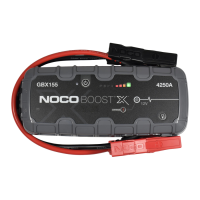
When Recharging the GB150.
Understanding Error Conditions.
The GB150 shall display an Error Condition when a reverse
polarity condition is present, a battery below two (2) volts,
or the internal battery overheating. When one of these Error
Conditions are present, the following will happen:
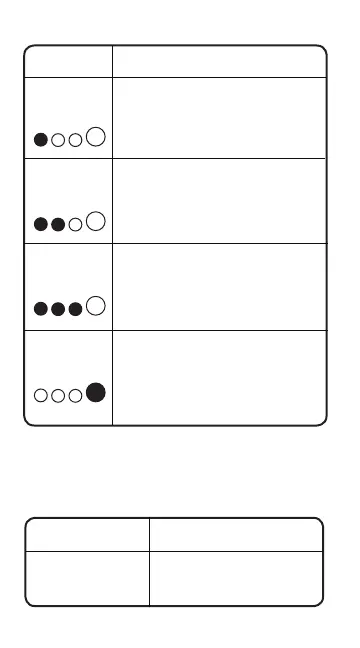
LED Explanation
25%
Red LED
The 25% Charge LED will slowly
pulse “On” and “Off”, when the
battery is less than 25% charged.
When the battery is 25% charged,
the Red Charge LED will be solid.
50%
Red LED
75%
Yellow LED
The 50% Charge LED will slowly
pulse “On” and “Off”, when the
battery is less than 50% charged.
When the battery is 50% charged,
the Red Charge LED will be solid.
The 75% Charge LED will slowly
pulse “On” and “Off”, when the
battery is less than 75% charged.
When the battery is 75% charged,
the Yellow Charge LED will be solid.
The 100% Charge LED will slowly
pulse “On” and “Off”, when the battery
is less than 100% charged. When the
battery is fully charged, the Green LED
will be solid, and the 25%, 50% and
75% Charge LEDs will turn “Off”.
100%
Green LED
25% 50% 75% 100%
25% 50% 75% 100%
25% 50% 75% 100%
25% 50% 75% 100%
Error Reason/Solution
Error LED
Solid Red
Reverse polarity/
Reverse the battery
connections.
USB Charger Rating


 To Next Page