
 Need help?
Do you have a question about the Noctua NF-A9 PWM and is the answer not in the manual?
Utilizing custom mechanisms like fan clips or proprietary screws for fan installation on heatsinks/radiators.
Installation as a case fan using proprietary clip systems or provided screws and silicone anti-vibration mounts.
Instructions on how to remove the NF-A9 PWM's integrated anti-vibration pads if necessary.
Connects to 4-pin PWM headers for automatic speed control or 3-pin headers for full speed operation.
Utilize Y-cables for multiple fans on one header and extension cables for longer reach.
Use the NA-RC7 adaptor to limit fan speed to 1550rpm for reduced noise.
Clean fans with a duster, moist tissue, or canned air to maintain performance; avoid vacuum cleaners.
The SSO2 bearing is sealed; do not disassemble the fan as it voids the warranty.
Offers a 6-year manufacturer's warranty and direct RMA service for reliability.
Reach out to the Noctua support team at support@noctua.at for any problems.
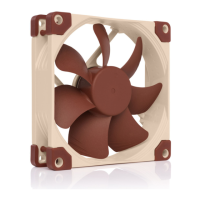
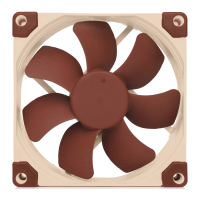
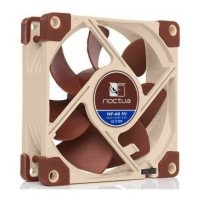
The Noctua NF-A9 PWM is a premium cooling fan designed for use in computer systems, offering a blend of quiet operation, exceptional performance, and robust quality. It is engineered in Austria and is internationally recognized for its superior attributes, having garnered numerous awards and recommendations from leading hardware publications. This fan is a preferred choice for a vast number of satisfied customers globally, reflecting its reliability and effectiveness in managing thermal loads within a PC environment.
The primary function of the NF-A9 PWM is to provide efficient airflow for cooling components such as heatsinks, radiators, or as a case fan within a computer chassis. Its design focuses on optimizing airflow while minimizing noise levels, a hallmark of Noctua's product philosophy. The "PWM" in its name indicates Pulse Width Modulation, a technology that allows for precise and automatic speed control. This means the fan's rotational speed can be dynamically adjusted by the mainboard based on the system's temperature, ensuring optimal cooling performance when needed and reduced noise during lighter loads. This intelligent speed control contributes significantly to both system stability and user comfort.
The NF-A9 PWM offers versatile installation options to suit various cooling setups. When integrating the fan with a heatsink, radiator, or other devices that come with a custom fan installation mechanism (such as clips or proprietary screws), users should utilize the provided mechanism for a secure fit. For installation as a case fan, the NF-A9 PWM can be mounted using either proprietary clip systems available in some PC cases or the supplied mounting screws and silicone anti-vibration mounts. The silicone mounts are particularly noteworthy as they are designed to absorb vibrations, further reducing noise transmission to the PC chassis. The installation process with silicone mounts involves pulling them through the case's mounting holes first, then positioning the fan, and finally pulling the mounts through the fan's mounting holes. The fan also features integrated anti-vibration pads, which can be easily removed if necessary, offering flexibility in installation.
Connectivity is straightforward and designed for convenience. The fan is equipped with a 4-pin PWM connector, enabling full automatic speed control when connected to a mainboard's 4-pin PWM fan header. While primarily designed for 4-pin PWM headers, the fan can also be connected to 3-pin fan headers. In such cases, the NF-A9 PWM will typically run at full speed, unless the mainboard supports voltage-based speed control. For users with multiple NF-A9 PWM fans, a supplied y-cable (NA-YC1) allows for connecting several fans to a single PWM fan header. This ensures that all connected fans operate at the same speed, synchronized with the mainboard's control signals.
To minimize cable clutter in typical applications, the NF-A9 PWM features a short 20cm primary cable. For situations requiring a longer reach, a 30cm extension cable (NA-EC1) is included. This thoughtful inclusion addresses varying cable management needs within different PC case layouts. Furthermore, the NF-A9 PWM comes with a Low-Noise Adaptor (NA-RC7). This adaptor is a valuable accessory for users who prioritize silence, as it can reduce the fan's maximum speed. It can be used to set the fan to a fixed lower speed if speed control is deactivated, or to cap the maximum speed during PWM speed control, providing an additional layer of noise reduction.
Maintaining the NF-A9 PWM is crucial for ensuring its long-term performance and longevity. Over time, fans inside computer cases tend to accumulate dust, which can impede airflow and reduce cooling efficiency. Regular cleaning is recommended to maintain maximum performance. Users can clean their fans using a duster, a slightly moist tissue, or canned air. It is important to exercise caution and avoid applying excessive force during cleaning to prevent any damage to the fan blades or motor. The use of a vacuum cleaner is not recommended, as it may apply excessive force and potentially harm the fan.
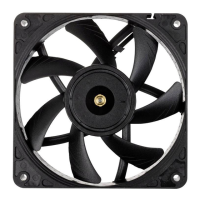
The NF-A9 PWM incorporates a premium-grade SSO2 bearing, which is fully sealed. This advanced bearing design is specifically engineered to prevent the ingress of fine dust particles, thereby ensuring flawless operation over many years. This robust sealing mechanism is a key factor in the fan's exceptional longevity and reliability. It is important to note that the fan is not designed to be disassembled by the user. Attempting to remove the impeller from the frame will compromise the sealing of the bearing, leading to a loss of warranty. This emphasizes the importance of external cleaning methods rather than internal tampering.
Noctua stands behind the quality of its products with a comprehensive 6-year manufacturer's warranty. This warranty, combined with a direct, fast, and straightforward RMA (Return Merchandise Authorization) service, provides users with peace of mind. Should any issues arise with the NF-A9 PWM, Noctua's support team is readily available to assist, ensuring that any problems are addressed efficiently. This commitment to customer support further underscores the product's premium positioning and the manufacturer's confidence in its durability and performance. Regular updates to FAQs on the Noctua website and multi-lingual manuals accessible via a QR code also provide valuable resources for users.
 General
| Type | Fan |
|---|---|
| Airflow | 78.9 m³/h |
| Fan diameter | 92 mm |
| Suitable location | Computer case |
| Maximum air pressure | 2.28 mmH2O |
| Rotational speed (max) | 2000 RPM |
| Noise level (low speed) | 16.3 dB |
| Noise level (high speed) | 22.8 dB |
| Supported processor sockets | - |
| Mean time between failures (MTBF) | 150000 h |
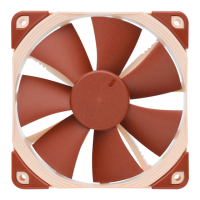
| Product color | Beige, Brown |
| Voltage | 12 V |
| Maximum current | 0.1 A |
| Power consumption (typical) | 1.2 W |
| Harmonized System (HS) code | 84733080 |
 Weight and Dimensions
| Height | 25 mm |
|---|




 To Next Page