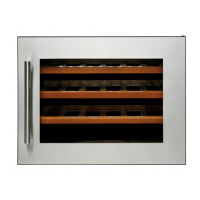
Use and Control - V24B
The Controls of Your Wine Cooler
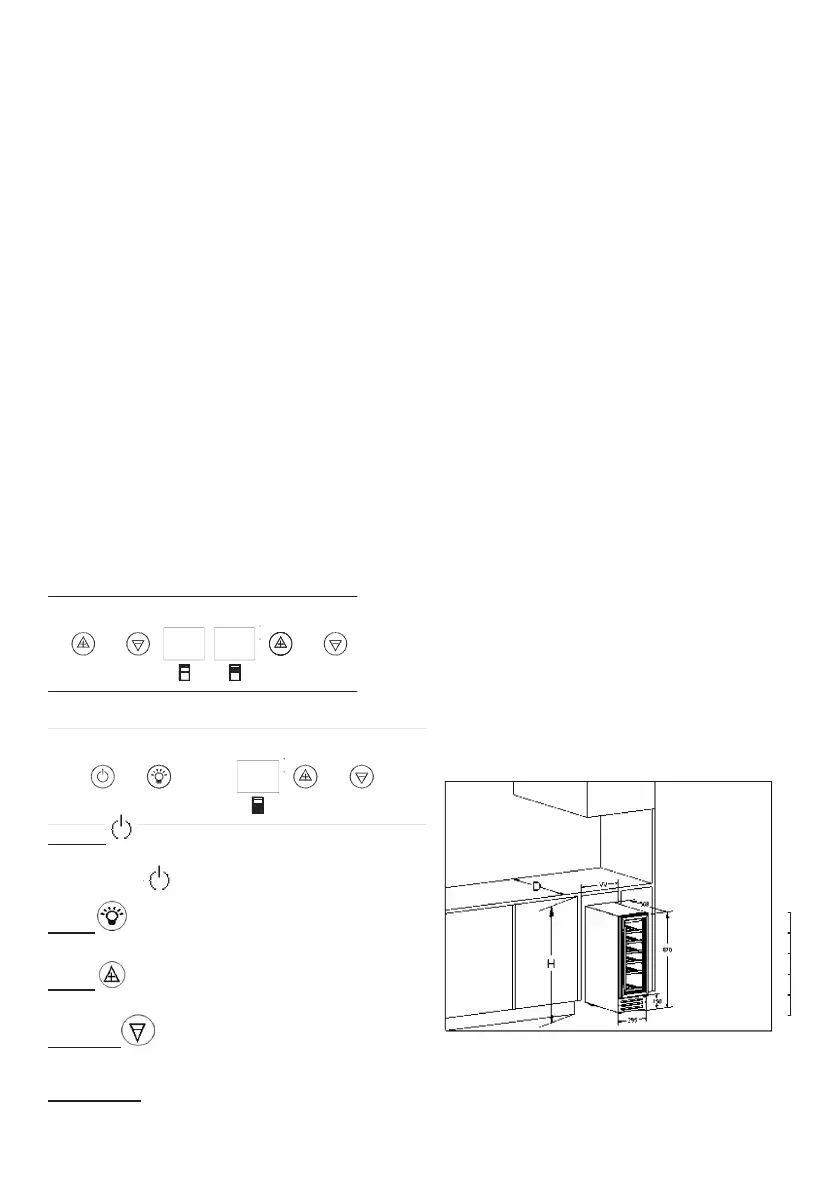
Upper control unit
c
F
Lower control unit
c
F
POWER
To control this appliance turn on/off. To turn OFF the appliance,
press the button and hold for 5 seconds.
LIGHT
To control the inner light turn on/off.
« UP »
Used to raise (warm) the set temperature by 1°C or 1ºF.
« DOWN »
Used to lower (cool) the set temperature by 1°C or 1ºF
ºF/ºC Selector
Select the temperature display setting in Fahrenheit or Celsius
degree. To change the temperature from Fahrenheit to Celsius
or from Celsius to Fahrenheit, touch and hold button the for 5
seconds.
SETTING THE TEMPERATURE CONTROL
The wine cooler has three temperature zones. The temperature
of all zones can be set separately.
The temperature settings of UPPER ZONE are adjustable with
the range +14°C et +22°C (+57°F et +72°F), the preset tempe-
rature at the factory is16°C/60°F.
The temperature settings of MIDDLE ZONE are adjustable with
the range 5º-11ºC/40º-52ºF. The preset temperature at the fac-
tory is 8ºC / 46ºF.
The temperature settings of LOWER ZONE are adjustable with
the range 11º-13ºC/52º-56ºF. The preset temperature at the fac-
tory is 12ºC / 54ºF.
Temperature control for upper and middle ZONE at upper control
unit. Temperature control for lower ZONE at lower control unit.
• To view the “set” temperature in either zone at any time, touch
the UP or DOWN mark, the “set” temperature will temporarily
“ash” in the LED display for 5 seconds.
Dynamic Cooling/Silent Modes
This Dynamic Cooling enables the relative humidity
you would like to use the unit to store wine long term,
In the Dynamic Cooling, the interior fan will cycle on
and off to circulate the inside air. To switch off the
Dynamic Cooling, touching and holding the UP mark
for at least 5 seconds and you can hear “B B B”
three sounds and the unit will work in Silent mode.
To switch on the Dynamic Cooling, touching and
holding the LOWER mark for at least 5 seconds and
you can hear “B B B B B” five sounds and the unit
will work in Dynamic Cooling mode.
inside the unit and the temperature to be distributed
evenly around the interior so you can store all your
wine under exactly the same excellent conditions. If
the dynamic cooling is a must. This will create a
continuous climate in the cabinet which imitates that
of a wine cellar.
Built-in Cabinet Instructions
This unit is designed for both built-in or free standing installation.
If you plan to use this unit in a built-in application please follow
the requirements shown to the below.
Cabinet Opening Dimensions
Width 300 mm
Depth 600 mm
Height 875 mm
I
USE AND CONTROL – V41B
The Controls of Your Wine Cooler
POWER
To control this appliance turn on/off. To turn OFF the
appliance, touch and hold the
and marks at
the same time for 5 seconds.
SET
To set or view the internal temperature setting for
each zone.
LIGHT
To control the inner light turn on/off.
UP
Used to raise (warm) the set temperature by 1°C or
1ºF.
DOWN
Used to lower (cool) the set temperature by 1°C or
1ºF.
ºF/ºC
Selector
Select the temperature display setting in Fahrenheit
or Celsius degree. To change the temperature from
Fahrenheit to Celsius or from Celsius to Fahrenheit,
press the
button for 5 seconds.
Setting the Temperature Control
The wine cooler has two temperature zones. The
temperature settings of LOWER ZONE and UPPER
ZONE are adjustable with the range 5º-22ºC/40º-
72ºF. It is recommended to set the LOWER ZONE
to 13-22ºC / 55-72ºF which is ideal for storing white
and red wines and the UPPER ZONE to 5-13ºC /
40-55ºF which is ideal for storing sparkling and
white wines.
NOTE: The temperature set for the LOWER
ZONE must always be the same or higher than
that in the UPPER ZONE. For optimal
performance, the set temperature of the two
zones should differ by at least 4°C.
You can touch SET mark to set the internal
temperature for each zone. The degrees
indicators will appear in the display window
marked
for UPPER ZONE and for
LOWER ZONE.
When you touch the SET mark for the first time,
the LED readouts will show the original
temperature sets previously (the preset
temperature at the factory for UPPER ZONE is
10ºC / 50ºF and for LOWER ZONE is 16ºC /
60ºF).
Touch the SET mark once. The left LED
indicator for UPPER ZONE will flash. Then
touch the UP or DOWN marks to set the desired
temperature.
When you touch the SET mark again, the right
LED indicator for LOWER ZONE will flash. Then
proceed to touch the UP or DOWN marks to set
the desired temperature for the LOWER ZONE.
The temperature will increase 1°C or 1ºF if you
touch the UP mark once, or the temperature will
decrease 1°C or 1ºF
if you touch the DOWN
mark once.
To view the “set” temperature in either zone at
any time, touch the UP or DOWN mark, the “set”
temperature will temporarily “flash” in the LED
display for 5 seconds. You can touch the SET
mark to view the temperature setting from one
zone to the second zone.
Temperature Display
During normal operation, the temperature display on
the control panel shows the temperature inside the
appliance. The temperature display will flash if
- A different temperature is being set,
- The temperature in the zone deviates by more
than 5°C from the set temperature. The
temperature display flashing ensures that the
temperature can not rise or fall un-noticed and
impair the wine.


 To Next Page
 Loading...