OK Back
Add reminder
Go to date
Calendar
1
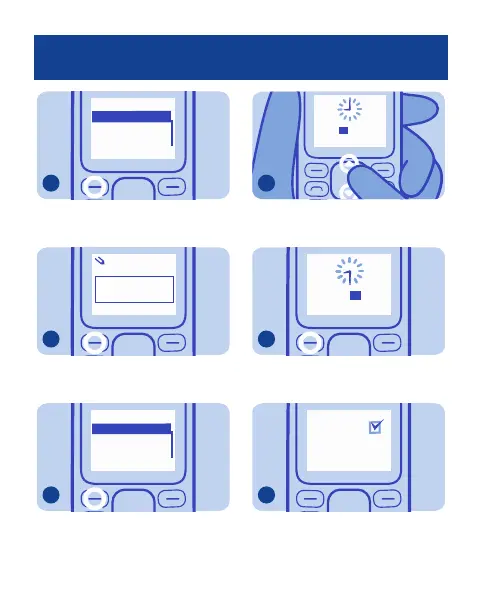
Select Add reminder.
6
Reminder about:
OK Clear
Meeting
abc
Write a name for the reminder.
7
OK Back
Alarm on
Alarm off
Set alarm 1
To set an alarm, select Alarm on.
8
OK Back
:0009
To set the hour, press up or down.
9
OK Back
20: 30
To set the minutes, press right, and
then press up or down.
10
Reminder
added
Press OK. The alarm is ready.
11
21


 To Next Page