Nokia 110 (2024) User Guide
Insert the SIM card
1. Put your fingernail in the small slot on
the side of the phone, lift and remove the
cover.
2. If the battery is in the phone, lift it out.
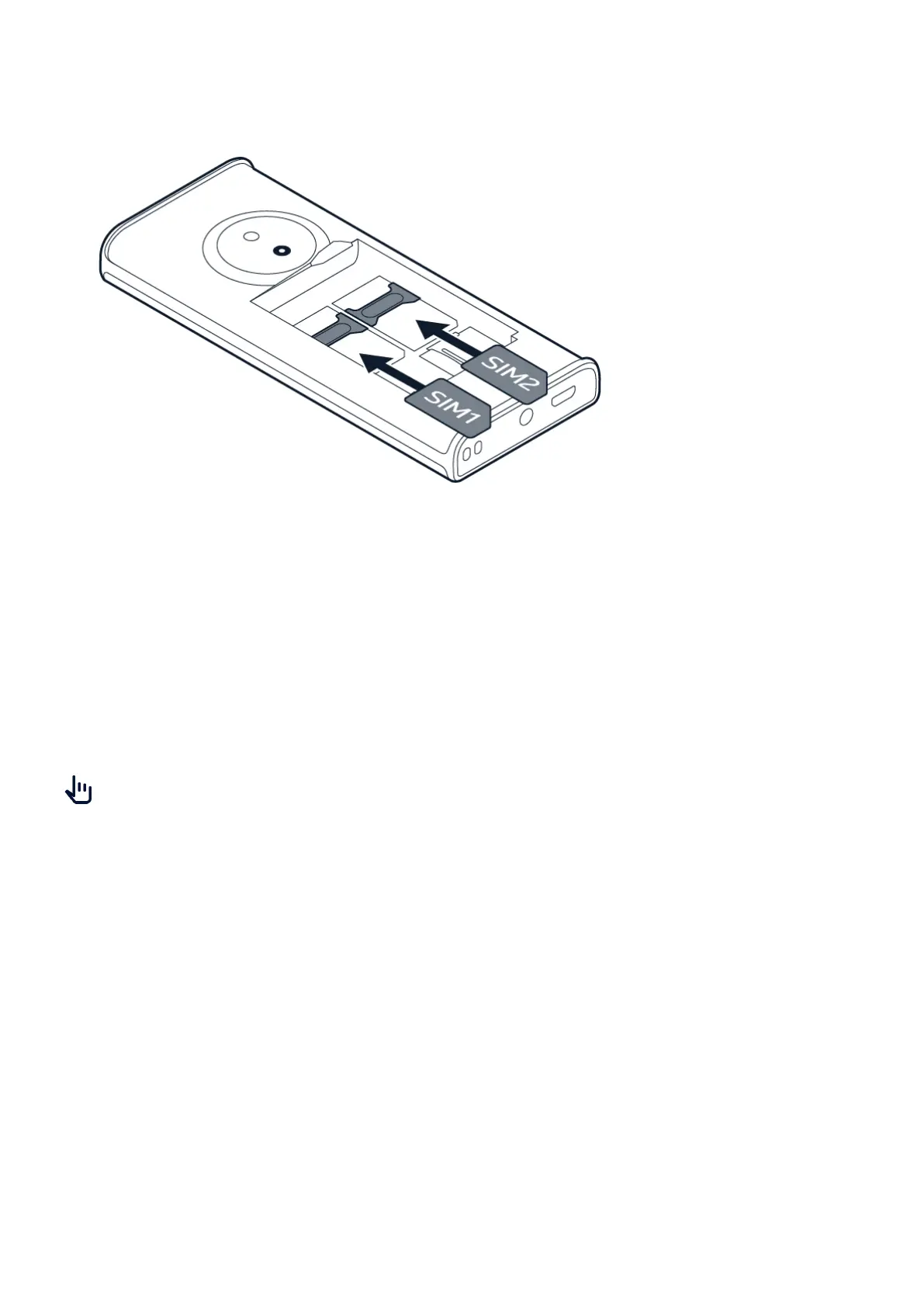
3. Slide the SIM card in the SIM card slot with
the contact area face down.
4. Slide the second SIM in the SIM2 slot.
Both SIM cards are available at the same
time when the device is not being used,
but while one SIM card is active, for
example, making a call, the other may be
unavailable.
5. Put back the battery.
6. Put back the back cover.
Tip: To find out if your phone can use 2 SIM cards, see the label on the sales box. If there are
2 IMEI codes on the label, you have a dual-SIM phone.
TM and © 2024 HMD Global. All rights reserved. 8



 To Next Page