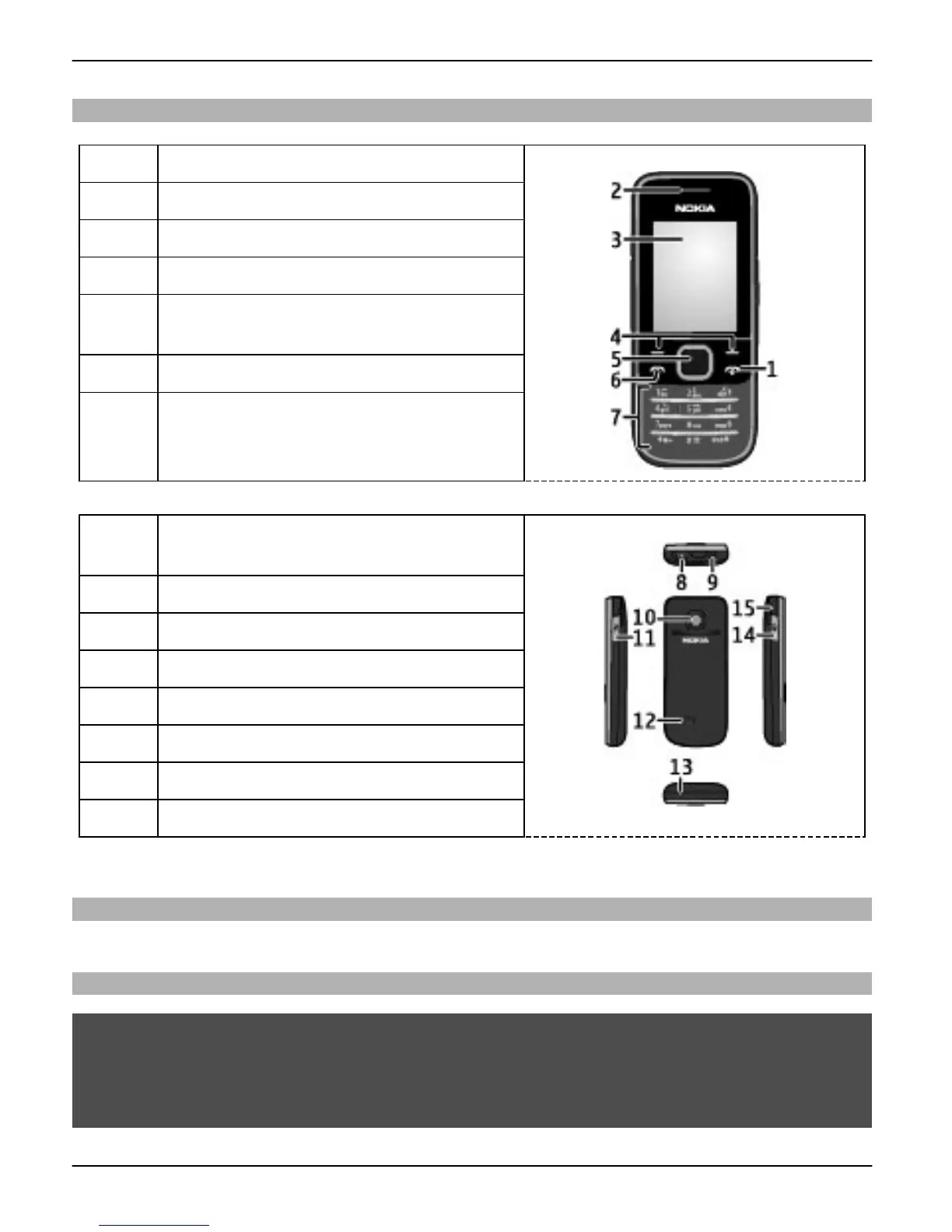
Keys and parts
1
End/Power key
2 Earpiece
3 Display
4 Selection keys
5 Navi™ key; hereafter referred to as
scroll key
6 Call key
7 Keypad
8 Headset connector/Nokia AV Connector
(3.5 mm)
9 Charger connector
10 Camera lens
11 Micro USB connector
12 Loudspeaker
13 Microphone
14 Memory card slot
15 Wrist strap eyelet
Switch on and off
Press and hold the power key.
Volume control
Warning:
Continuous exposure to high volume may damage your hearing. Listen to music at a
moderate level, and do not hold the device near your ear when the loudspeaker is in
use.
8Get started
© 2009 Nokia. All rights reserved.8



 To Next Page