Nokia 3200 User Guide 15 Copyright © Nokia 2003
Basic operations
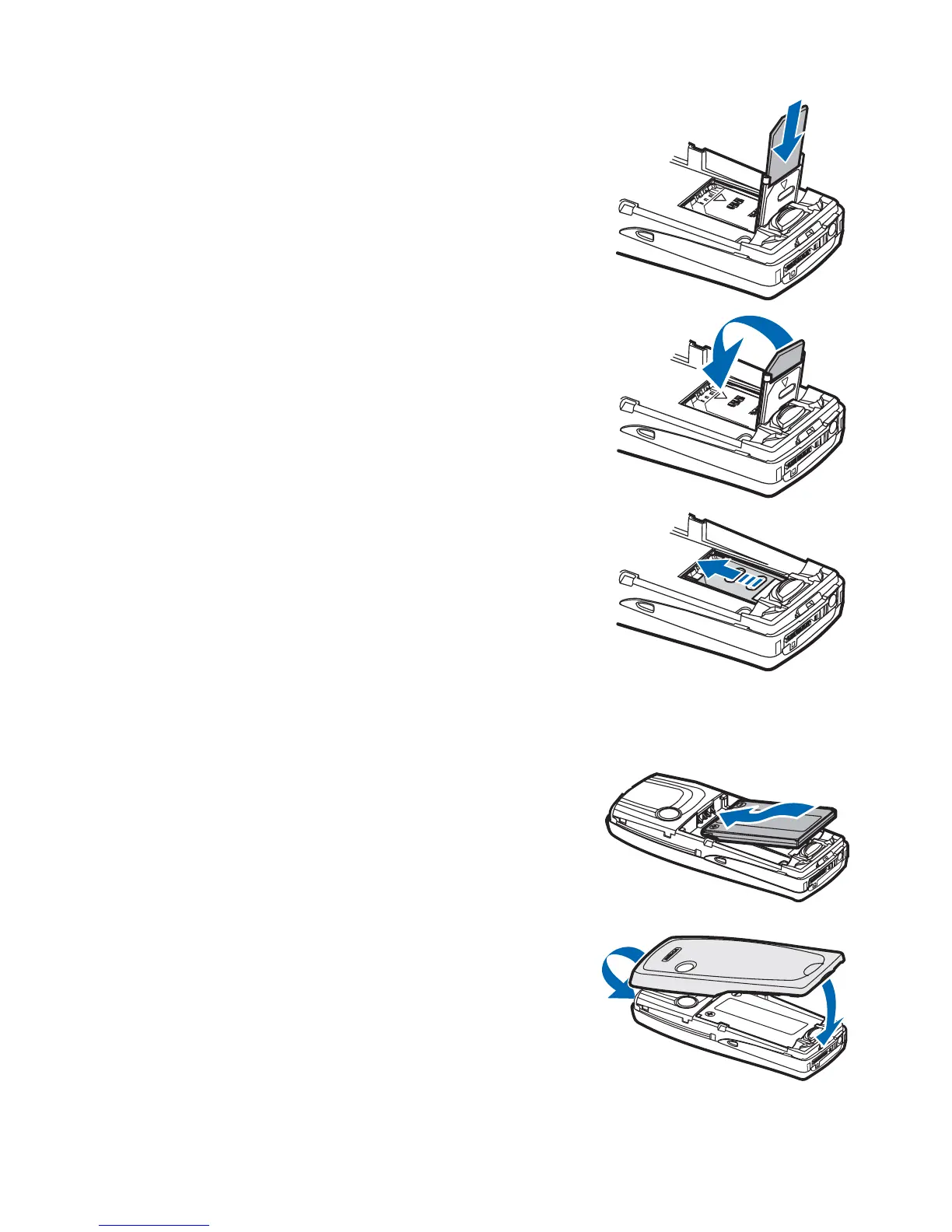
6 Insert the SIM card into the SIM card holder
with the beveled corner to the top left and the
golden contact area facing down.
7 Close the SIM card holder.
8 Slide the SIM card holder toward the top end of
the phone until it locks into place.
REPLACE THE BATTERY
The SIM card must be installed before installing the battery.
9 Position the battery so the golden contacts
match up with those on the phone.
The battery label should be facing up.
10 Insert the battery, contact end first into the
battery slot.
11 Snap the other end of the battery into place.
REPLACE THE BACK COVER
12 Slide the back cover just below its locked
position on the back of the phone.
13 Slide the back cover forward to lock the
cover into place.



 To Next Page