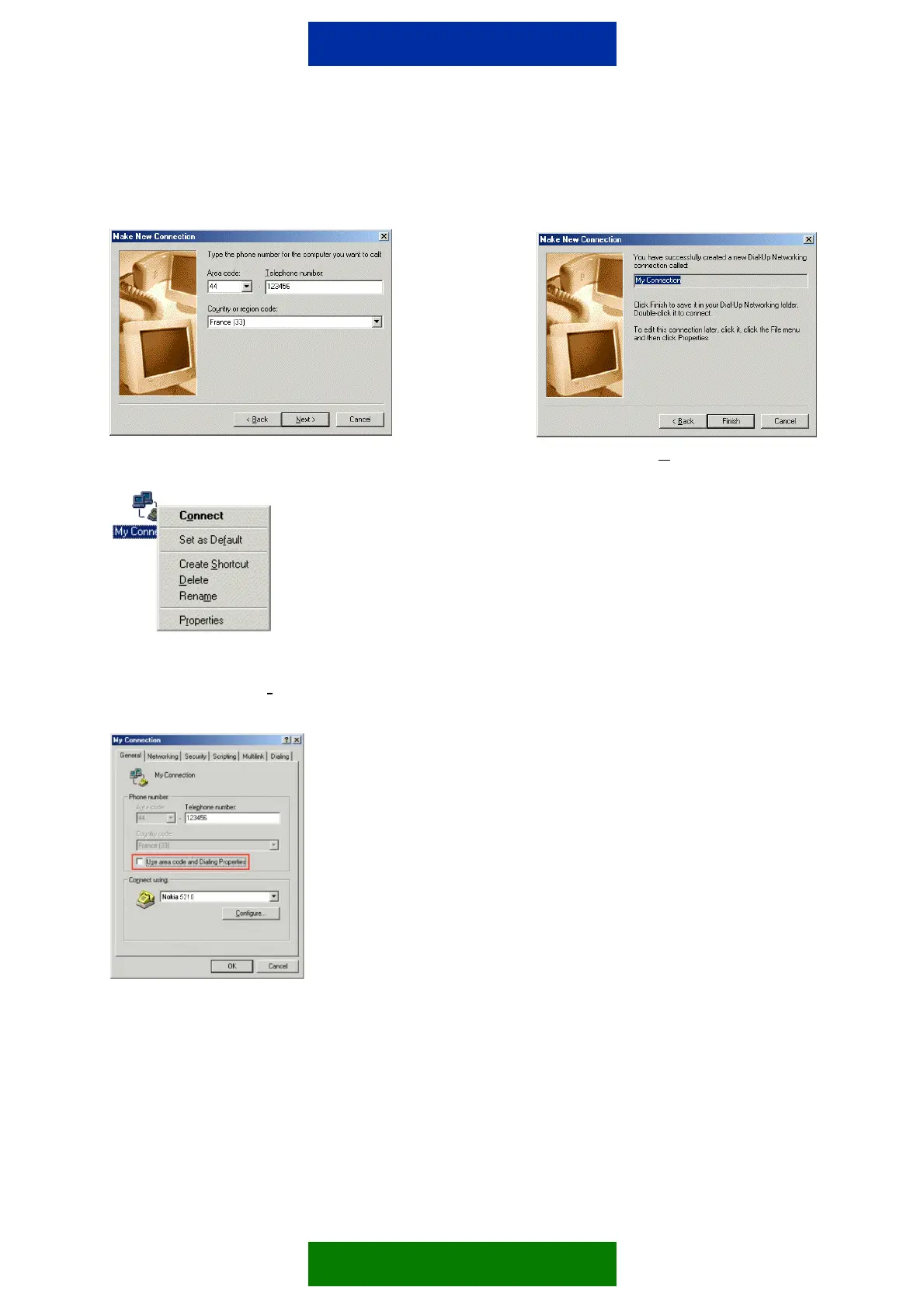
For Win 95/98 follow pictures 3-6 and for Win 2000 Pro follow pictures 7-11.
Picture 3. Picture 4. Click N
ext>
Picture 5. Changing connection
properties (click right mouse
button and choose Pr
operties).
Picture 6. Please uncheck the "Use area…"
if you don't need to use area or country code.
2/4


 To Next Page