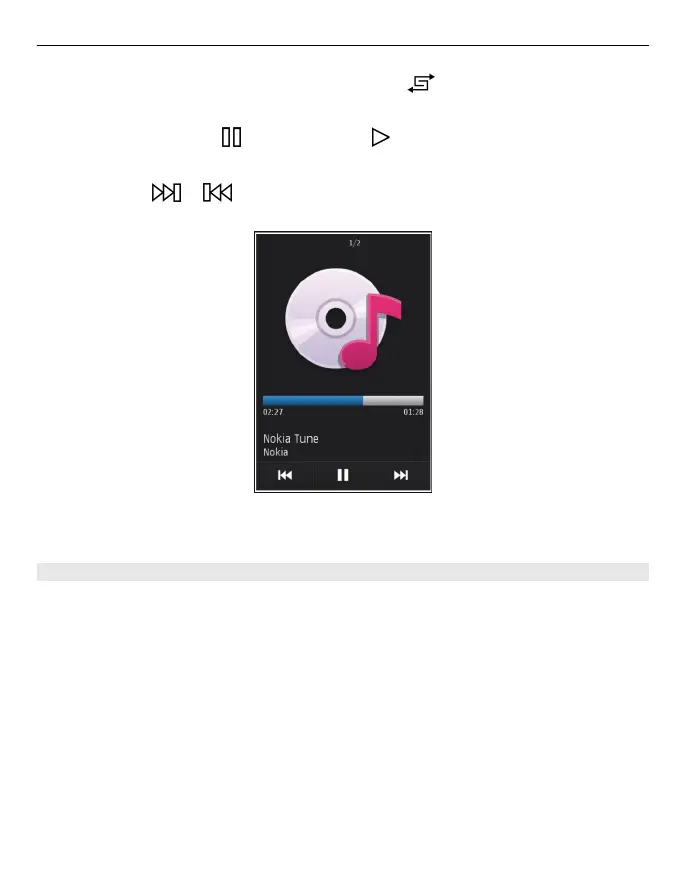
Tip: To listen to the songs in a random order, select .
Pause and resume playback
To pause playback, select
; to resume, select .
Fast-forward or rewind a song
Select and hold
or .
Tip: When listening to music, you can return to the home screen, leaving Music player
application playing in the background.
Create a playlist
Want to listen to different music for different moods? With playlists, you can create
selections of songs to play in a specific order.
Select Menu > Music > Music player.
1 Select Options > Playlists.
2 Select Options > New playlist.
3 Enter a name for the playlist, and select OK.
4 Select the songs to add to the playlist, in the order you want them to play.
Add a song to a playlist
Select and hold the song, and from the pop-up menu, select Add to playlist.
Music and audio 69



 To Next Page