Copyright © 2004 Nokia. All rights reserved.
14
3. Using the headset
Note: The use of wireless devices may be restricted in some situations. Observe
any restrictions and obey all signs and instructions concerning use of wireless
devices.
■ Switching the headset on or off
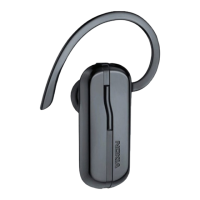
To switch on the headset, press and hold the power key for 2 seconds. The headset
beeps and the green indicator light starts blinking. The indicator light changes to
yellow when the headset is connected to a compatible phone.
To switch off the headset, press and hold the power key for 2 seconds when no call
is in progress. The headset beeps and the red indicator light is displayed briefly.


 To Next Page