CONFIDENTIAL 13 (25)
NPE-4 6310/NPL-1 6310i Repairhints
Customer Care Europe & Africa Version 1.0 Approved
SCCE Training Group Date 15.08.2002
© NMP 2002
Checked by:
SCCE Training Group
Approved by:
SCCE
No service →
→→
→ no TX
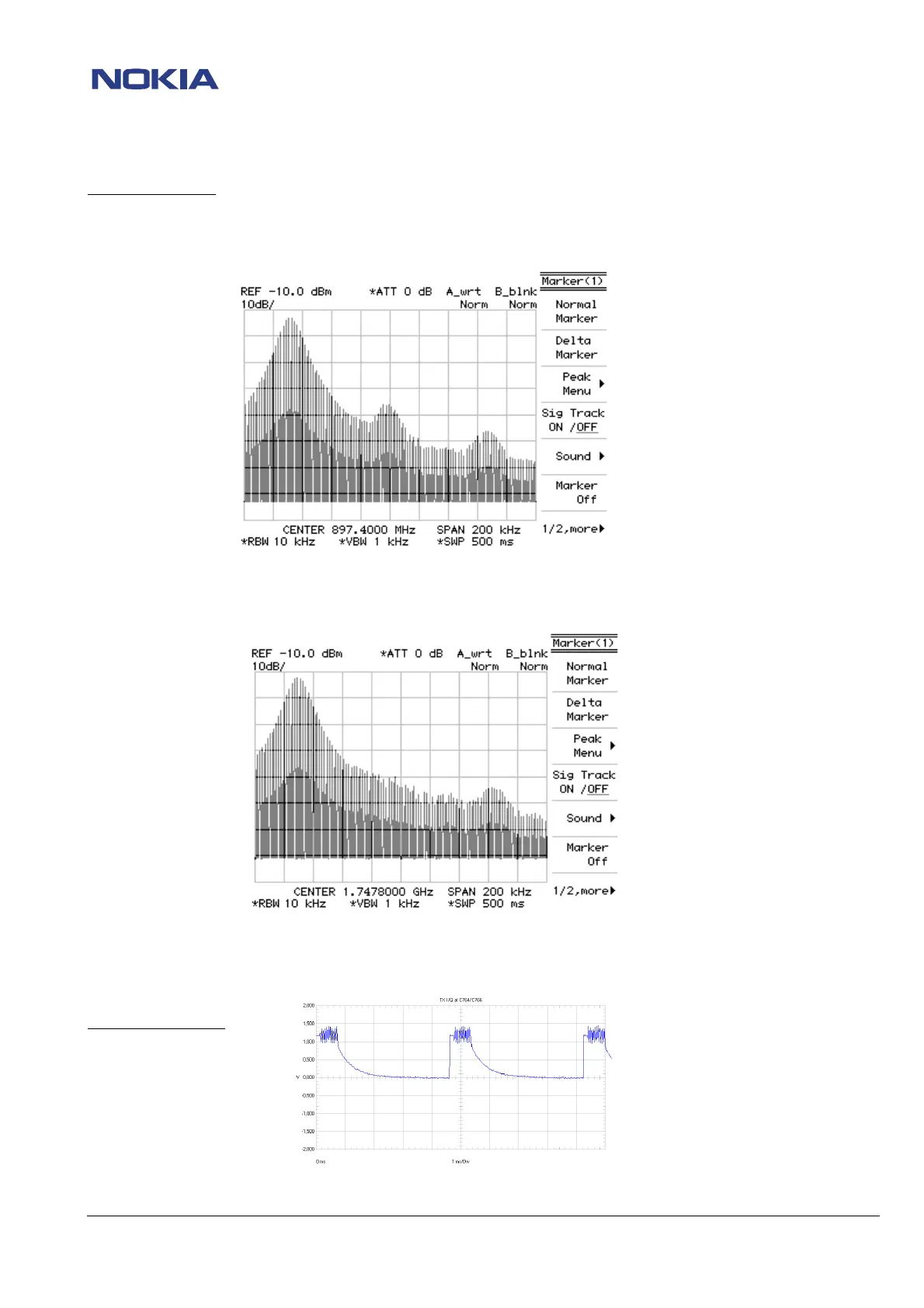
Check EGSM TX signal at R656 / R657 (See picture below)
Set spectrum analyzer to TX EGSM 897.4 MHz, channel 37.
Set phone to TX mode, EGSM 897.4 MHz, channel 37 and power level 10.
If there is no signal measurable, check PCN TX signal at L662 (See picture below)
Set spectrum analyzer to TX PCN 1747.8 MHz, channel 700.
Set phone to TX mode, PCN 1747.8 MHz, channel 700 and power level 10.
If both TX signals ok, check EGSM/ PCN TX lines between Hagar N600 and antenna connector X802 for shorts or disconnections
If there is no TX signal measurable at L662, check TX I/Q at C764 and C766 on both sides of capacitors.
(See picture below)
Oscilloscope settings:
Ampl: 500mV
Time/Div: 1ms/Div
AC/DC/GND: DC
If the TX I/Q signal is not ok, check UEM D200


 To Next Page
 Loading...