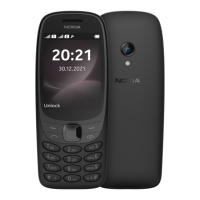
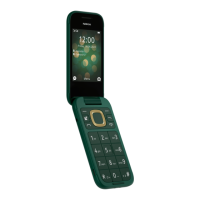
This document serves as a user guide for the Nokia 105 Africa Edition, providing comprehensive instructions on its operation, features, and maintenance.
The Nokia 105 Africa Edition is a basic mobile phone designed for essential communication needs. Its primary function is to facilitate calls and text messaging. The device also includes several utility features to enhance user experience, such as an alarm clock, calendar, and radio. The phone is designed with a focus on simplicity and ease of use, making it accessible for a wide range of users.
Usage Features:
The phone's interface is navigated using a keypad, which includes a call key, end key, left and right selection keys, and a scroll key.
- Making Calls: Users can initiate calls directly from the contacts list.
- Managing Contacts: The device allows users to add new contacts, save contacts from the call log (missed, received, or dialed calls), and manage their contact information.
- Sending Messages: The phone supports sending text messages. Users can compose new messages and select recipients from their contacts list or by typing in a phone number.
- Customizing Tones: Users can personalize their phone by changing ringtones and other alert tones. The guide provides instructions on how to access tone settings and select preferred sounds for different SIM cards if applicable.
- Changing Wallpaper: The home screen background can be customized with various wallpapers, allowing users to personalize the visual appearance of their device.
- Displaying Date and Time: Users have the option to show the date and time on the home screen. The device can also be set to automatically update the time.
- Profiles: The phone offers different profiles (e.g., silent, loud) that can be customized to suit various situations. Users can personalize ringtones, volume, and message sounds for each profile.
- Shortcuts: The device features a "Go to" menu on the home screen, which provides quick access to frequently used apps and settings. Users can edit this menu to include their preferred shortcuts and even reorganize the order of items.
- Listening to Radio: The phone includes an FM radio function, allowing users to listen to their favorite radio stations. Instructions are provided for searching, saving, and switching between stations, as well as adjusting the volume.
- Alarm Clock: Users can set alarms with customizable repeat options for specific days of the week.
- Calendar: The calendar function allows users to add reminders for important events.
Maintenance Features:
The user guide also covers important aspects of device maintenance and safety.
- Setting Up the Phone: Instructions are provided for inserting the SIM card(s) and battery, and for switching on the device. For dual-SIM phones, the guide explains how both SIM cards are available simultaneously when the device is idle, but one may be unavailable if the other is active during a call.
- Security Code: Users can set a security code to protect their privacy and personal data. The guide explains how to change the pre-set code and emphasizes the importance of remembering the new code.
- Keypad Lock: To prevent accidental key presses, the keypad can be locked and unlocked using specific key combinations.
- Restoring Factory Settings: The device can be reset to its original factory settings, which can be useful for troubleshooting or preparing the phone for a new user.
- Battery and Charger Safety: The guide provides crucial information on battery and charger safety, including recommendations for optimal operating temperatures, proper disposal, and warnings against dismantling or damaging the battery. It advises using only original or approved compatible batteries and chargers to avoid risks such as fire or explosion. Users are also cautioned against continuous charging for extended periods and to unplug the charger once the device is fully charged.
- Protecting Against Harmful Content: The guide alerts users to the risk of viruses and other harmful content, advising caution when opening messages that may contain malicious software.
- General Safety Information: The document includes general product and safety information, such as warnings about magnetic parts that could affect credit cards, and advice on volume levels when using the device. It also provides information on SAR (Specific Absorption Rate) values and compliance with international safety standards.
- Copyrights and Other Notices: The guide clarifies that product features and services may vary by region and that HMD Global Oy reserves the right to revise the document and make improvements to the products. It also states that HMD Global Oy is the exclusive licensee of the Nokia brand for phones and tablets.

 Need help?
 General

 To Next Page