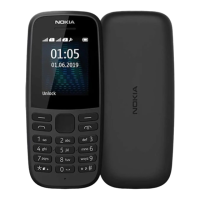
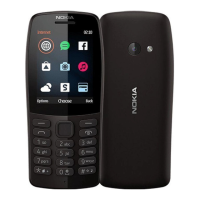
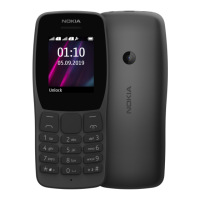
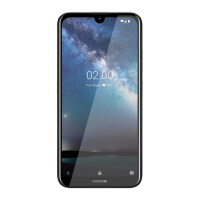
The Nokia 215 4G (2024) is a feature phone designed for basic communication and essential functionalities, offering 4G connectivity. This user guide provides comprehensive instructions for setting up, using, and maintaining the device.
Function Description:
The Nokia 215 4G (2024) primarily serves as a communication device, enabling calls and text messages. It supports dual-SIM functionality, allowing users to manage two SIM cards simultaneously for calls and data. The phone includes a contacts list for storing numbers, a call log for tracking incoming and outgoing calls, and a messaging application for sending and receiving SMS. Beyond core communication, it features a calendar for scheduling events, an alarm clock for reminders, and a calculator for basic arithmetic. The device also offers customization options for the home screen, including wallpaper changes, and allows users to select from various profiles to adjust sound settings for different environments. A flashlight is integrated for convenience. The phone's keypad facilitates text input and navigation through menus.
Important Technical Specifications:
The Nokia 215 4G (2024) is compatible with microSD memory cards up to 32 GB for expanded storage. This allows users to store more contacts, messages, and potentially other media if supported by the device's software. The device supports 4G connectivity, ensuring faster data speeds compared to older 2G or 3G feature phones. The user guide specifies that the device applies to models TA-1611, TA-1613, TA-1621, and TA-1617. The phone is designed to operate within optimal temperature ranges, specifically between 15°C and 25°C (59°F and 77°F) for battery performance. It uses a removable battery, which can be charged using compatible chargers, with charging time varying based on device capability. The device adheres to specific SAR (Specific Absorption Rate) guidelines, with information available on www.sar-tick.com and www.who.int/peh-emf/en.
Usage Features:
- Setup and Switch On: The guide details how to open the back cover, insert SIM cards (including dual-SIM setup), and install a microSD memory card. It emphasizes using compatible memory cards from well-known manufacturers.
- Keypad Navigation: Users can navigate the phone's menus and apps using the scroll key (up, down, left, right) and select items by pressing the scroll key. The left and right selection keys provide context-sensitive options. The call key initiates calls, and the power/end key turns the phone on/off and ends calls.
- Keypad Lock: The keypad can be locked by selecting "Menu > Lock keypad" and unlocked by selecting "Unlock" and pressing "*".
- Text Input: Text is entered by repeatedly pressing number keys. A space is entered by pressing "0". Special characters and punctuation marks can be accessed via the asterisk key, or by pressing and holding the "#" key when predictive text is active. The "#" key also switches between character cases.
- Calls and Contacts: Users can make calls directly from the contacts list or by manually entering a number. Contacts can be added and saved, and numbers from call logs can be saved as new contacts.
- Messaging: The device supports sending and receiving SMS messages. Users can compose messages, insert symbols, and select the SIM card to use for sending.
- Customization: The phone allows users to change ringtones and other alert tones through "Menu > Settings > Profiles > Settings > Ring settings." Wallpapers for the home screen can be customized via "Menu > Settings > Personalisation > Lock screen background > Wallpapers."
- Time and Date: The time and date can be set manually or automatically. Manual setting involves navigating to "Menu > Settings > Time & language > Date and time" to adjust the time zone, time, and date.
- Alarm Clock: Alarms can be set and managed through "Menu > Alarm."
- Calendar: Users can add and manage calendar events by going to "Menu > Extras > Calendar."
- Calculator: A basic calculator is available under "Menu > Extras > Calculator" for performing arithmetic operations.
- Factory Reset: The device can be restored to factory settings, which is useful for troubleshooting or preparing the phone for resale. This process is outlined in the "Empty your phone" section.
- Security Code: Users can set a security code for the phone via "Menu > Settings > Security > Keyguard > Security code." It is crucial to remember this code as HMD Global cannot bypass it.
Maintenance Features:
- Battery Care: The guide provides extensive information on battery safety and maintenance. It advises against dismantling, cutting, crushing, bending, puncturing, or otherwise damaging the battery. Users are warned not to expose the battery to extreme temperatures or low air pressure, as this can lead to explosion or leakage. If a battery leaks, immediate flushing of affected areas with water and medical attention are recommended. Only original rechargeable batteries should be used, and continuous charging should not exceed 12 hours. Optimal battery performance is achieved when the device is kept between 15°C and 25°C.
- Charger Use: Only compatible chargers should be used. The guide recommends unplugging the charger from the device and electrical outlet once charging is complete. It also warns against charging during lightning storms and advises using the included data cable and a USB power adaptor (if the charger is not in the sales pack) that complies with USB 2.0 or later standards.
- Software Updates: The device's system software and apps are pre-installed and use a significant portion of memory space. The guide implies that the device may receive updates, but specific instructions for updating are not detailed in the provided excerpts.
- Protection from Harmful Content: Users are advised to be cautious when opening messages, accepting connectivity requests (especially Bluetooth® connections from untrusted sources), and browsing the internet to protect the device from viruses and malicious software. Installing antivirus software on connected computers is also recommended. HMD Global does not endorse or assume liability for third-party internet sites accessed via preinstalled bookmarks.
- Recycling: The guide encourages users to obey local regulations and recycle the device and battery when possible, rather than disposing of them as household waste. The crossed-out wheelie bin symbol on the device indicates that it should not be disposed of with general waste.
- Open Source Software: The product includes open source software, and users can access copyright and other notices, permissions, and acknowledgements by dialing *#6774# on the home screen.

 Need help?
 General

 To Next Page