4
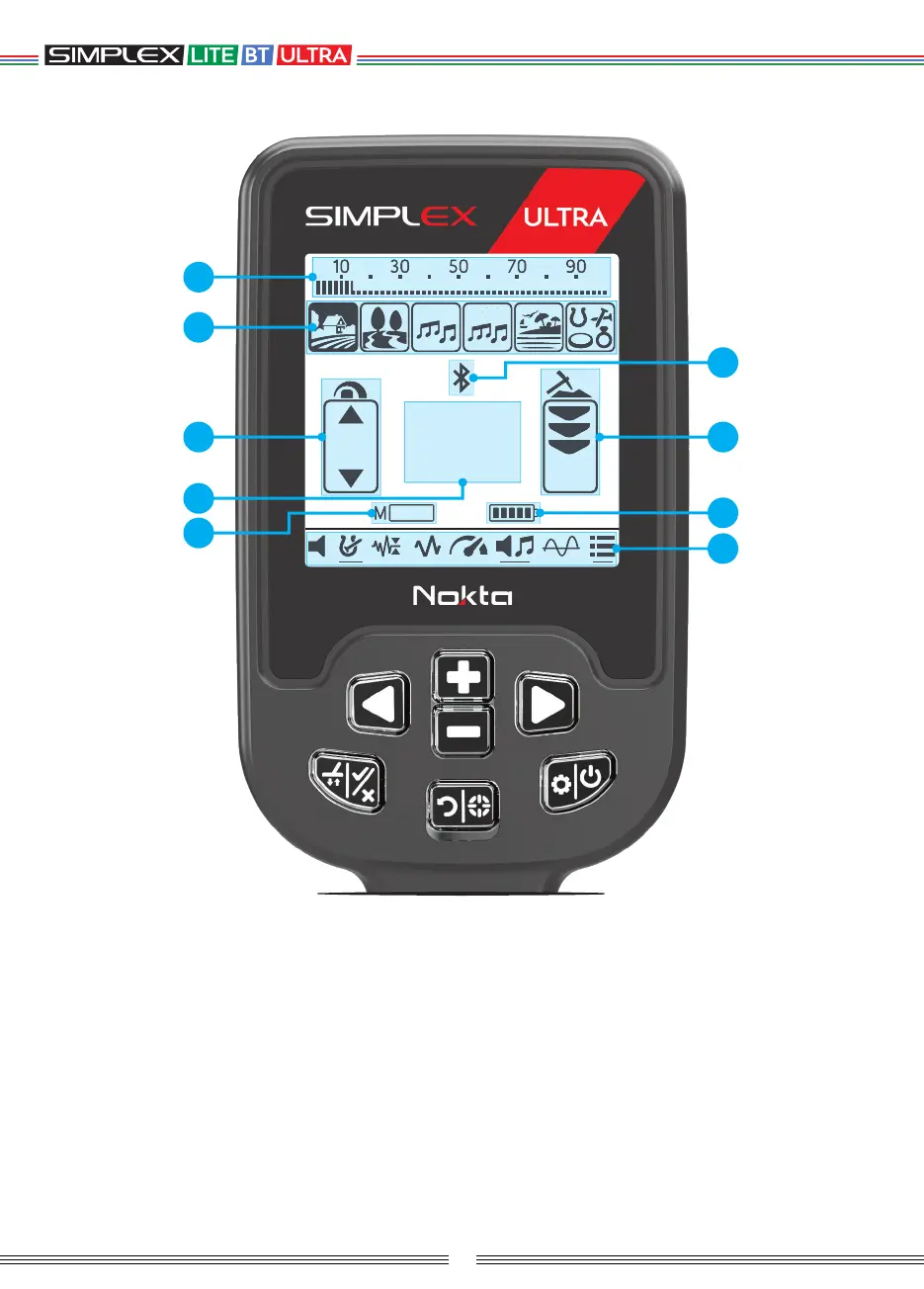
DISPLAY
25
4 99
56
1
2
3
2
7
9
8
6
5
4
(1) Target ID scale
Shows the ID of the detected target on the ID
scale. It also indicates the IDs filtered by Notch
Discrimination setting.
(2) Search Modes
(3) Sensitivity Indicator
(4) Section which shows the Target ID upon
target detection, pinpoint mode as well as the
warning icons. In addition, the value of any
setting selected from the menu is displayed in
this field.
(5) Magnetic Mineralization Indicator
(6) Wireless Connection
(7) Instant Depth Indicator
(8) Battery Level Indicator
(9) Settings



 To Next Page